EXCITE/EXCITE+ LINE - ASSEMBLY KIT VISIO/VISIOWEB-UNITY3.0
Installation Manual UNITY 3.0- Rev. 1.0
e-mail: support@technogym.com
Pag. 14
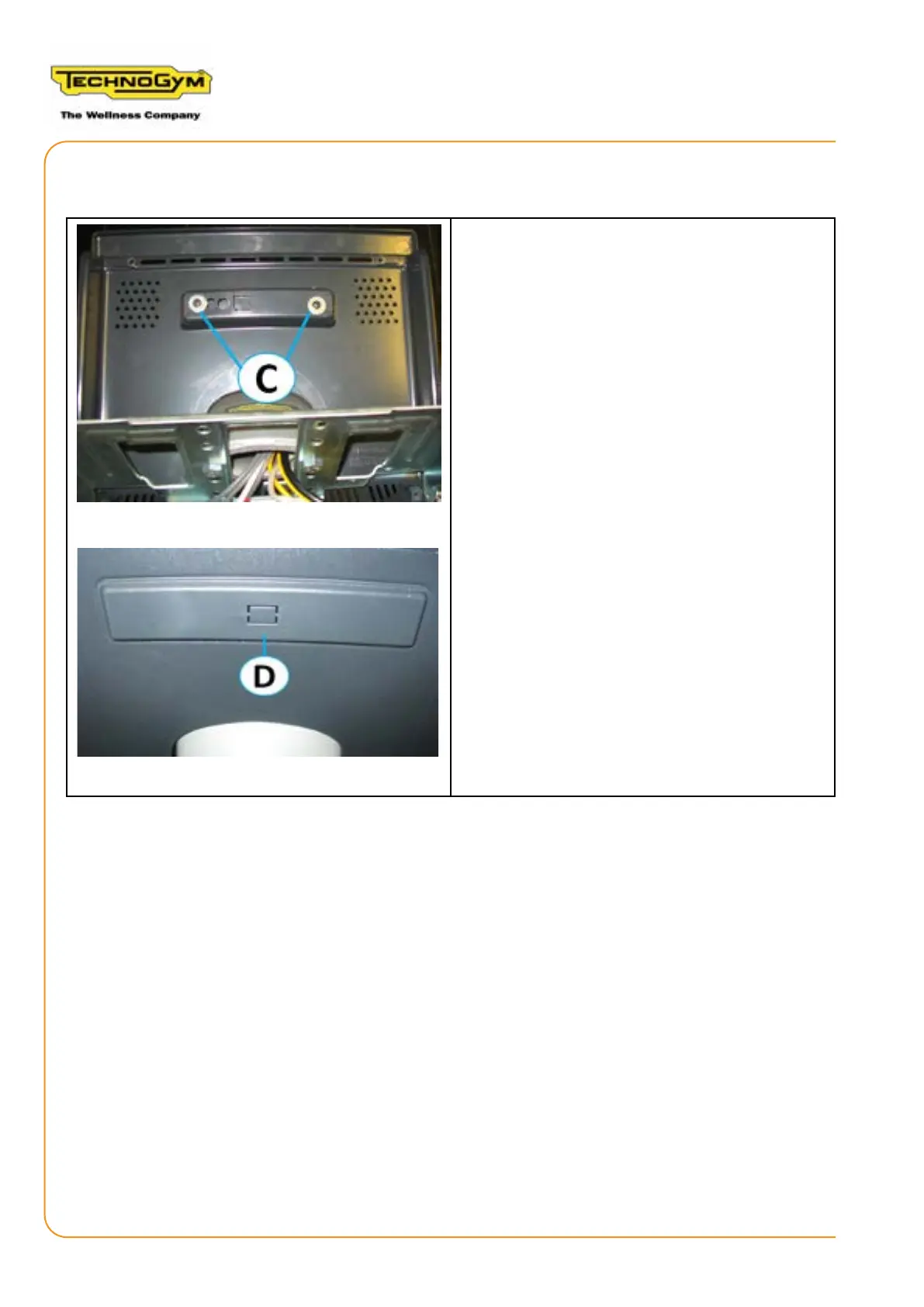
3.2 ASSEMBLING THE CAP OF THE REAR GUARD OF THE DISPLAY
1. Position the cap (D) on the rear guard of the
display and x it, from the internal part of the
guard, using the two screws and washers (C)
provided in the kit, with a Medium Phillips
screwdriver.













 To Next Page