] icon to enter into <playback> interface
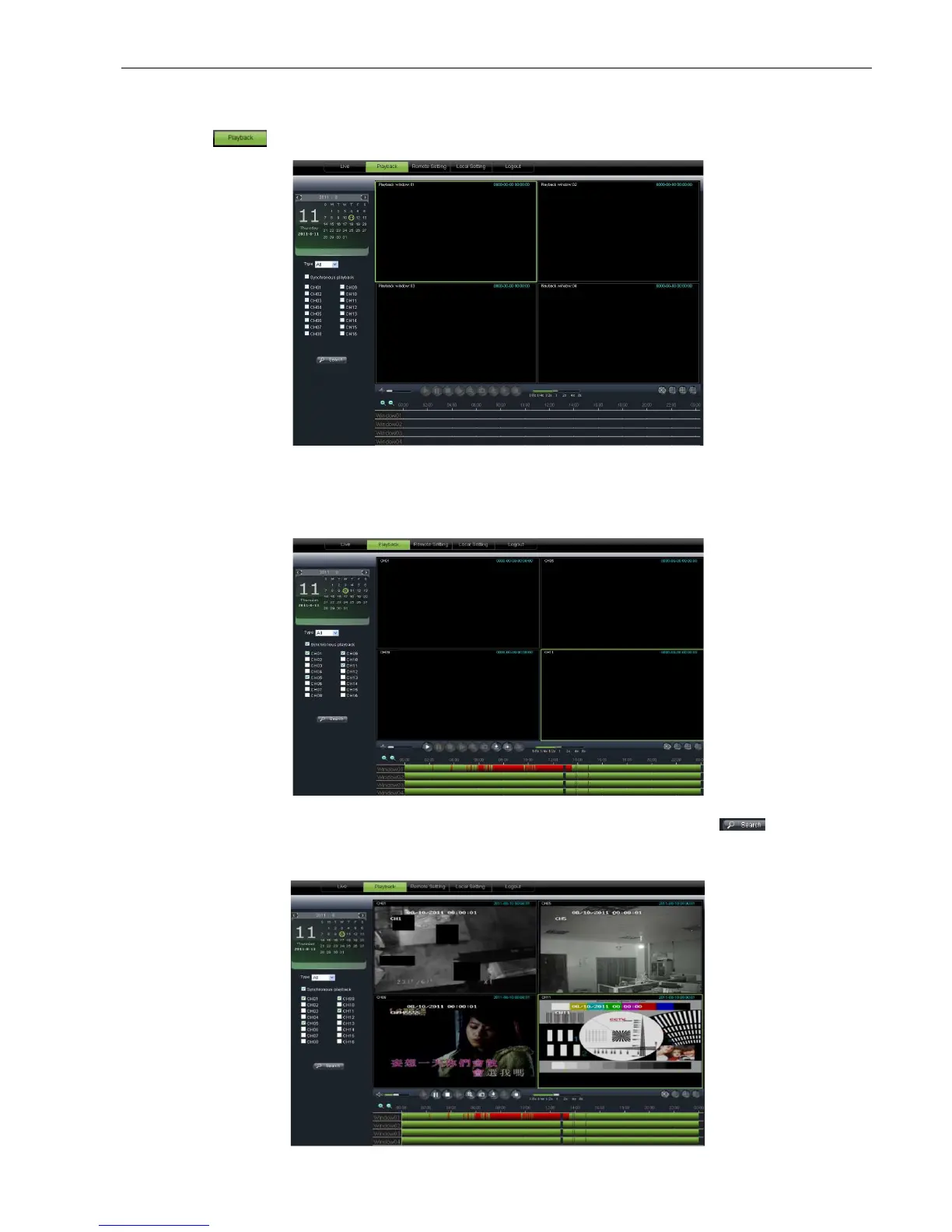
Firstly, select one day you want to check and tick
desire to playback shown as Picture 6
select record type (Normal record, Alarm record and All) and then click <
9. On the time axis, red part stand for alarm record, yellow stand for normal record and original
part stand for no record during this period.
] icon to enter into <playback> interface
Firstly, select one day you want to check and tick
select <synchronous Playback> and the channels you
desire to playback shown as Picture 6
select record type (Normal record, Alarm record and All) and then click <
9. On the time axis, red part stand for alarm record, yellow stand for normal record and original
part stand for no record during this period.
Picture 6-7
Picture 6-8
Picture 6-9
User Manual
select <synchronous Playback> and the channels you
select record type (Normal record, Alarm record and All) and then click <
9. On the time axis, red part stand for alarm record, yellow stand for normal record and original



 To Next Page