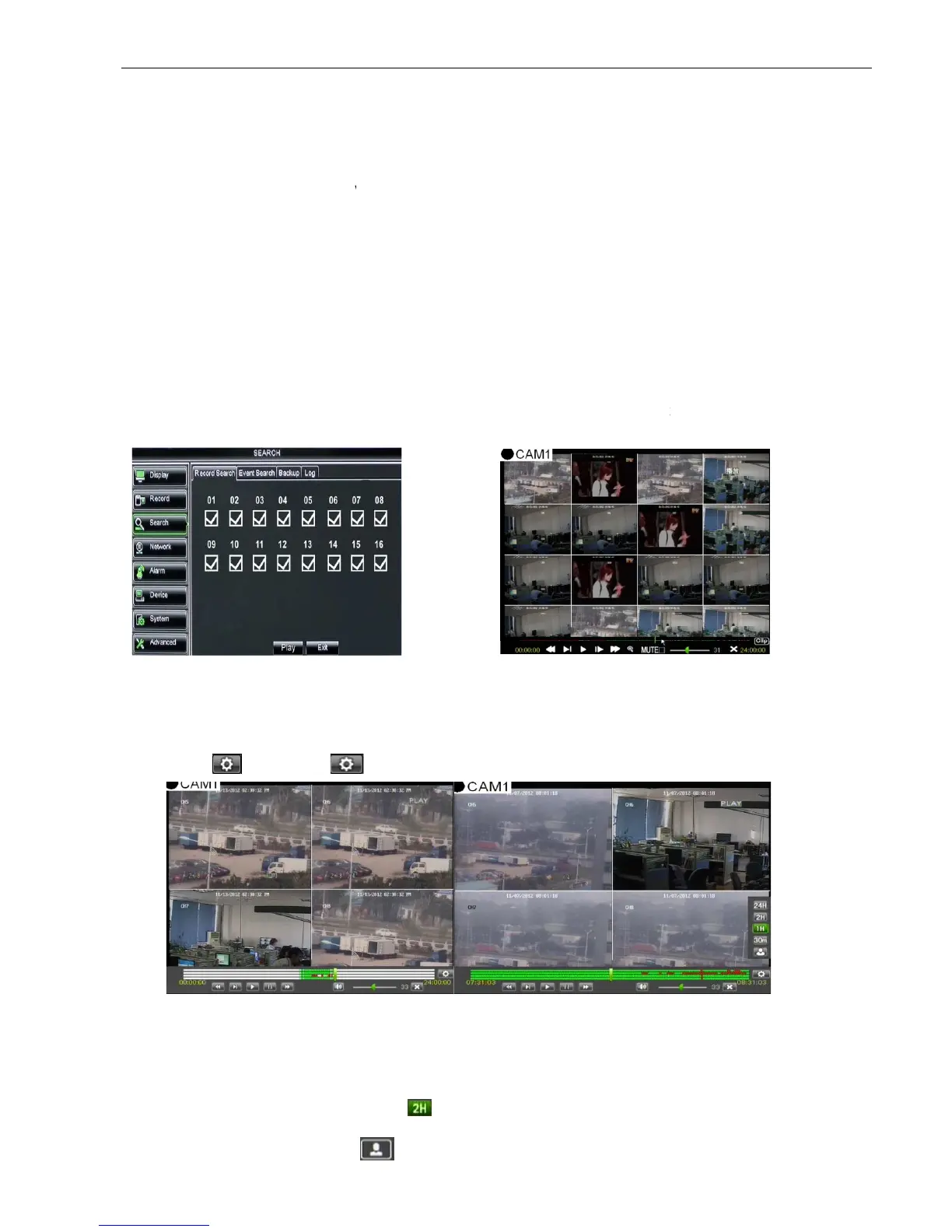
view it in Playback mode. This is useful for hunting a specific recording of an incident if you know the date
and time it occurred.
File List:
click [File List] button to enter into the [E
records for the time quantum will appear in the screen.
You can use the Playback Control bar to operate the Fast Forward (X2, X4 and X8),
Slow play (1/2, 1/4 and 1/8 speed), Play, Pause/Frame, Rewind(X2, X4 and X8). When ending playback,
DVR will return back to previous menu shown as Picture 5
the play control bar will display current playing processing shown as Picture 5
When user click any time at the control bar and this point have not any record file, system will auto return
back to previous menu.
5.2.3.2 Channel Select
5.2.3.3
Time Axis setup, file clip and zoom in/out
supports the processing control bar function when playing back record files shown as
19A (Up to 4 CH is available).
Time Axis: defaulted to 24hours, and allow user select 2hours, 1hour, 30minutes or
Detailed operation is as follows:
Detailed operation is as follows:Detailed operation is as follows:
Detailed operation is as follows:
(
((
(1)
))
)
Fixed time axis
: If you select [ ] option, that means the processing control bar cover two
video content.
(
((
(2)
))
)
User-defined: s
elect [ ]option and move the cursor to processing bar to select start time
to enter into the interface shown as Picture
, user can search for a specific date and time for a recording and
view it in Playback mode. This is useful for hunting a specific recording of an incident if you know the date
click [File List] button to enter into the [E
vent Search] screen shown as Picture 5
records for the time quantum will appear in the screen.
You can use the Playback Control bar to operate the Fast Forward (X2, X4 and X8),
Slow play (1/2, 1/4 and 1/8 speed), Play, Pause/Frame, Rewind(X2, X4 and X8). When ending playback,
DVR will return back to previous menu shown as Picture 5
the play control bar will display current playing processing shown as Picture 5
When user click any time at the control bar and this point have not any record file, system will auto return
Time Axis setup, file clip and zoom in/out
supports the processing control bar function when playing back record files shown as
19A (Up to 4 CH is available).
the processing bar to pop up the
interface shown as Picture 5
Time Axis: defaulted to 24hours, and allow user select 2hours, 1hour, 30minutes or
Detailed operation is as follows:
Detailed operation is as follows:Detailed operation is as follows:
Detailed operation is as follows:
: If you select [ ] option, that means the processing control bar cover two
elect [ ]option and move the cursor to processing bar to select start time
to enter into the interface shown as Picture
select the channel you want to playback;
and click [Play] button to enter into the playback
, user can search for a specific date and time for a recording and
view it in Playback mode. This is useful for hunting a specific recording of an incident if you know the date
vent Search] screen shown as Picture 5
You can use the Playback Control bar to operate the Fast Forward (X2, X4 and X8),
Slow play (1/2, 1/4 and 1/8 speed), Play, Pause/Frame, Rewind(X2, X4 and X8). When ending playback,
the play control bar will display current playing processing shown as Picture 5
When user click any time at the control bar and this point have not any record file, system will auto return
supports the processing control bar function when playing back record files shown as
interface shown as Picture 5
Time Axis: defaulted to 24hours, and allow user select 2hours, 1hour, 30minutes or
: If you select [ ] option, that means the processing control bar cover two
elect [ ]option and move the cursor to processing bar to select start time
select the channel you want to playback;
and click [Play] button to enter into the playback



 To Next Page