5.3 Menu Lock
Considering
a system safety feature you can click [
shown as Picture 5-59
5.4 Split mode
The model displays 4/8 live
images in the sequence of single, 4
split mode, the live images will be displayed in turn CH1~4, CH5~8…and CH13~16.
split mode, the live images will be displayed in turn CH1~9
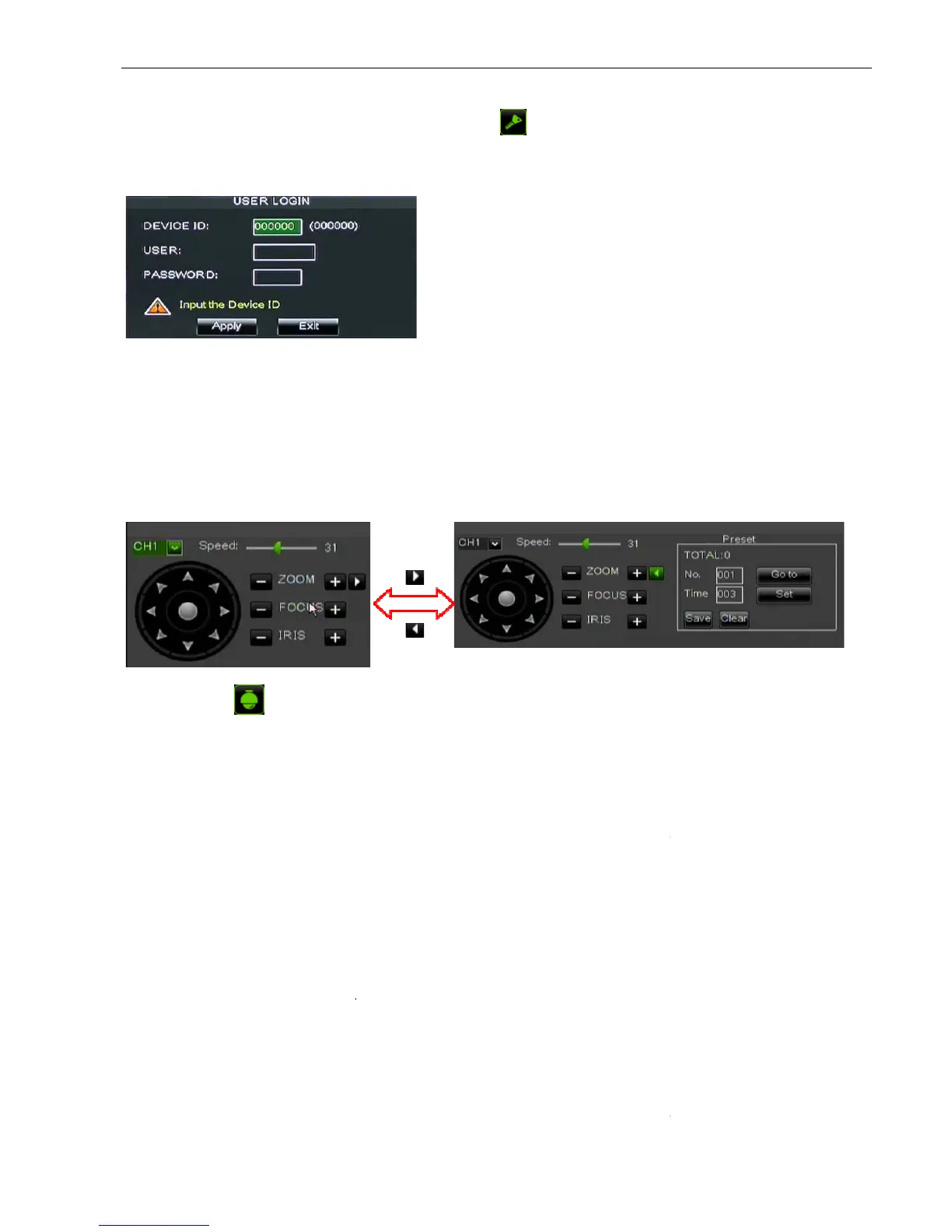
camera with Pan, Tilt and Zoom capabilities.
button adjust iris to open or close.
How to set pre-set point
Total: set up pre-set point
indicates starting point cruised. System default point is 01. The mod
pre-set points.
Stop time: sets the stop
GOTO: allow you go to a
llow you set a set of specific preset points of a PTZ camera.
Select a camera you desire to set a
Adjust the camera in a desired direction;
Click [Set] to set the point as preset point;
Click [Save] to save the preset point;
Follow the above step to add one more preset point.
save all the preset points
: allow you delete one se
sets per one camera can be stored. However, actual preset quantity differs depending
on PTZ performance.
Picture 5-59
26
a system safety feature you can click [
, you would input device code and
images in the sequence of single, 4
split mode, the live images will be displayed in turn CH1~4, CH5~8…and CH13~16.
split mode, the live images will be displayed in turn CH1~9
PTZ control] menu shown as Picture5
camera with Pan, Tilt and Zoom capabilities.
out the image; Click [Focus -
/+] button to focus the image; Click [Iris
indicates starting point cruised. System default point is 01. The mod
point and range is 1~255;
llow you set a set of specific preset points of a PTZ camera.
Select a camera you desire to set a
Adjust the camera in a desired direction;
Click [Set] to set the point as preset point;
Click [Save] to save the preset point;
Follow the above step to add one more preset point.
save all the preset points
: allow you delete one se
sets per one camera can be stored. However, actual preset quantity differs depending
Administrator has full authority
over Main Menu operations
limit common user’s operation.
split mode, the live images will be displayed in turn CH1~4, CH5~8…and CH13~16.
60. Now user can control the
/+] button to focus the image; Click [Iris
indicates starting point cruised. System default point is 01. The mod
sets per one camera can be stored. However, actual preset quantity differs depending
Administrator has full authority



 To Next Page