User Manual
21
Latch time: you can set how long the buzzer will sound when object move is detected (10s, 30s, 40s,
60s);
Show Message: You can set show message on the screen when motion alarm is detected.
Buzzer time: you can set how long the buzzer will sound when motion is detected (off, 10s, 30s, 40s,
60s);
Send Email:Allows you set the alarm images is issued to a specified email.
Full screen Alarm: The function is defaulted to “On". When the motion is detected, the corresponding
channel will be switched to the full screen mode.
Record Channel: the record channel will be activated when the object move is detected.
Post Recording: you can set how long alarm record will last when alarm ends (30s, 1minutes,2minutes,
5minutes).
Copy: allow you copy current channel parameters to any other channel or all channels.
5.2.5.2 Alarm Set
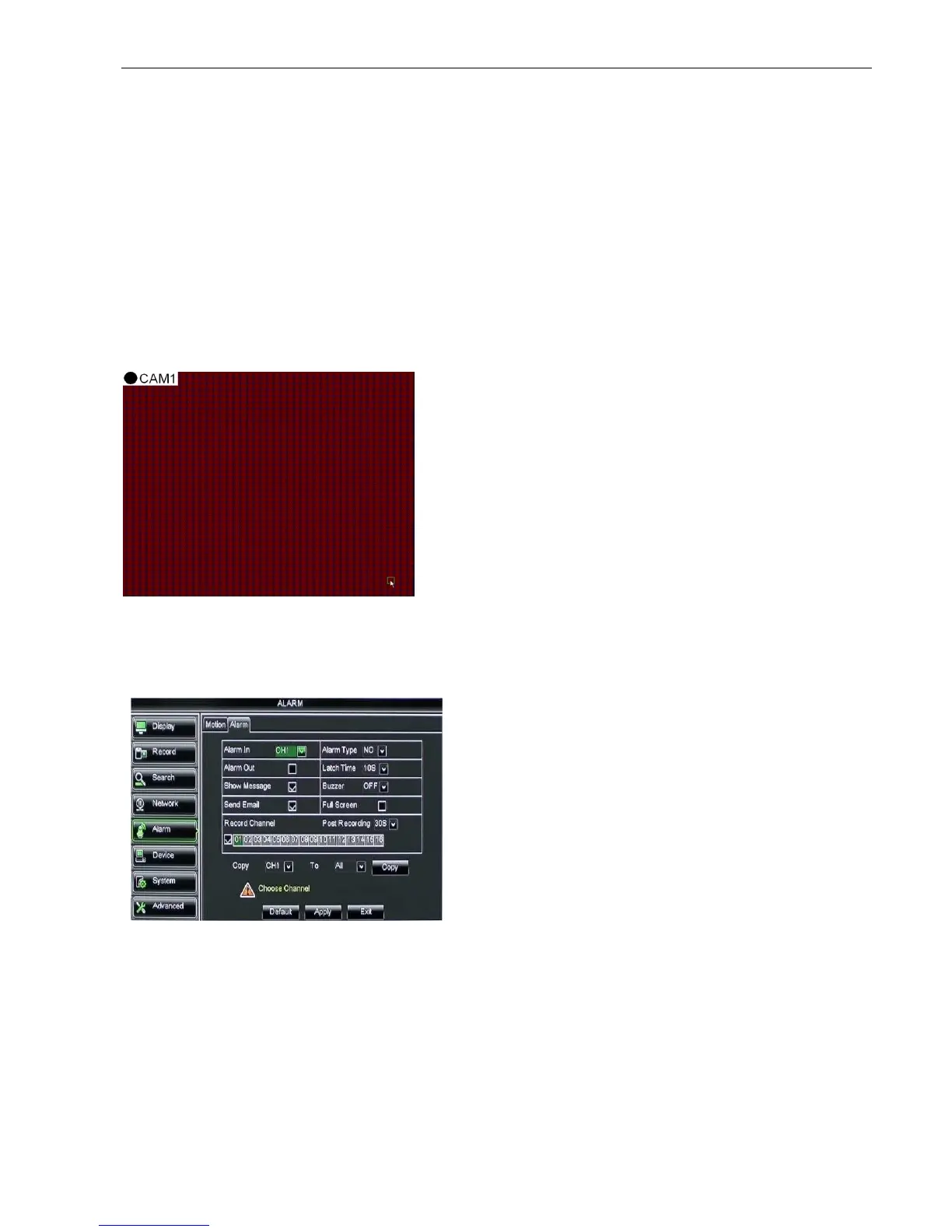
Click [Main MenuAlarmAlarm] to enter into the below window shown as Picture 5-44. Now you can
perform alarm set based on different status. Details please refer to List 5-1
Latch time: you can set how long the buzzer will sound when external sensor alarm is detected (10s, 20s,
40s, 60s);
Show Message: You can set show message on the screen when sensor alarm is detected.
Buzzer time: you can set how long the buzzer will sound when sensor alarm is detected (Off, 10s, 20s,
40s, 60s);
Send Email:Allows you set the alarm images is issued to a specified email.
Full screen Alarm: The function is defaulted to “On". When the motion detection or external alarm is
triggered, the corresponding channel will be switched to the full screen mode.
Record Channel: allow you select channels you want to record.
No: allow you select one desired channel
I/O Status: allows you select the three options –
NO (Normal Open), NC (Normal Close) and
OFF. Set to “Normal Open”, I/O status Alarm will
be activated while sensor is ON; set to “Normal
Close”, I/O status alarm will be activated while
sensor is OFF; set to “OFF”, I/O status alarm
will not be triggered.
Alarm out: allow you connect external alarm
sensor.
Picture 5-43
The channel will be separated into a 44x36 grids
(PAL/NTSC mode). When any object moves into the
motion detection area, and the area where the object
is located is displayed in red and motion detection will
be triggered. In the semi-transparent area the motion
detection is not activated.
After configuring the above parameters, click <OK> to
save it.
Picture 5-44



 To Next Page