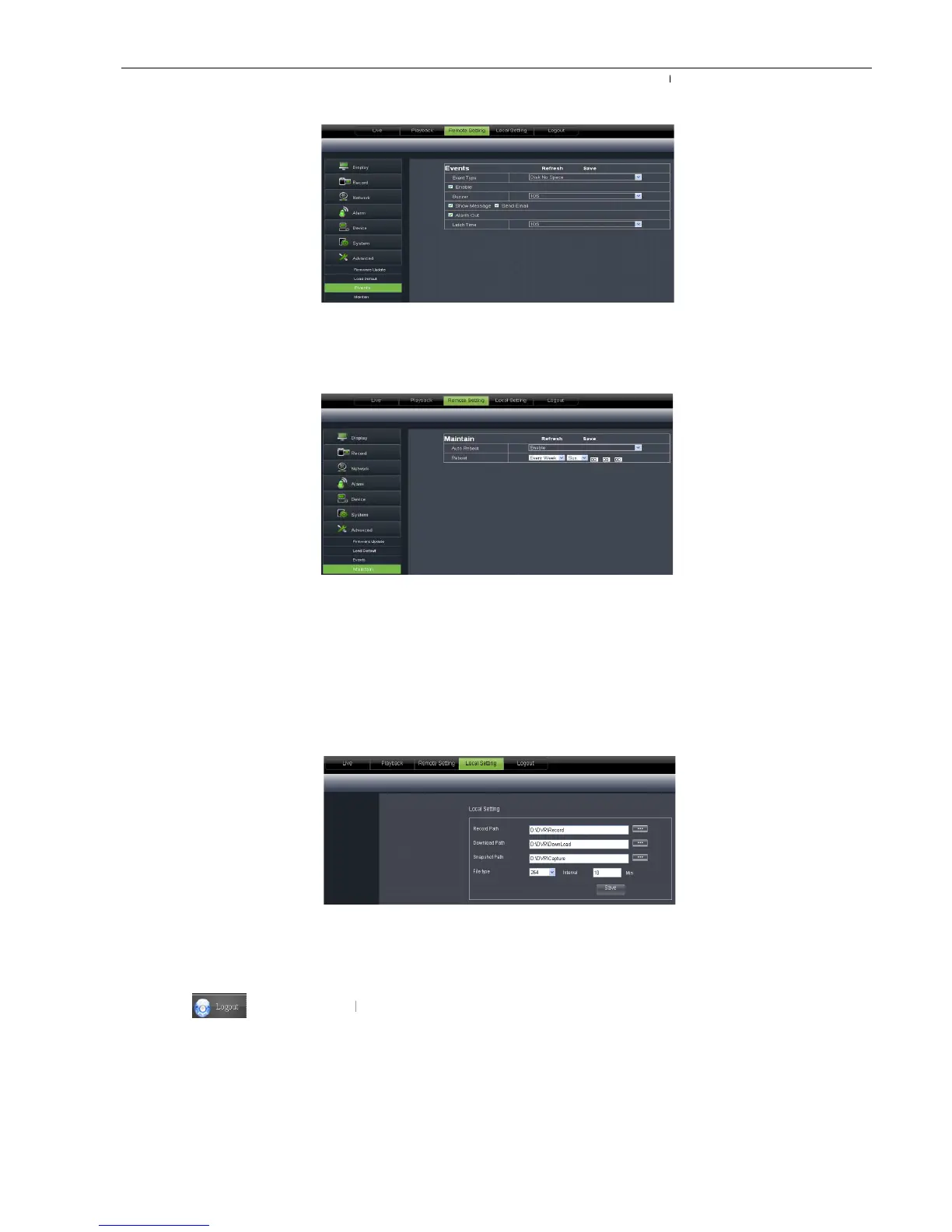
Allow you configure abnormal type, buzzer output time, and alarm email and sh
Details setting should be consistent with DVR local setting.
Allow you set auto system maintain for DV
be consistent with DVR local setting.
Under <Local setting> option, user could set record path of record file (Live record and Playback clip file),
download path of remote file, Snapshot path, File type (H.264 and AVI) an
] icon to return back the log
Allow you configure abnormal type, buzzer output time, and alarm email and sh
Details setting should be consistent with DVR local setting.
Allow you set auto system maintain for DV
R remotely shown as Pictu
be consistent with DVR local setting.
Under <Local setting> option, user could set record path of record file (Live record and Playback clip file),
download path of remote file, Snapshot path, File type (H.264 and AVI) an
] icon to return back the log
Allow you configure abnormal type, buzzer output time, and alarm email and sh
R remotely shown as Pictu
re 6-37. Detail setting should
Under <Local setting> option, user could set record path of record file (Live record and Playback clip file),



 To Next Page