6-53
> LADDER
FUN.BLOCK
STOP
WRITE
RTC SET
WRITE
PASSWORD
LANGUAGE
Press the Button
↑ ↓
Move the Cursor to select Main Menu
OK Confirm the selected Function
ESC Skip to Initial Screen
※SG2 can be modified, edited, cleared and read user program only when it is under STOP Mode.
※As the program is modified, SG2 will automatically backup it to EEPROM. (not PM05)
◎ Main Menu LADDER
Press the Button
Button Description
SEL
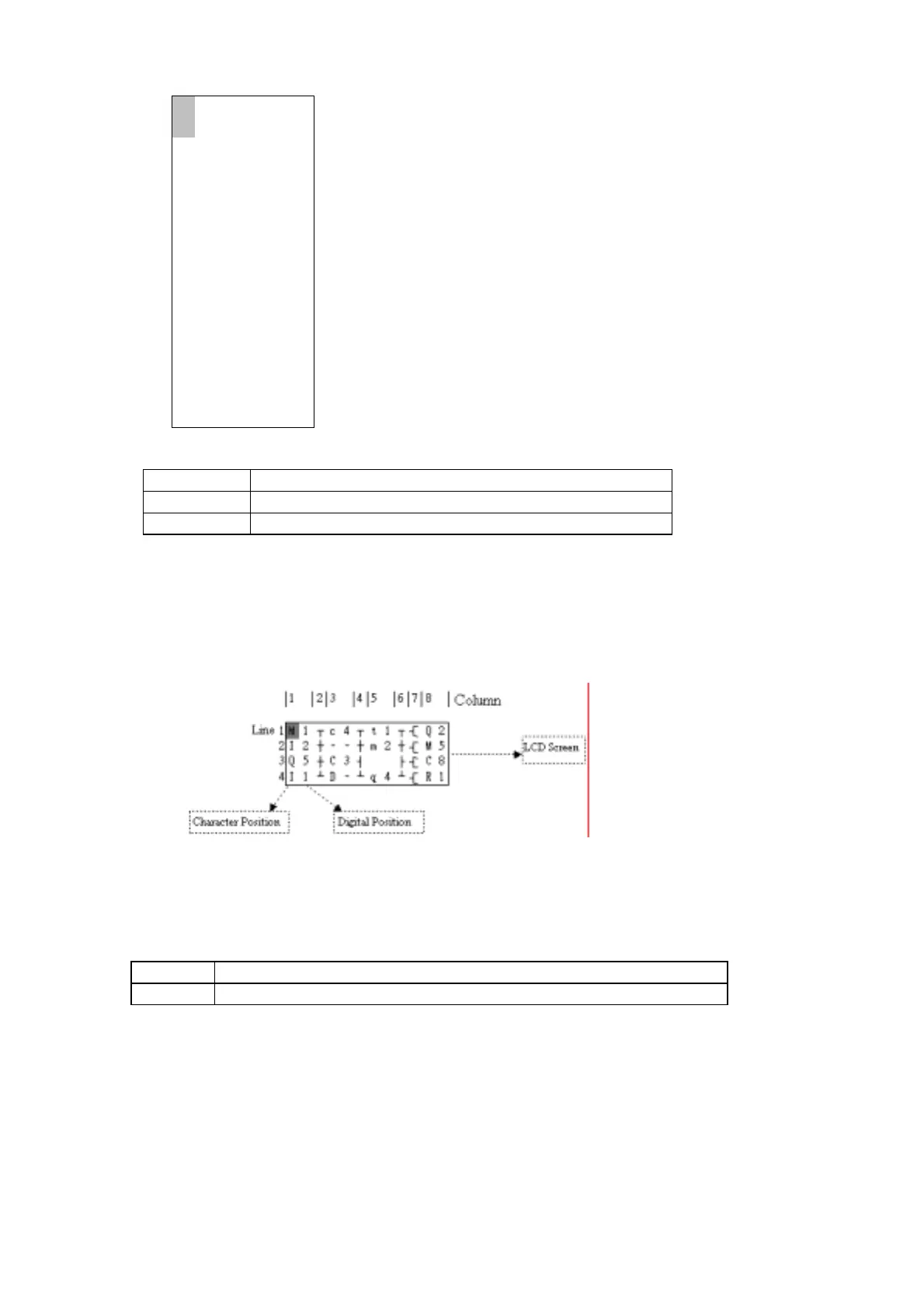
1. Ix ⇒ ix ⇒ ── ⇒ space ⇒ Ix
(only for digital and character position of 1,3,5 column.)


 To Next Page