EasyManua.ls Logo

Tectrix Climbmax 150 - Display Cable

Tectrix Climbmax 150
60 pages
Print Icon
To Next Page IconTo Next Page
To Previous Page IconTo Previous Page
Loading...
31,
Display
Cable,
Part
#
61059
Tools:
#2
Phillips
Screwdriver
5/16"
Nut
Driver
Small
Flathead
Screwdriver
31.1
Test
With
a
Spare
Cable
Before
you
change
a
display
cable,
be
sure
to
test
it
first
to
determine
that
the
old
one
is
bad.
Remove
the
display
console
(see
section
30).
Lay
the
Climb
Max
on
its
side
and
disconnect
the
display
cable
from
the
power
board.
Plug
your
spare
cable
into
the
power
board
and
stand
the
Climb
Max
up.
Plug
the
cable
into
the
display
console
and
set
it
on
the
floor.
Run
your
tests
and
see
if
the
new
cable
cures
the
problem.
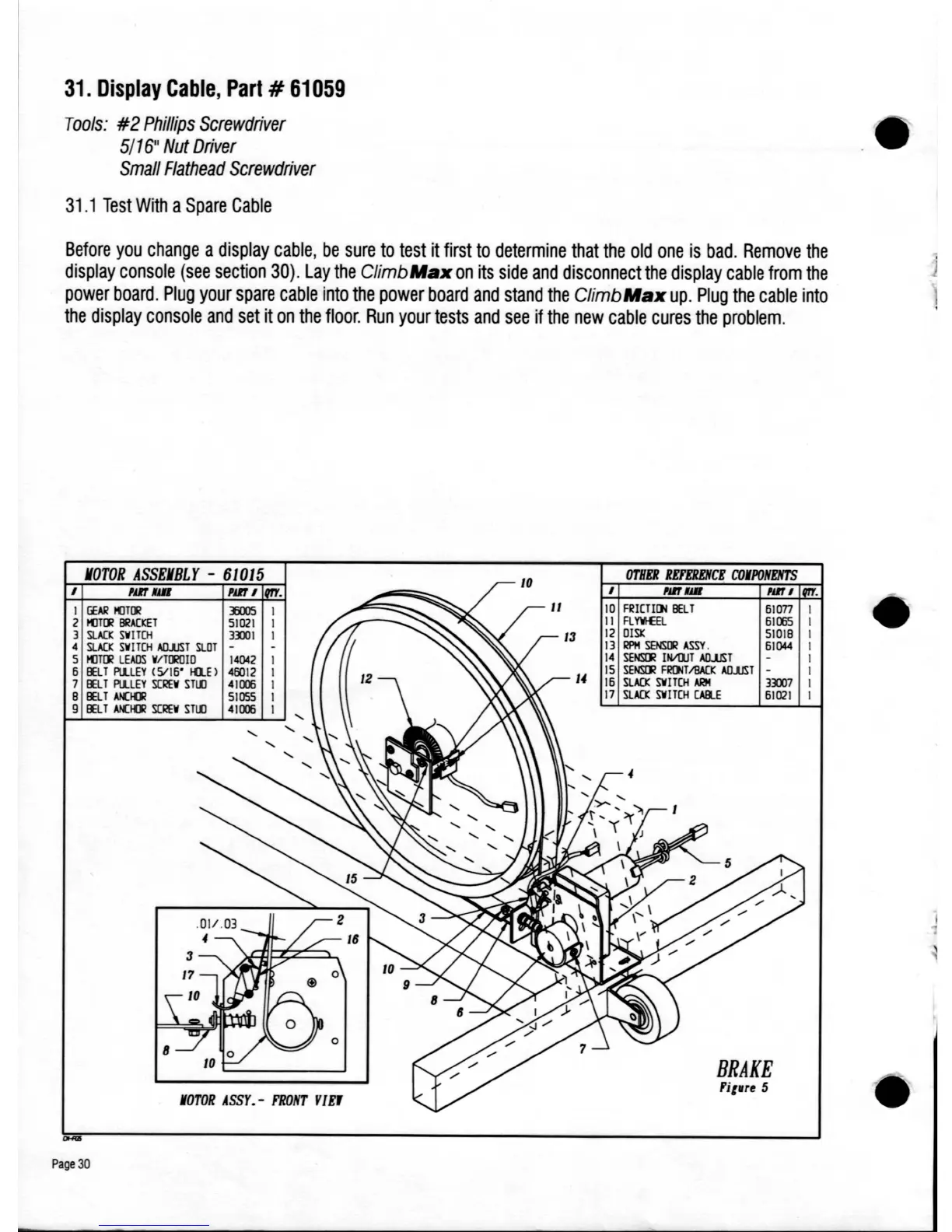
MOTOR
ASSEMBLY
-
610
15
I
1m
lUll
1m
I
I
GEAR
I(JTlJ/
:J5OO5
2
I(JTlJ/
BRACKET
5I
021
3
suo::
SVITCH
3DI
4
suo::
SW
ITCH
AlUJST
SLOT
5
I(JTlJ/
LEADS
W/TlJ1OIO
14042
5 IE.T
Pl1.LEY
(5115' tQ.E)
46012
7 IE.T
Pl1.LEY
S(lIEW
S
TtD
41lDi
8 IE.T
AlCI01
51055
9 IE.T
AlCI01
SC!1EW
S
TtD
41lDi
rOTOR
ASSY.
-
FRONT
Y1
EJ
Page
30
OTHER
REFEREIICE
CO.PONENTS
I
NIl..
NIl
I
10
FRI[TI[)j
lilT
510n
II
FL"MEEL
51005
12
OISI:
51018
13
I1PM
SENSlJ1
ASSY.
5I
044
14
SENSD1
INIllJT
AlUJST
15
SENSD1
FRlJjTI8AQ:
AO.1JST
-
15
suo::
SV1T(H
ARM
3Dl7
17
SLACK
SV1T(H
CAIU
51021
BRAKE
fitrre
5

Table of Contents