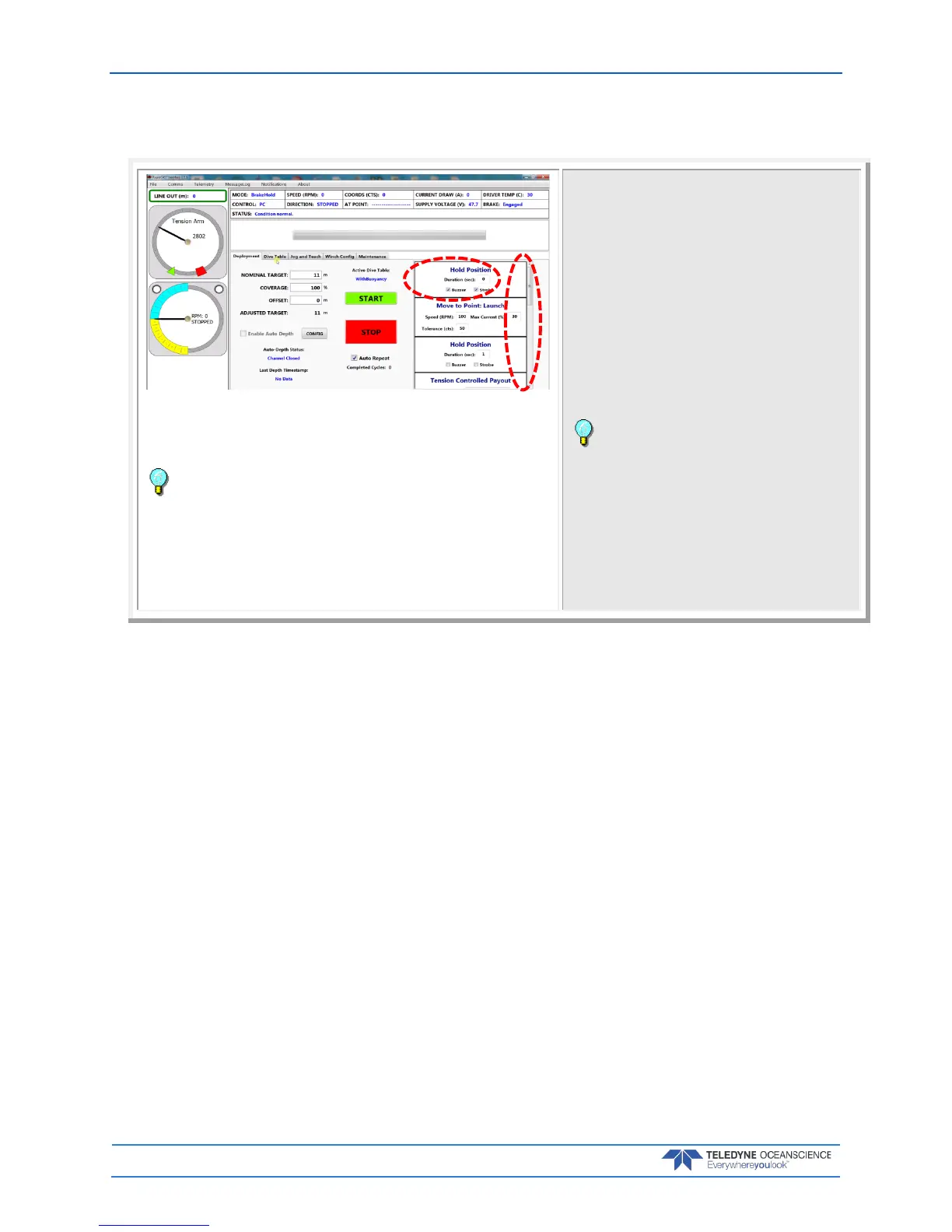
Step 3 – Set Parameters
If you want to enter a delay between steps, enter a number of seconds in the
Hold Position boxes.
Select Buzzer and/or Strobe to add warnings between steps as needed.
Recommended setting:
Enter a delay of 1 to 5 seconds between steps except for the hold position
between Tension Controlled Payout and Move to Point Recovery. This hold
duration should be equal to the Tension Controlled payout duration. This will
help in the initial retrieval of the probe by using the boat’s forward speed.
Select the Buzzer for the first step only. Use the Strobe for the rest of the
positions.
The software sequence will execute the following
actions, in order. The actions have a default setting
and are all user settable.
Review the settings by scrolling through:
Hold Position – time before next task begins with an
audio/visional notification option.
Move to Point: Launch – move the probe to launch
point defined in Jog and Teach tab.
Hold Position – time before next task begins with an
audio/visional notification option.
Tension Controlled Payout – Deploy probe for XX
seconds as defined in Dive Table tab.
Hold Position – time to hold probe using brake and
bring it to surface.
This Hold duration should be equal to Tension
Controlled payout duration.
Move to Point: Recovery – Recovery of probe to
recovery point defined in Jog and Teach tab.
Hold Position - time before next task begins with an
audio/visional notification option.
Move to Point: Comm - Recovery of probe to comm
point defined in Jog and Teach tab.
Hold Position – option to signal cast completion with
an audio/visional notification.



 To Next Page