March 2018 rapidCAST User’s Guide
Page 74
EAR-Controlled Technology Subject to Restrictions Contained on the Cover Page.
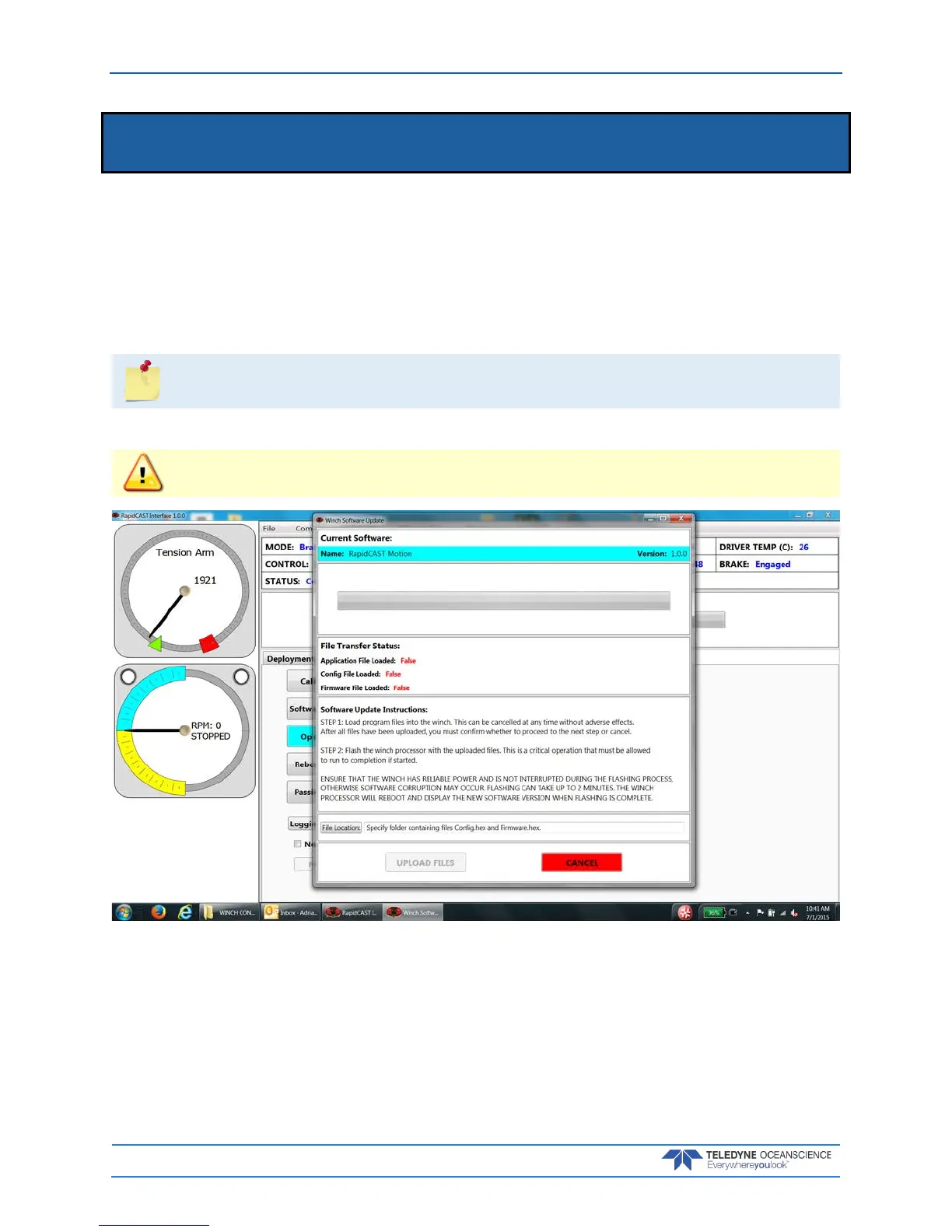
Updating the Winch Software
To update the winch software:
1. Start the rapidCAST Interface software.
2. Click the Maintenance tab.
3. Click the Software Update button.
4. Click the File Location button and navigate to the folder that contains the Config.hex and Firm-
ware.hex files.
Updates may be sent via e-mail or downloaded from Oceanscience.
5. Click the Upload Files button.
Ensure that the winch has reliable power and is not interrupted during the flashing process,
otherwise software corruption may occur.



 To Next Page