Installation and Programming Manual - СА62 Alarm Control Panel 21
ADDRESS 0011 - AUTHORITY CODE DURING AMBUSH (AMBUSH CODE)
Ambush
Code
Enabling/ Disabling the ambush code in the system. The parameter status can be changed with press-
ing of random button of the keyboard.
NO Disabled ambush code.
Indication
LED
LCD
1 2 3 4 5 6
YES
Enabled ambush code. The code is made up by add-
ing 1 to a legal user code. There is no carrying over for
codes ending in the gure 9.
For example, the ambush code for 1234 is 1235, and
for 9999 it is 9990.
Indication
LED
LCD
(1) (2) (3) (4) (5) (6)
Default settings
- NO
ADDRESS 0012 - ENABLED KEYBOARD BLOCKING IN CASE OF ACCESS CODE ERROR
Enable key-
pad block
Enabling/ Disabling blocking the keyboards buttons in case of wrong code entry. The parameter status
can be changed with pressing of random button of the keyboard.
NO No keyboard blocking in case of wrong code entry.
Indication
LED
LCD
1 2 3 4 5 6
YES
The keyboard buttons will be blocked for 30 sec. if three
wrong codes are entered in sequence - for 30 seconds
the keyboard buttons are disabled, and a continuous
sound signal is heard.
Indication
LED
LCD
(1) (2) (3) (4) (5) (6)
Default settings
- NO
ADDRESS 0013 - TECHNICAL TROUBLE INDICATION MASK
Trouble
mask
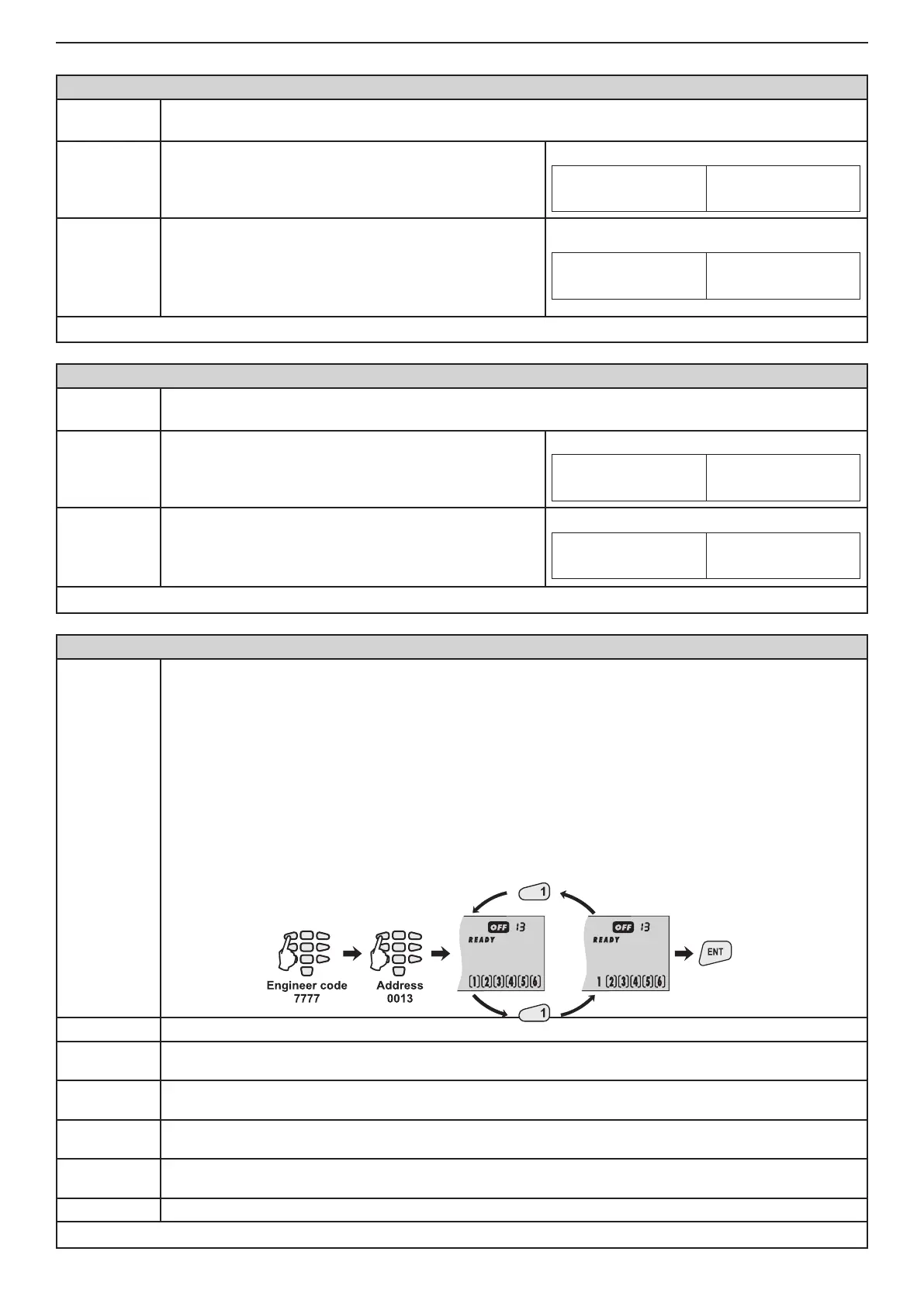
The mask for sound indication (two short beeps in every 20 seconds) from the keyboard in Technical
Trouble mode is assigned at this address.
The trouble indication mask is enabling with pressing a button with the respective number from 1 to
6 - see item 2.14.1 for the trouble indication in the system. Pressing the button with the same number
again will disable the trouble indication mask for the respective technical problem.
Only those LEDs whose numbers correspond to technical problems for which sound indications are
available will light up on the display at the end of the procedure. The set parameters are conrmed with
pressing the ENT button.
The procedure for enabling/ disabling the trouble mask indication are the same for all types and mod-
els CA62 keyboards.
Example for disabling a trouble indication mask using LCD62 keyboard:
1. АС Loss Loss of 220 V mains supply.
2. ВАТТ
Low
Drop in battery charge, no battery or burnt out F1 battery fuse.
3. Blown
Fuse
Burnt out PGM fuse.
4. No Tel.
line
Loss of telephone line.
5. СОММ
Error
Central station communication failure.
6. TAMPER Activated TAMPER within the system.
Default settings
- AC Loss, ВАТТ Low, Blown Fuse, No Tel. Line, СОММ Error, TAMPER



 To Next Page