Installation and Programming Manual - СА62 Alarm Control Panel 7
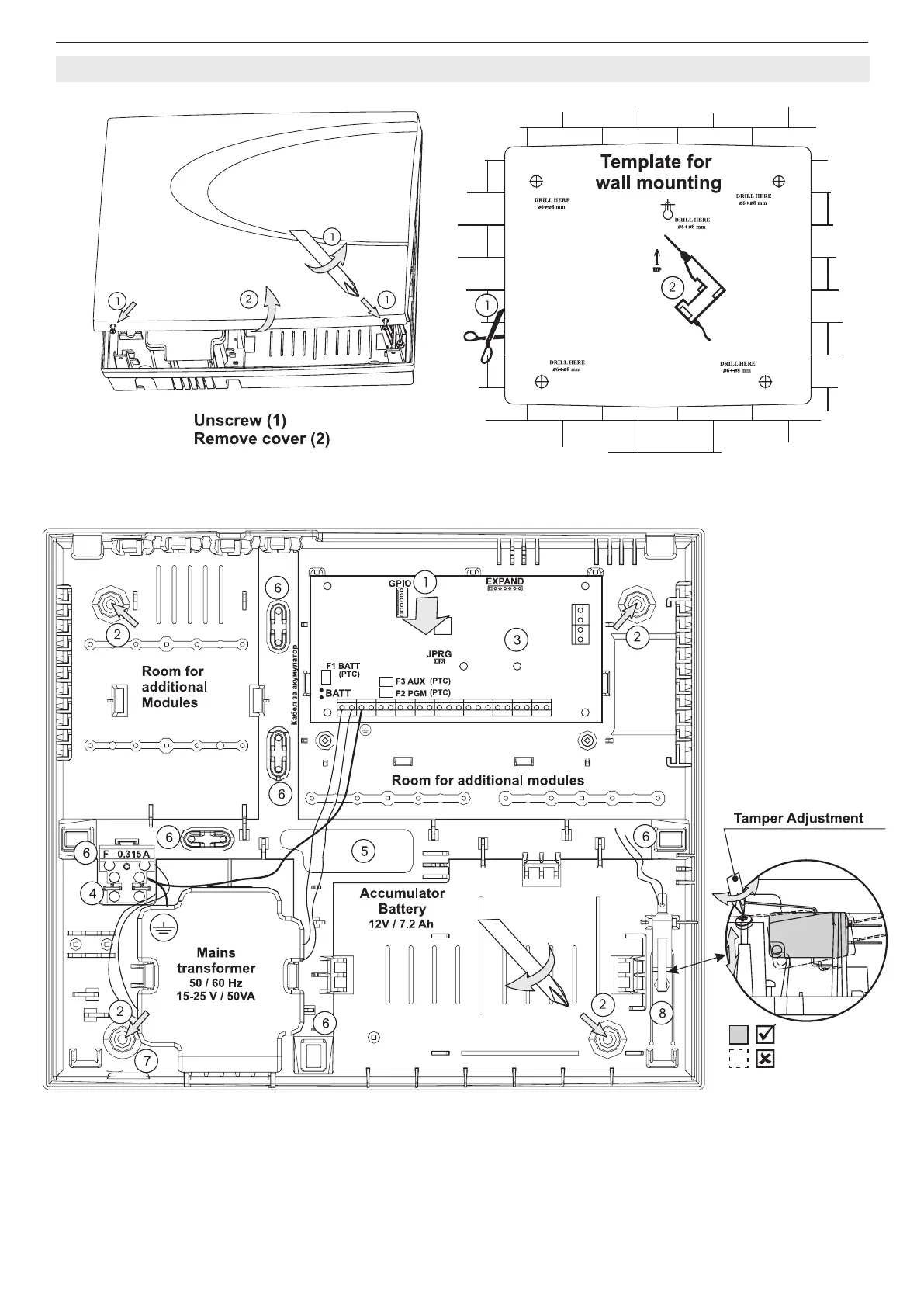
2.4 СА62 Alarm Control Panel Plastic Box
Figure 3. Opening the CA62 plastic box and template for wall mounting.
Figure 4. Situation of СА62 control panel in plastic box.
1 - Central support opening (behind PCB)
2 - Support openings
3 - CA62 Control panel
4 - Mains power supply terminal
5 - Main cable opening
6 - Additional cable openings
7 - Mains power supply opening
8 - Tamper button for box self-protection



 To Next Page