Installation and Programming Manual - СА62 Alarm Control Panel 11
2.7 Connecting of Peripheral Devices to СА62 Alarm Control Panel
2.7.1 Connecting LED and LCD Keyboards to CA62 Alarm Control Panel
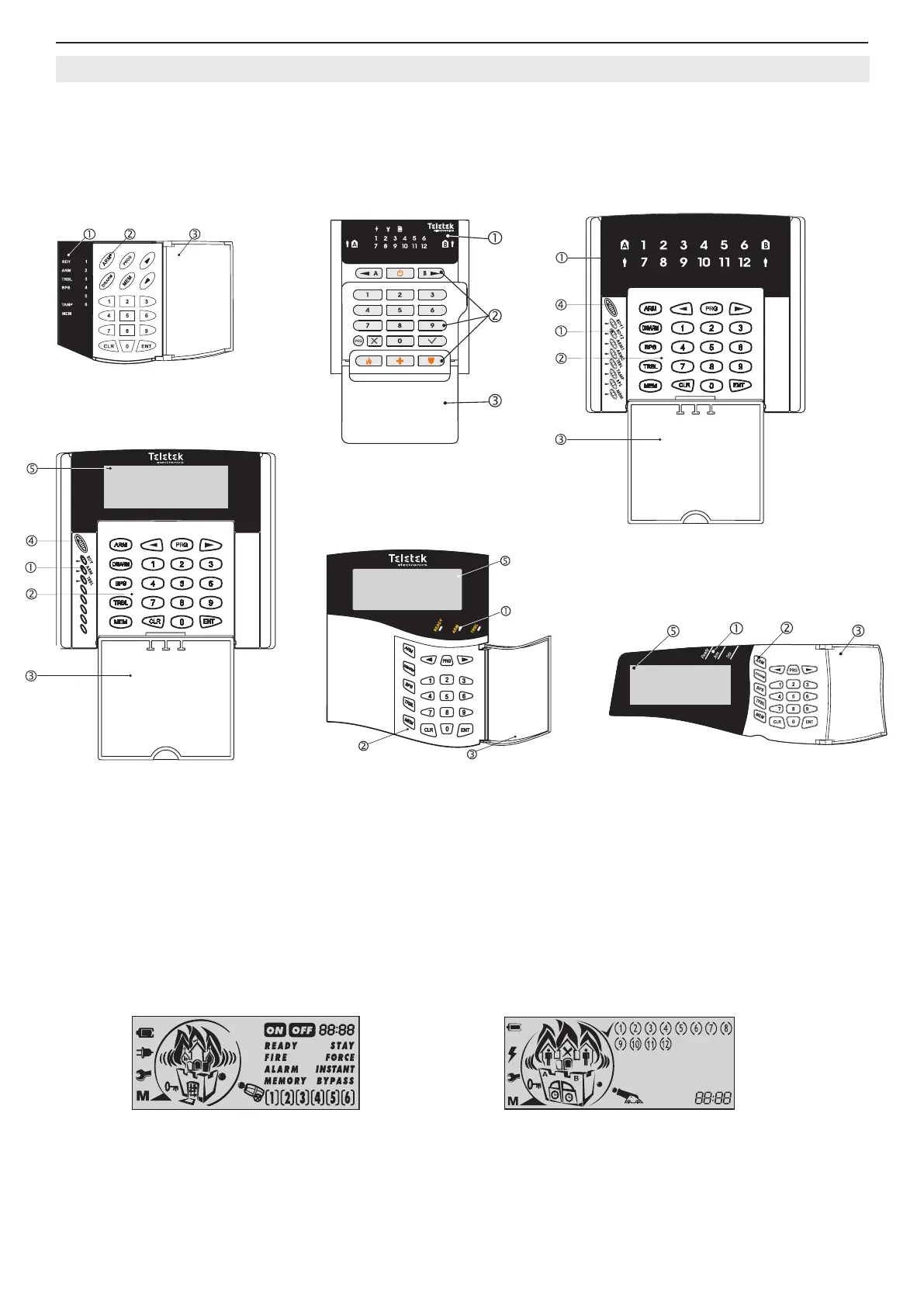
Two types of keyboards can be used to control and program the СА62 alarm panel:
• LED keyboards -models LED61, LED62, LED63VG SE
• LCD keyboards - models LCD62, LCD62B, LCD63, LCD63SE, LCD64
Figure 8. Basic view of LED and LCD keyboards.
Symbols to Figure 8:
. Status LED indication.
. Buttons for programming and controlling of CA62 control panel.
. Protective cover (open).
. Microphone.
. LCD display.
Attention: The LCD display is different for the listed keyboard models:
Models: LCD62, LCD62B, LCD63VG Model: LCD63SE, LCD64
For detailed description for indication and operation of all keyboard models refer to their individual manuals.
LED61
LED62
LCD62
LCD62B / LCD64
LCD63, LCD63SE
LED63VG SE



 To Next Page