EasyManua.ls Logo

TELEVAC CC-10 - Crystal gauge zero adjustment mode; Analog output setting mode

TELEVAC CC-10
40 pages
Print Icon
To Next Page IconTo Next Page
To Previous Page IconTo Previous Page
Loading...
CC-10
INSTRUMENT MANUAL
Phone:(215) 947-2500 fax:(215) 947-7464 e-mail:sales@televac.com web site:www.televac.com
CC-10 MANUAL REV D
Page 14 of 40
Y
TELEVA
Crystal
gauge
zero
adjustment
mode In
this
mode,
it
is
possible
to
manually
make
a
zero
adjustment
of
the
crystal
gauge. Usually
this
adjustment
is
not
necessary,
because
it
is
performed
automatically
every
time
the
pressure
reaches
3.0
x
10-3
Torr.
When
the
crystal
sensor
is
replaced
for
maintenance
or
if
the zero
has
shifted,
a
manual
zero
adjustment
might
be
required.
C
r
ys
t
a
l
g
a
ug
e
Ze
r
o
a
d
j
us
t
m
e
n
t
m
od
e
:
When
parameter
lock”
is
enabled
this
adjustment is
not
possible.
Make
sure
if
lock
is
disabled
before
the
programming.
(Refer
to
4.2)
The
character
02
on
on
the
display
shows
the
unit
is
in
this
mode.
Pushing
[ENT]
key triggers
the
zero
adjustment
instructing
the
sensor
to
fit
the
measurement
to
zero
at
the event.
Note: The same adjustment can be triggered from I/O pin #6. See section 8.
Analog
output
setting
mode. The
analog
output
can
be
selected
from
the
Log
output
mode
or
the
combined
output
mode. When
the
Log
output
is
selected,
it
is
necessary
to
set
the
width
voltage
of
one
decade
and
the
full
scale
voltage.
If
the
optional
display
unit
DS-10
is
used,
the
output
mode
will
have
to be
set
accordingly.
In
this
section
only
the
operation
will
be
explained.
A
detail
of
the
analog
output
is
described in
the
next
section.
T
h
e
a
n
a
l
og
ou
t
pu
t
s
e
tt
i
ng
m
od
e
:
When
parameter
lock”
is
enabled
any
parameter
change can
not
be
done
and
only
displaying
the
current
parameters
is
possible.
Make
sure
if
lock
is disabled
before
the
programming.
(Refer
to
4.2)
HV
SP2
SP1
SP3
Torr
X10
FUNC
ENT
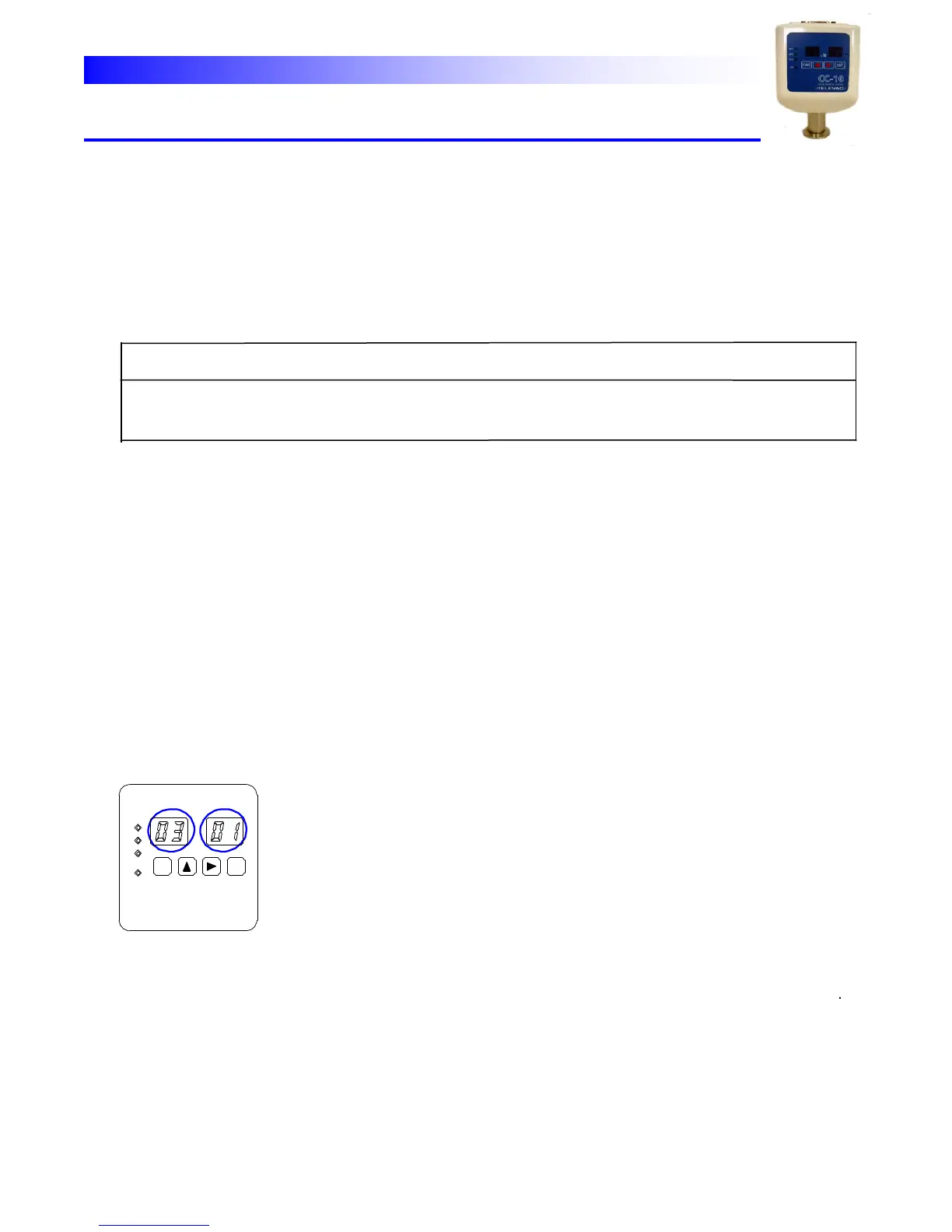
Select Output Mode
Lit Blink
8-7
When
the
analog
output
setting
mode
is
selected,
“03
is
appear
on the
left
side
two
digit
of
the
display.
The
right
side
two
digit
of
the display
blink
and
show
the
out
put
mode.
01:
Log
output
02:
Combined
output
03:
Output
for
the
display
unit DS-10.
The
change
of
the
setting
should
be
made
according
to
the
following
procedures.