EasyManua.ls Logo

TELEVAC CC-10 - Page 16

TELEVAC CC-10
40 pages
Print Icon
To Next Page IconTo Next Page
To Previous Page IconTo Previous Page
Loading...
CC-10
INSTRUMENT MANUAL
Phone:(215) 947-2500 fax:(215) 947-7464 e-mail:sales@televac.com web site:www.televac.com
CC-10 MANUAL REV D
Page 15 of 40
Y
TELEVA
SP1
SP2
SP3
HV
SP2
SP1
SP3
HV
HV
SP2
SP1
SP3
SP3
SP2
SP1
HV
X10
Torr
Torr
Torr
Torr
X10
X10
X10
FUNC
FUNC
FUNC
FUNC
ENT
ENT
ENT
ENT
Set Full Scale
Set 1 decade
voltage
Set Full Scale
Set 1 decade
voltage
SP3
SP2
SP1
HV
Torr
X10
FUNC
ENT
Select
Combined Mode
For Output
Lit Blink
Lit Blink
Lit Blink
Lit Blink
Lit Blink
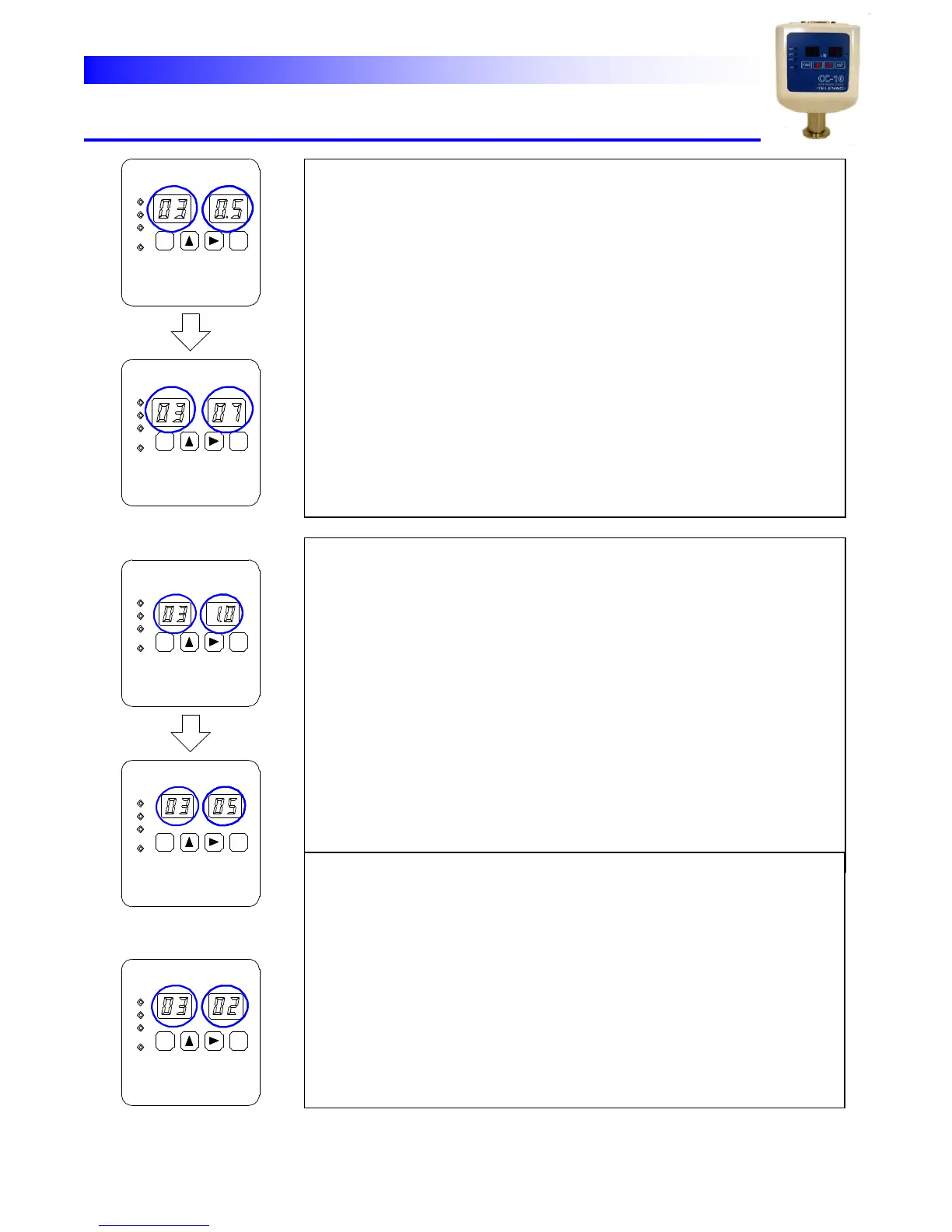
To
select
the
Log
output
mode
and
set
the
width
of
one
decade
0.5(V)
(Width
of
one
decade
can
be
set
either
0.5V
or
1.0V.)
(1)
Set
the
blinking
display
to
01
by
[↑]
key
then
push
[ENT]
key
to
select
Log
output
mode.
(2)
Blinking
value
becomes
to
show
the
one
decade
width.
Set
the value
0.5(V)
then
push
[ENT]
key.
3)
Blinking
value
becomes
to
show
the
full
scale
voltage.
Set
the value
between
7
to
10V
then
push
[ENT]
key.
The
unit
returns
to measure
mode.
To
select
the
Log
output
mode
and
set
the
width
of
one
decade
1.0(V)
(1)
Set
the
blinking
display
to
01
by
[↑]
key
then
push
[ENT]
key
to
select
Log
output
mode.
(2)
Blinking
value
becomes
to
show
the
one
decade
width.
Set
the value
1.0(V)
then
push
[ENT]
key.
(3)
Blinking
value
becomes
to
show
the
full
scale
pressure.
When
1.0V
decade
is
selected
maximum
voltage
is
automatically
set
to
10V
and
full
scale
pressure
corresponding
to
10V
can
be
set
here.
Select
value
from
00(1.0x10
0
Torr)
to
03(1.0x10
3
Torr).
Push
[ENT]
key
to
register
the
value
after
selecting
the
full
scale
pressure.
The
unit returns
to
measure
mode.
To
select
the
combined
output
mode
set
the
blinking
digit
at
02
by
[↑]
key
then
push
[ENT]
key
to
register
the
mode.
The
unit
returns
to
measure
mode.