Installation and User Manual
Televic Conference Systems
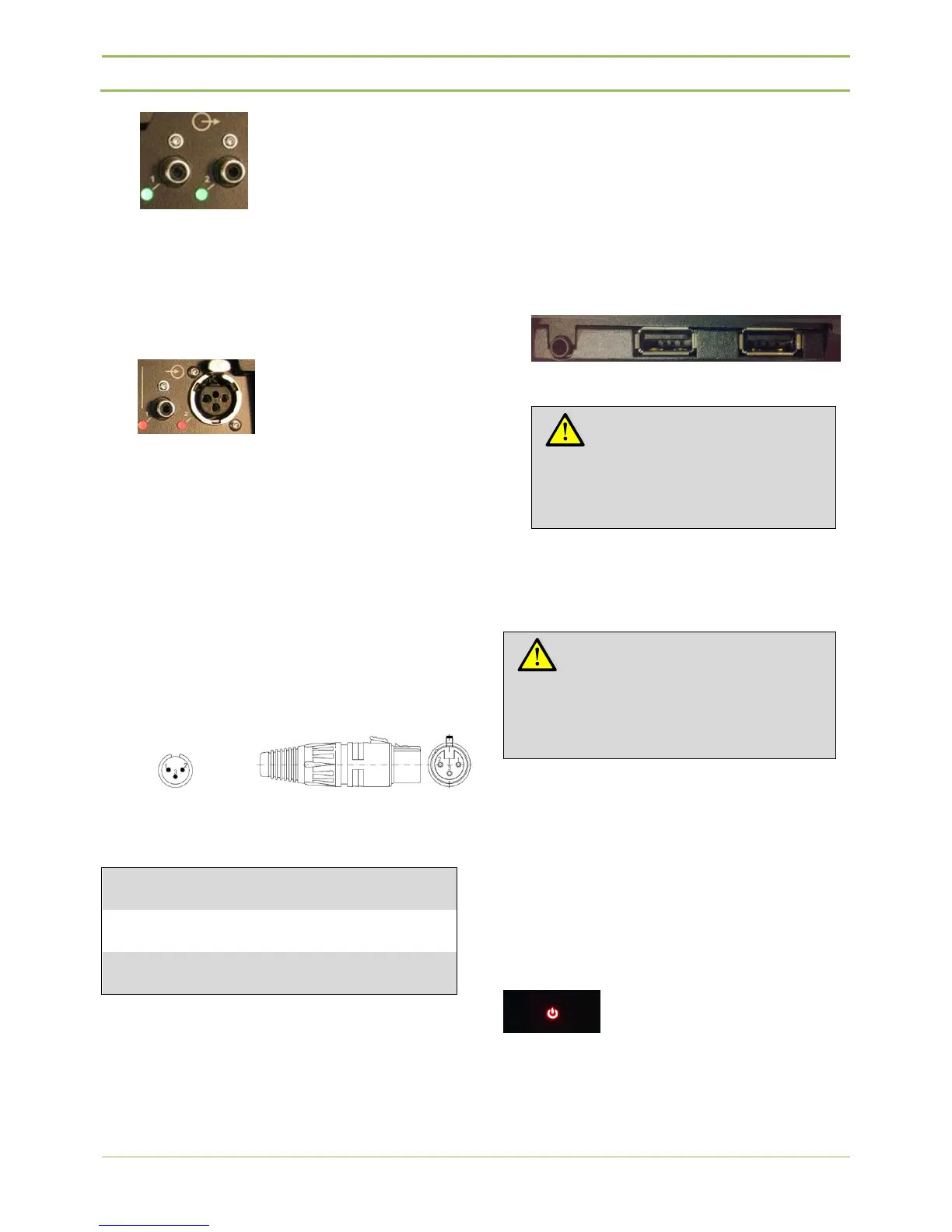
Figure 7.6 : Aux Out
The green indicators light up when there is an
output signal > -40dBV present.
6. One unbalanced RCA analog audio input
connector to add external signal to the floor
Figure 7.7 : Aux in
The red indicators light up when there is an
overload of the input signal (signal > +9dBV).
7. One balanced XLR analog audio connector to
add external signal to the floor
The red indicators light up when there is an
overload of the input signal.
The AUX In connection on the central unit has an
XLR 3 Female connector. So a cable with an XLR
3 Male connector should be used to insert an
external signal.
Figure 7.8 : XLR pin assignment
8. Headphone connector
For headphone monitoring.
9. Two USB connectors can be found at the front of
the D-Cerno CUR. These allow the user to record
the meeting in WAV or MP3 format.
The USB memory sticks have to be formatted in
FAT file system. NTFS is not supported by the D-
Cerno CUR. To guarantee a correct recording we
advise to use USB 2.0.
Figure 7.9: Headphone and USB connectors
7.4. Startup
To start the D-Cerno CUR there are 2 options. The
first most trivial option is that you touch and hold the
on/off sign for 3 seconds. A second option is to
automatically let the D-Cerno CUR start when the
power supply is connected. For this option you need
to physically change a dipswitch on the electronic
circuitry inside the D-Cerno CUR. This procedure is
described in the appendix of this manual at chapter
17.
Figure 7.10: ON/OFF sign
Note:
Before plugging in a USB, please
check the amount of free recording
space.
Note:
Before switching on the central unit
please make sure all units are correctly
connected to the Central Unit.



 To Next Page