Install Confidea FLEX
MANAGE LICENSES
In comparison to the Confidea Tabletop, there is only one Confidea FLEX unit. Through licenses, you can
activate more functions whenever you want. To activate or deactivate a license, follow the procedure
described below:
1. Go to the Initialization page of the Plixus web server.
2. Select Manual initialization and click Open initialization.
3. All units now show the License screen.
4. Press the microphone button to initialize the unit, this activates the license screen.
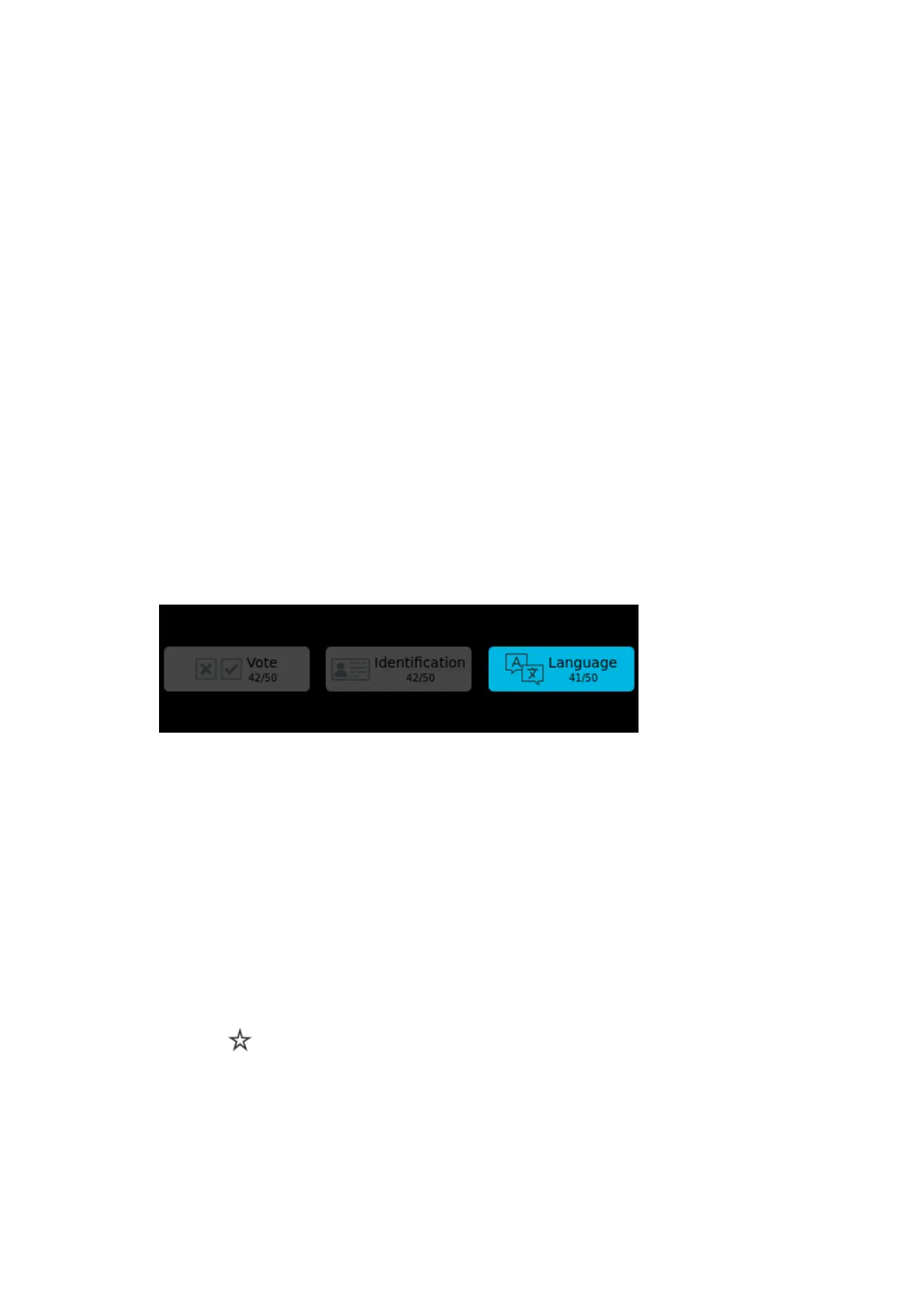
5. Blue buttons indicate that the license is active. Per license, you can see the number of remaining
licenses.
6. Press the license button of your choice, to activate or deactivate this license.
7. Close initialization .
Figure 1-44 The License screen on the Confidea FLEX
CONFIGURE UNITS AS CHAIRPERSON OR DELEGATE
There is only one type of Confidea FLEX unit, this means that you can configure the unit as chairperson or as
delegate. To change the priority of the unit follow the procedure described below:
1. Go to the Initialization page of the Plixus web server.
2. Under Manual initialization, click Edit configuration.
3. Click the priority icon to switch between chairperson and delegate:
a. : delegate (Confidea FLEX with one central microphone LED on the microphone
button)
INSTAL L DEL EG ATE UNITS 8 2



 To Next Page