22
JSB1: CMOS DATA clear
JVL1: LCD panel power select
JVC1: COM1 PIN9 RI / +12V / +5V Selec
2-6 List of Jumpers
2-7 Jumper Setting Description
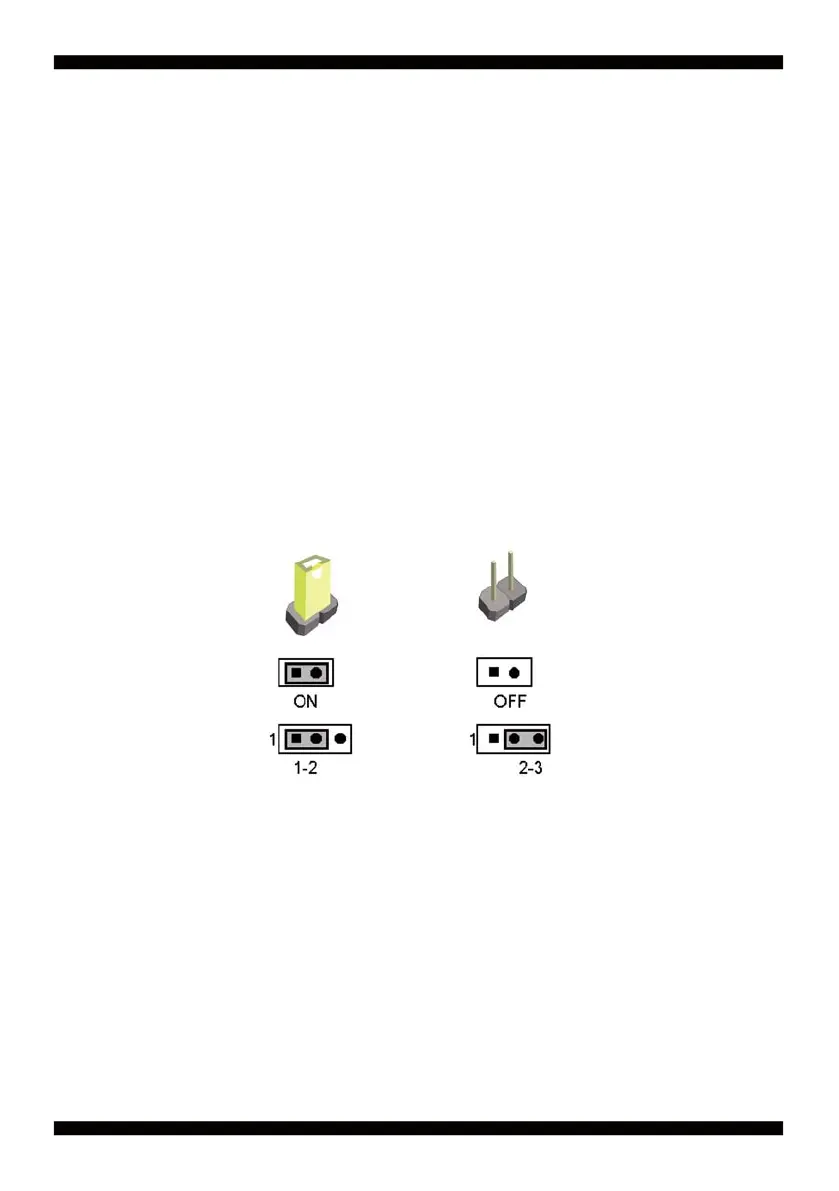
A jumper is ON as a closed circuit with a plastic cap covering two pins. A jumper is OFF
as an open circuit without the plastic cap. Some jumpers have three pins, labeled 1, 2,
and 3. You could connect either pin 1 and 2 or 2 and 3.
The below fi gure 2.2 shows the examples of different jumper settings in this manual.
All jumpers already have its default setting with the plastic cap inserted as ON,
or without the plastic cap as OFF. The default setting may be referred in this
manual with a " * " symbol .
Figure 2.2


 To Next Page