62
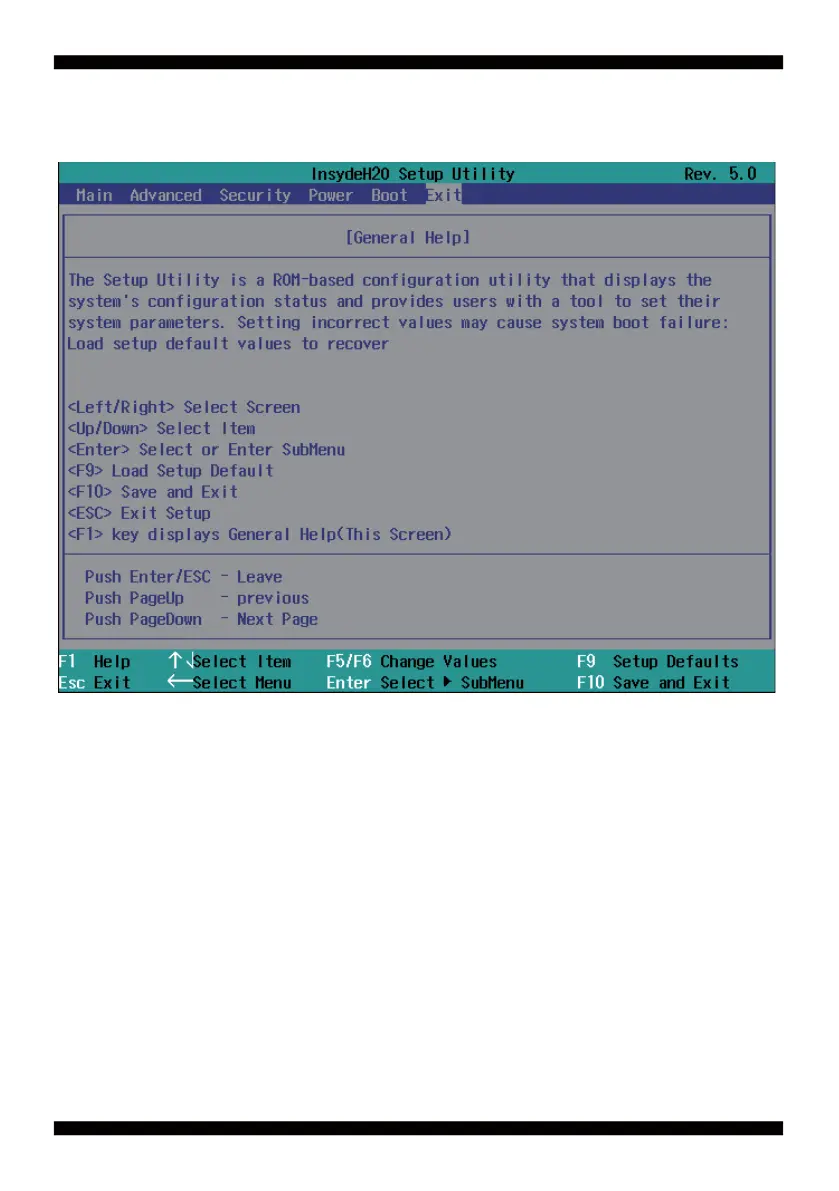
4-3 Getting Help
Status Page Setup Menu/ Option Page Setup Menu
Press F1 to pop up a help window that describes the appropriate keys to use and the possible
selections for the highlighted item. To exit the Help Window, press <Esc>.
Main To change system basic confi guration
Advanced To change system advanced confi guration
Security Password settings
Power PME & Power button settings
Boot Exit Save setting, loading and exit options.
User can press the right or left arrow key on the keyboard to switch from menu bar.
The selected one is highlighted.
4-4 Menu Bars
There are six menu bars on top of BIOS screen:


 To Next Page