46
1. Press the "Start" button to test DIO function
2. Press the "Enable" button to test WDT function
3. Press the "Disable" button to disable WDT
4. Check the "Enable Loop" box and press "Enable" to do WDT loop test
5. Press "Install" to set the system to autorun this application when booting,
press "Uninstall" to remove this application when booting.
6. If WDT enable, system icon will be blinking.
p.s.
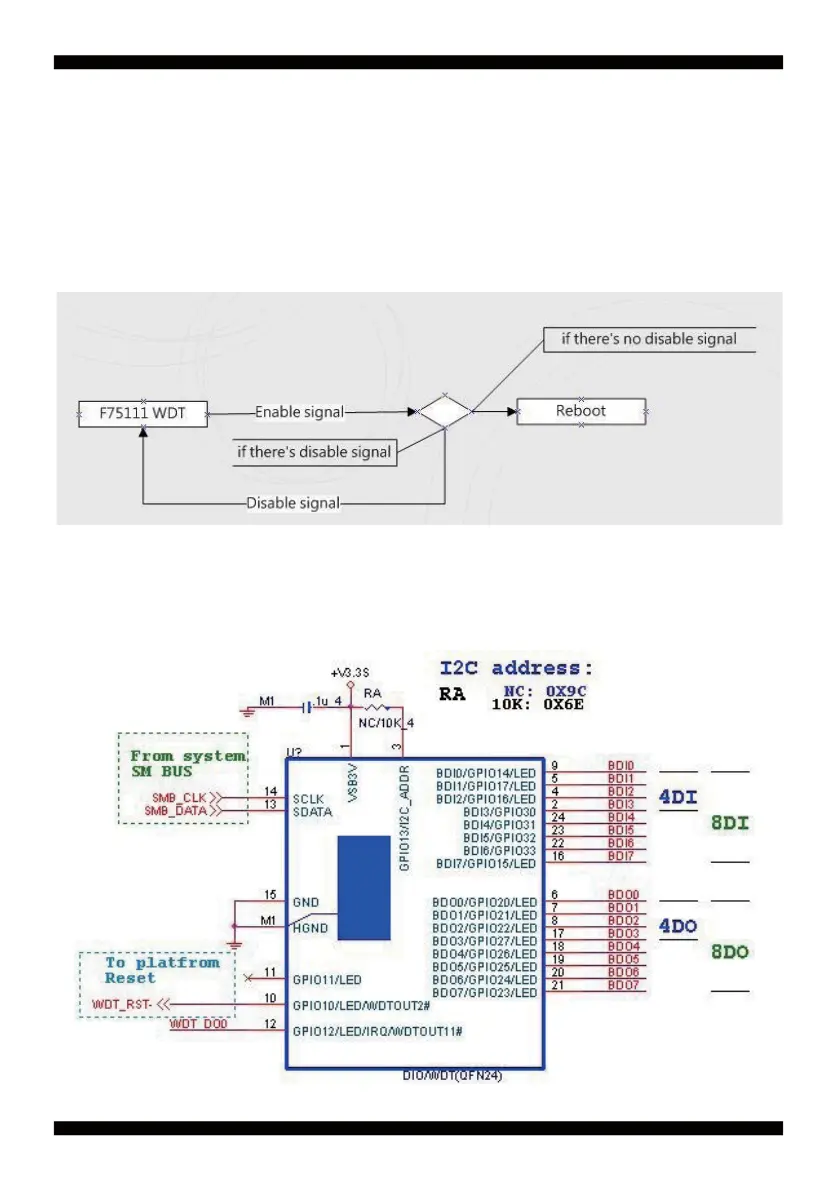
f75111 send "F75111_SetWDTEnable(BYTE byteTimer)" including a parameter "timer",
if there's no disable signal (F75111_SetWDTDisable()) to stop it before timer countdown to 0, System will reboot.
if there's disable signal received, resent Enable WDT signal, for a loop to prevent from reboot p.s.
F75111 Layout Picture


 To Next Page