setting up the hardwarechapter 3 3-53-4
calibration
13:26
9-25-18
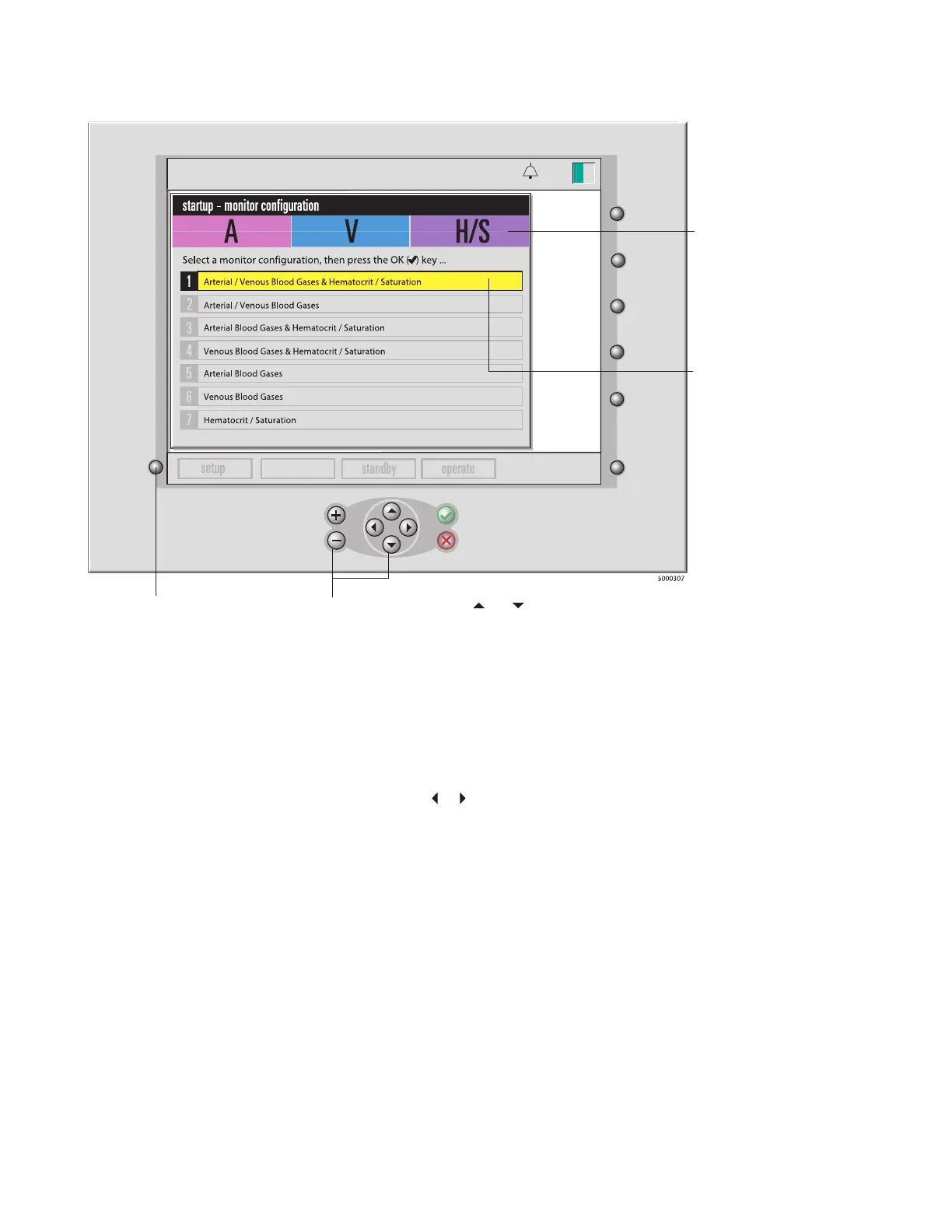
System mode select key
Use the + and - keys or the
and keys to
move the highlight up and down.
These colored tabs indicate
which modules are included in
the highlighted configuration.
(A gray tab indicates an
excluded module. A=arterial,
V=venous, H/S=hematocrit/
saturation)
A yellow highlight indicates the
current selection.
Note: If any module self-tests fails, clean the affected module with water and a soft
cloth, re-seat the module onto the monitor and retry the self-test. If the module still
fails, refer to the Troubleshooting section in Chapter 9.
After you’ve successfully selected the appropriate conguration, the monitor automati-
cally goes into standby mode, with other system modes enabled.
To move on to the setup screens, simply press the or keys until the setup mode is
highlighted. Press the √ key to enter the setup mode.








 To Next Page