choosing system settingschapter 4 4-5
Setting Alarms
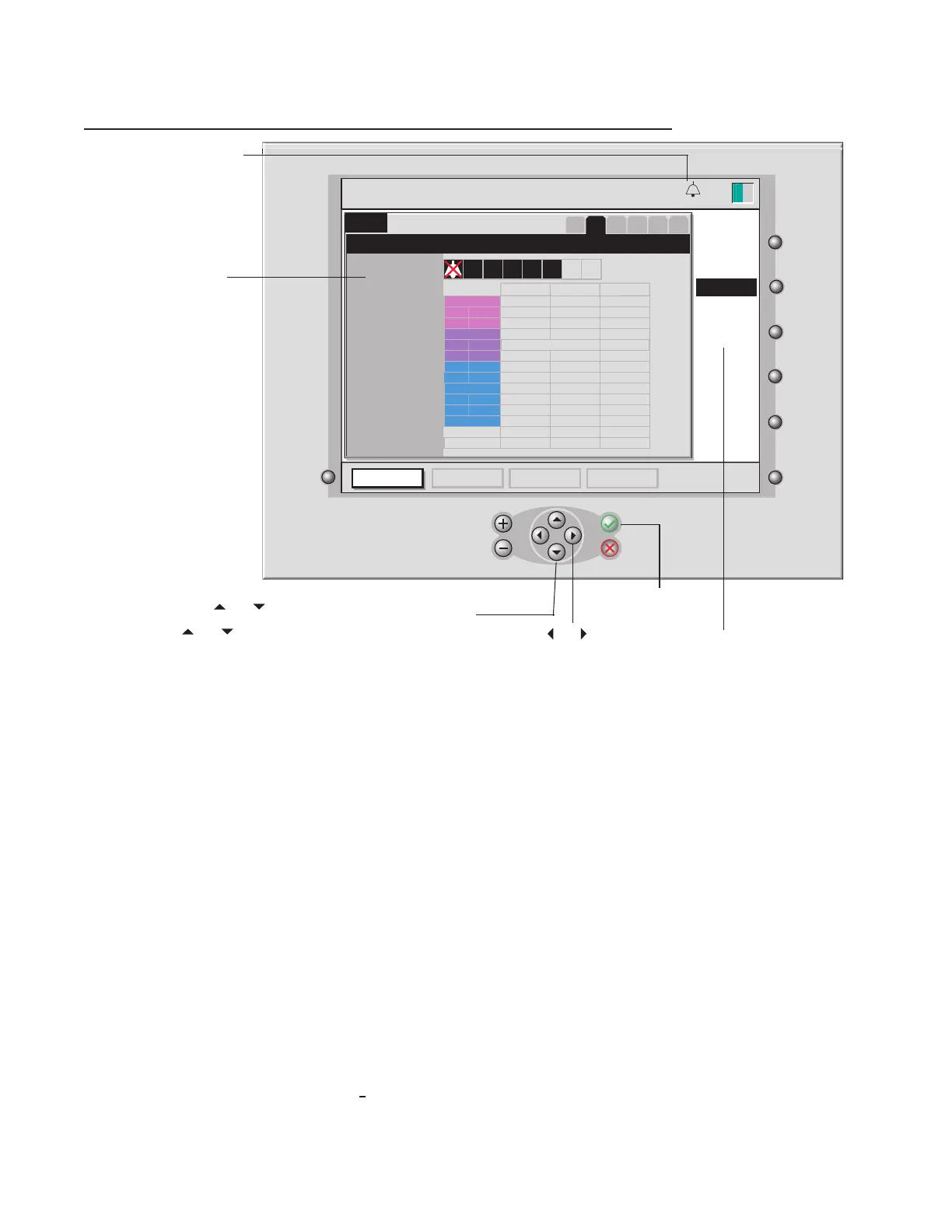
The second screen in setup mode — the alarms screen — allows you to set alarms that notify you about pos-
sible problems during a procedure. On this screen, you can set the acceptable ranges for a patient’s blood
parameters and the volume of the alarm that sounds when a patient’s values fall outside the acceptable range.
Note: Operator should check that each current preset alarm threshold is appropriate prior to use on each
patient.
Note: Although values outside the default ranges shown above may be displayed, the alarms limits can be set
only within the maximum/minimum ranges in the table below.
Note:
The lowest setting for the alarm volume is the mute setting indicated by a crossed out bell.
Note: The highest setting for the alarm volume is typically 53 dBa as measured at 1 meter from the monitor.
The lowest setting for the audible alarm volume is typically 39 dBa as measured at 1 meter from the monitor.
Note: Press the button located next to the word “defaults” to reset alarm thresholds to the Manufacturer-de-
ned default limits.
Note: The minimum and maximum values set will become the range of values on the y-axis in the “graphic”
display screen. (See chapter 7 for more information on the “graphic” mode.)
Note: No alarm is associated with , BE, temperature and arterial SO2.
setup
alarms
Alarm volume
Alarm Thresholds
1
2
3 4
5
6
configure
pH
PCO
2
PO
2
Min. Value
Max. Value
Units
7.35
7.55
K+
VO
2
35
45
mmHg
100
245
mmHg
3.0
7.5
80
120
mmol / l
ml / min
pH
PCO
2
7.35
40
7.55
70
mmHg
PO
2
HCT
Hgb
SO
2
35
15
70
100
8.0
60
12.6
36
mmHg
%
%
g/dl
edit
calibrationsetup standby operate
defaults
DO
2
50
1520
ml / min
13:26
9-25-18
Press the and arrow
keys to highlight a different
value on the same line.
Press √ to accept
the selected value.
This icon indicates that an
audible alarm is set. When
the audible alarm is muted,
this icon is crossed out with
a solid line as a reminder of
alarm state.
Set the audible alarm
volume by pressing
the + and – keys (a tone
plays to demonstrate
your choice).
Use the and keys to highlight the line you want
to change. Then press edit, and use the + and – keys
or and to change the selected value.
Press defaults to reset
Alarm Thresholds to
Manufacturer defined
default limits.








 To Next Page