concluding a casechapter 88-2
Returning the monitor to “standby” mode
After printing or sending the case report, the Terumo Cardiovascular Systems CDI
550 Monitor can go to “standby” mode or be turned off.
Note: The monitor should be turned off when not in use.
To go to standby mode:
1 Press the system mode select key.
2 Use the or keys (as needed) to highlight the “standby” label in the
system map area.
3 Press √.
Return the monitor to its pre-operation state
When the monitor is in standby mode or turned off, the user can return it to its pre-
operation state by following these steps:
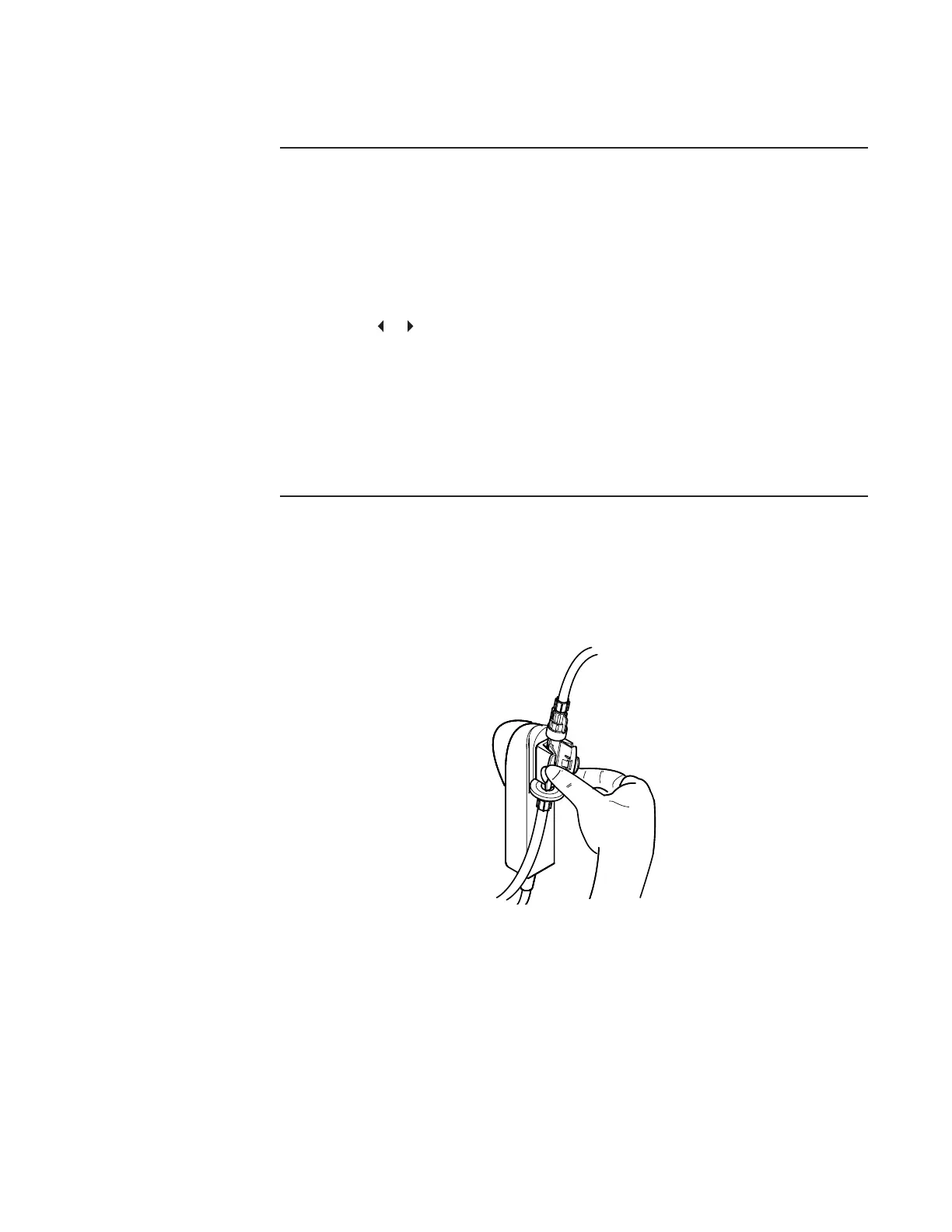
1 Detach the BPM cable-head(s) from the bracket.
2 Remove the CDI Shunt Sensor from the cable-head by pressing together
the sensor wings and lifting the sensor off the cable-head.
3 Return the BPM cable-head(s) to their designated docking ports on the
monitor.
4 Detach the Terumo CDI H/S Probe from the Terumo CDI H/S Cuvette, and
return the Probe to its monitor docking mechanism.
5 Wipe down the CDI System 550 Monitor and cables with an appropriate
cleaning agent.
See the section “Routine cleaning” in Chapter 10 for cleaning instructions and
precautions.








 To Next Page