choosing system settingschapter 44-8
6 Repeat steps 1-5 for all the groups you want to set.
Depending on your chosen module conguration, you can select parameters avail-
able from the following group:
Arterial pH Arterial PCO2 Arterial PO2
Arterial Temp Arterial Arterial BE
Arterial SO
2
K
+
O2
ḊO2
Venous pH Venous PCO2
Venous PO2 Venous Temp Venous HCT
Venous Hgb Venous SO
2 Disabled
Note:
If you are using a venous BPM only (with or without CDI H/S Probe), HCO3
-
and
BE will refer to venous values.
When you’ve made all your selections and conrmed them, press the key to move on to
the next screen.
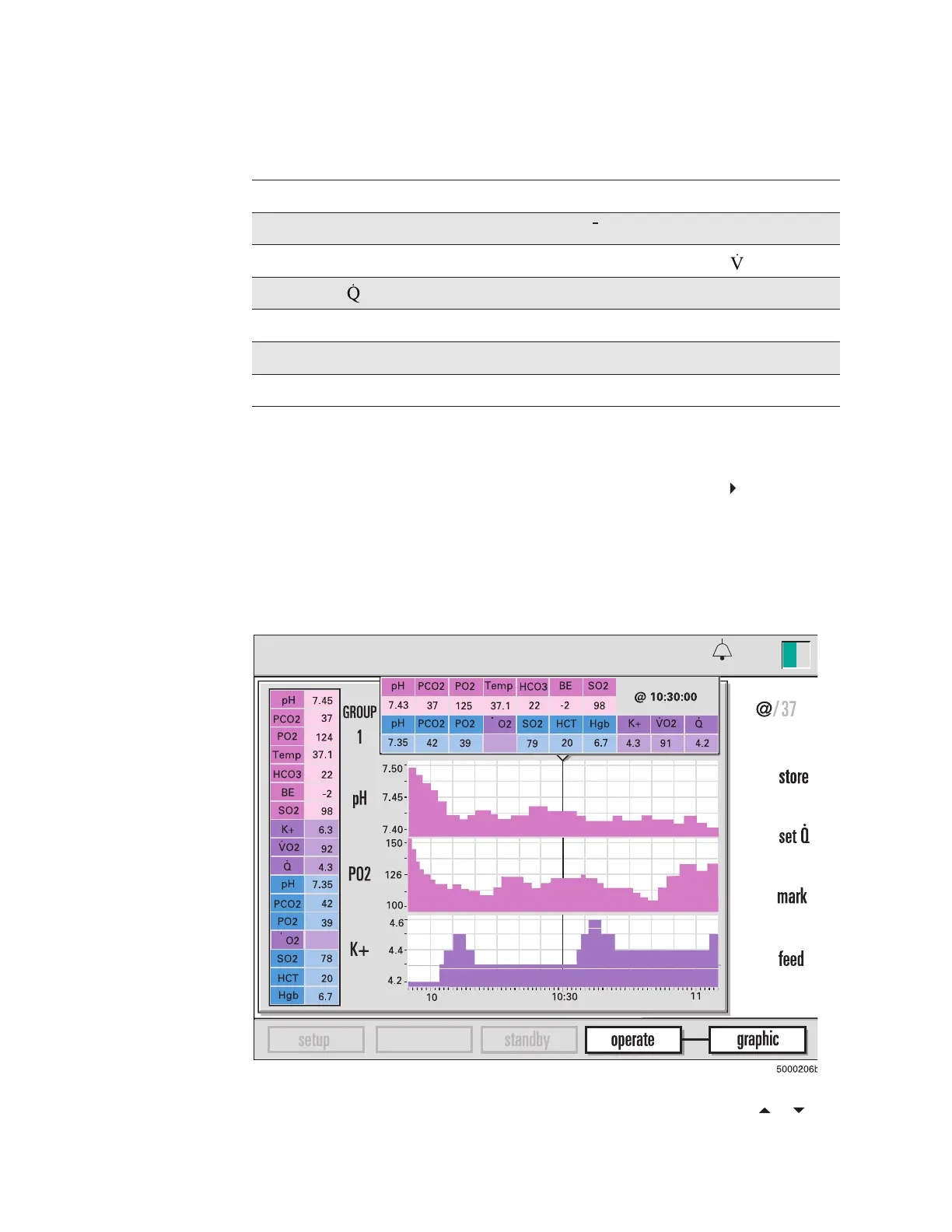
The following gure shows an example of bar graphs that display blood parameter values
during an operation. The graphs make it easy to see the changes in the values over time.
The graphed parameters are the ones you specify on the graphic display screen de-
scribed above. During an operation, you can choose to view patient data in this form.
Note: Groups can be rotated in the “operate-graphic” screen by using the or keys.
The group number is displayed in the upper left section of the screen. (See the section
“Choosing display modes” in Chapter 7 for more information.)
calibration
13:26
pH-stat
9-25-18
D
465
D
465
°
C








 To Next Page