monitoring a patientchapter 77-2
Note:
When you turn the monitor off and on again and return to “operate” mode, the previous case data
is lost and cannot be printed. If you intend to print the case summary after power down, you must do so
before entering the “operate” mode.
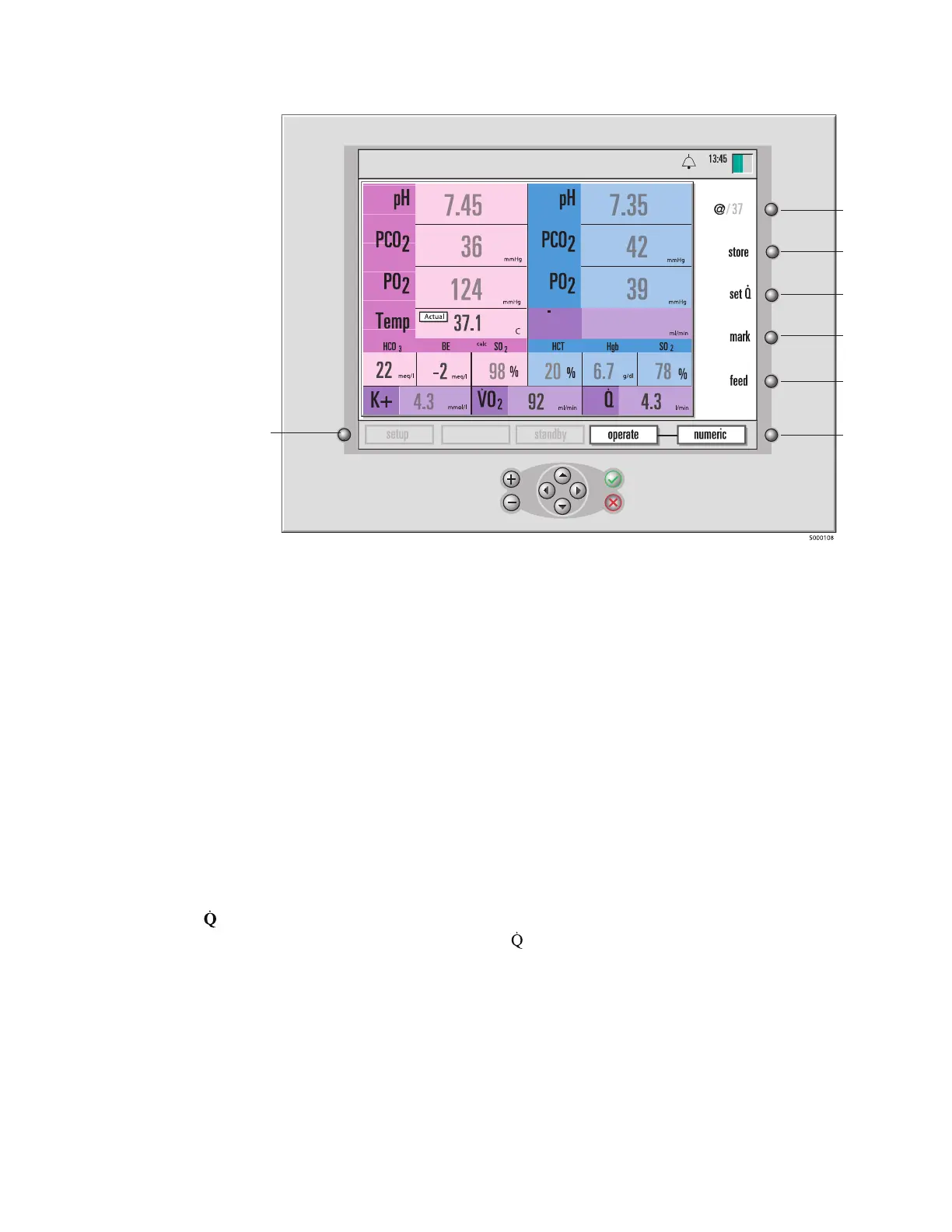
Note: The screens in this manual reect a particular conguration of modules (“Arterial/Venous Blood
Gases & Hematocrit/Saturation”) per statement on page 3-4. Only parameters that can be in vivo recali-
brated will have numeric values that will be ‘dimmed’ prior to the completion of the recalibration process.
The soft keys (along the right side of the monitor) shown in the gure above perform the following func-
tions:
(1) @/37°C. This key allows you to switch between alpha stat (37°C) and pH stat (actual) temperature
mode for the display of blood parameter values.
(2) store. You press this to store the current blood parameter values for a lab comparison. After you
press “store”, its function changes to “recall” until you press it again for a review of the stored values.
(3) set . You press this to enter the ow rate manually for the calculation of oxygen consumption and
oxygen delivery. This key is available only if the “ Source” option on the “calculations” setup screen
(in “setup” mode) is set to Manual.
(4) mark. Pressing this key marks the current values with an asterisk (*) for the historical record, and
prints the current values. Marked values remain marked and will print with asterisks whenever you
print. Marked values are also stored in the “operate-tabular” display.
(5) feed. This function advances the printer paper.
(6) Operate mode toggle key. You can press this key to switch among the three display modes —
numeric, graphic, and tabular. (See the section “Choosing display modes,” later in this chapter.)
331
D0
2
calibration
9-25-18
pH-stat
°
C
(1)
(2)
(3)
(4)
(5)
(6)
System
mode
select
key








 To Next Page