monitoring a patientchapter 77-4
Caution
• Ensure that the stored and recalled temperature mode are the same as
the laboratory sample to ensure proper calibration. Calibrating to different
temperature modes will compromise the system accuracy limits, as
described in Appendix B.
4 When the lab value is received, press the “recall” key.
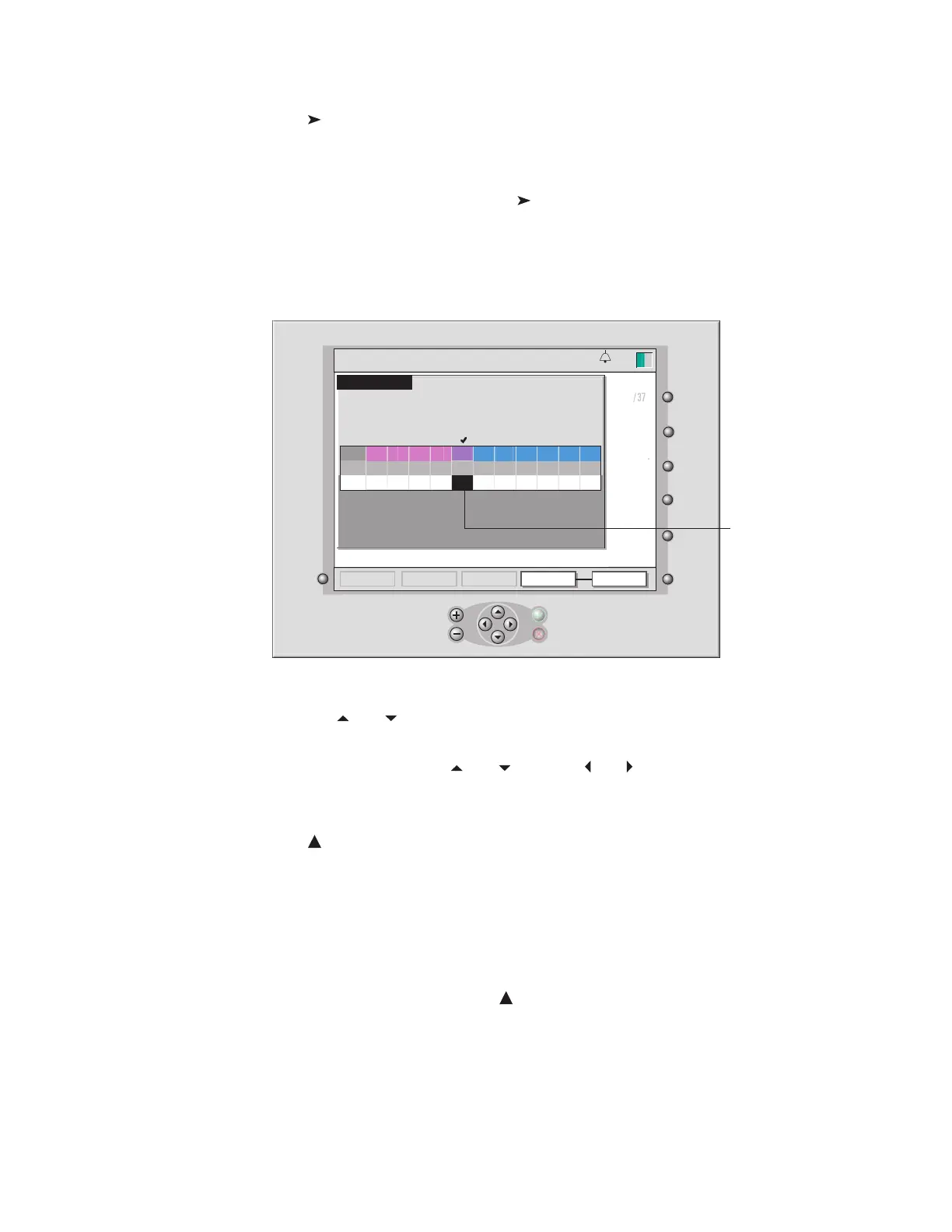
The recalibration window opens (as shown in the next gure). The potassium
value highlights (black background) automatically when you press recall for the
rst time.
5 Change the potassium value, to match the lab value, by using the + and −
or and keys.
6 Change the other blood parameter values to match the lab value, by us-
ing the + and – or and keys and and keys.
7 Press √ when you’ve finished adjusting all values.
Or, press X to cancel the adjustment and leave the “recall” key active.
Warning
• Measured values prior to initial in vivo calibration may not be
accurate. Do not use values prior to initial in vivo calibration for
patient management. Failure to perform a proper set-up, full two-
point tonometered gas calibration, and initial in vivo calibration may
result in compromised system performance that does not meet system
accuracy limits found in Appendix B. To perform additional in vivo
recalibrations see page 7 –9 , “Monitoring a Patient: Recalibrating
During a Procedure .”
Note: If you press √ without changing any values, the stored potassium value be-
comes the adjusted value and is used to set the potassium slope. Upon returning
to operate, the “CAL” indicator will disappear and the K
+
value will appear normal.
The other stored blood parameter values will also become the adjusted values. Upon
returning to operate, the values will no longer appear dimmed.
set Q
store
mark
feed
PCO
2
PO
2
7.35
42
39
36.4
7.45
36
124
37.1
c
c
mmHg
mmHg
mmHg
mmHg
22
-23
98
%
20
%
6.7
g/dl
78
%
HCO
3
BE
SO
2
calc
standby
calibration
setup
numericoperate
High
High
High
High High
High
High
High
High
High
K+
VO
2
Q
PCO
2
PO
2
Temp
4.3
mmol/l
92
ml/min
4.3
l/min
High
High
CAL
HCT
Hgb
2
calc
SO
Actual
Actual
recalibration
14:37
Enter new values and press the OK ( )
key ...
pH
PCO2
PO2
SO2
pH
PCO2
PO2
SO2
HCT
Hgb
7.45
7.45
37
37
124
124
98
98
4.3 7.35
7.35
42
42
39
39
78
78
20
20
6.7
6.7
Stored
Values
Adjusted
Values
K+
4.3
13:26
9-25-18
@
pH-stat
°
C
Use the + and – keys to change the highlighted value.
When the recalibration
screen first opens, the
potassium value is
highlighted.








 To Next Page