5
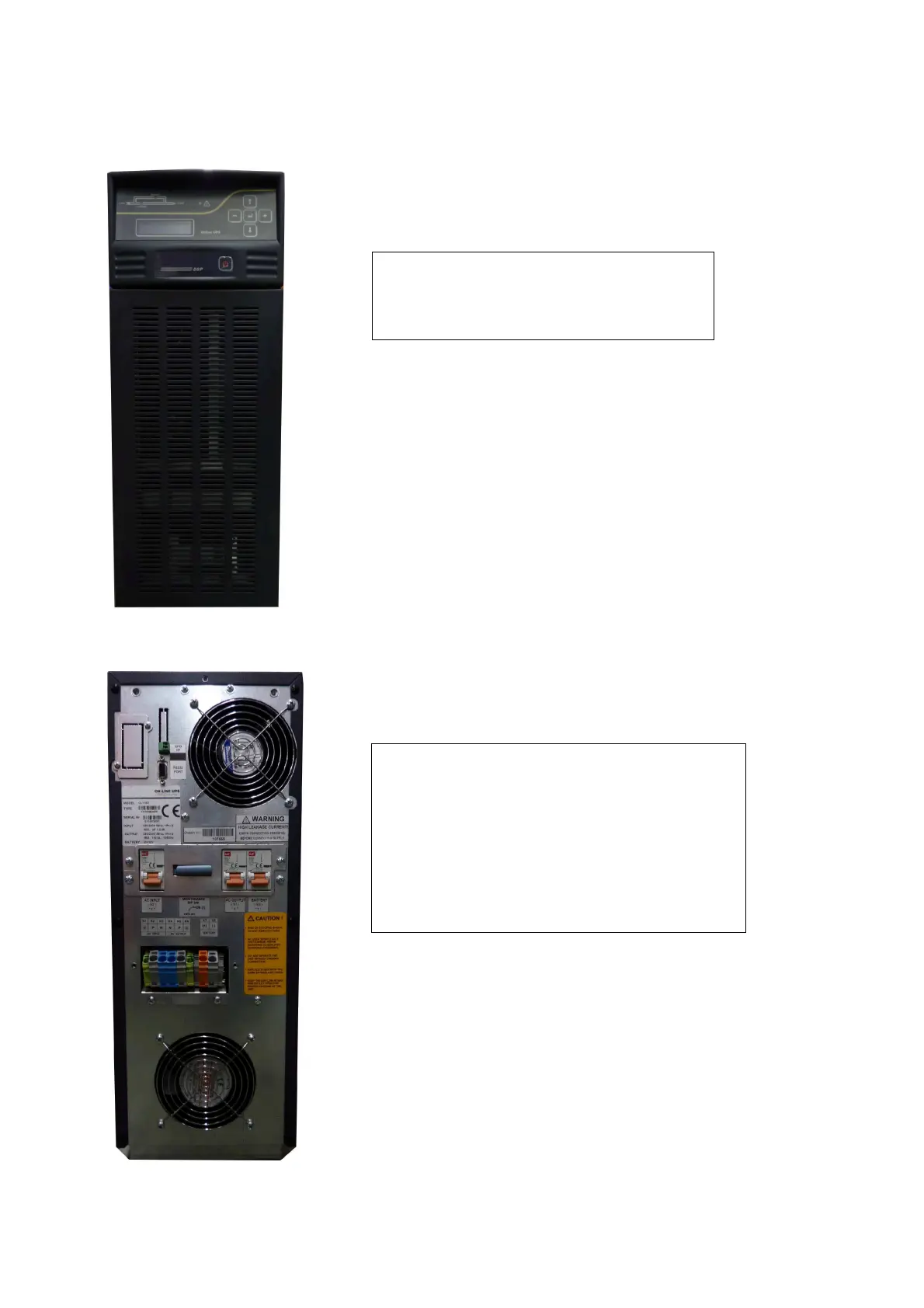
Front view of the UPS
1) Cooling inlet of the UPS
2) Control panel
3) Power on/off button
Rear view of the UPS
4) Emergency Stop
5) SNMP Socket
6) RS232 communication port
7) Cooling outlet of the UPS
8) Output switch/fuse (S1)
9) Input switch/fuse (S2)
10) Battery switch/fuse (S3)
11) Maintenance bypass switch (SW5)
12) Input, output and battery screw terminals
2
3
1


 To Next Page