4.1.2. Change Gateway Password Using the Control Panel
The second method to change the admin password is via the Control Panel Advanced menu.
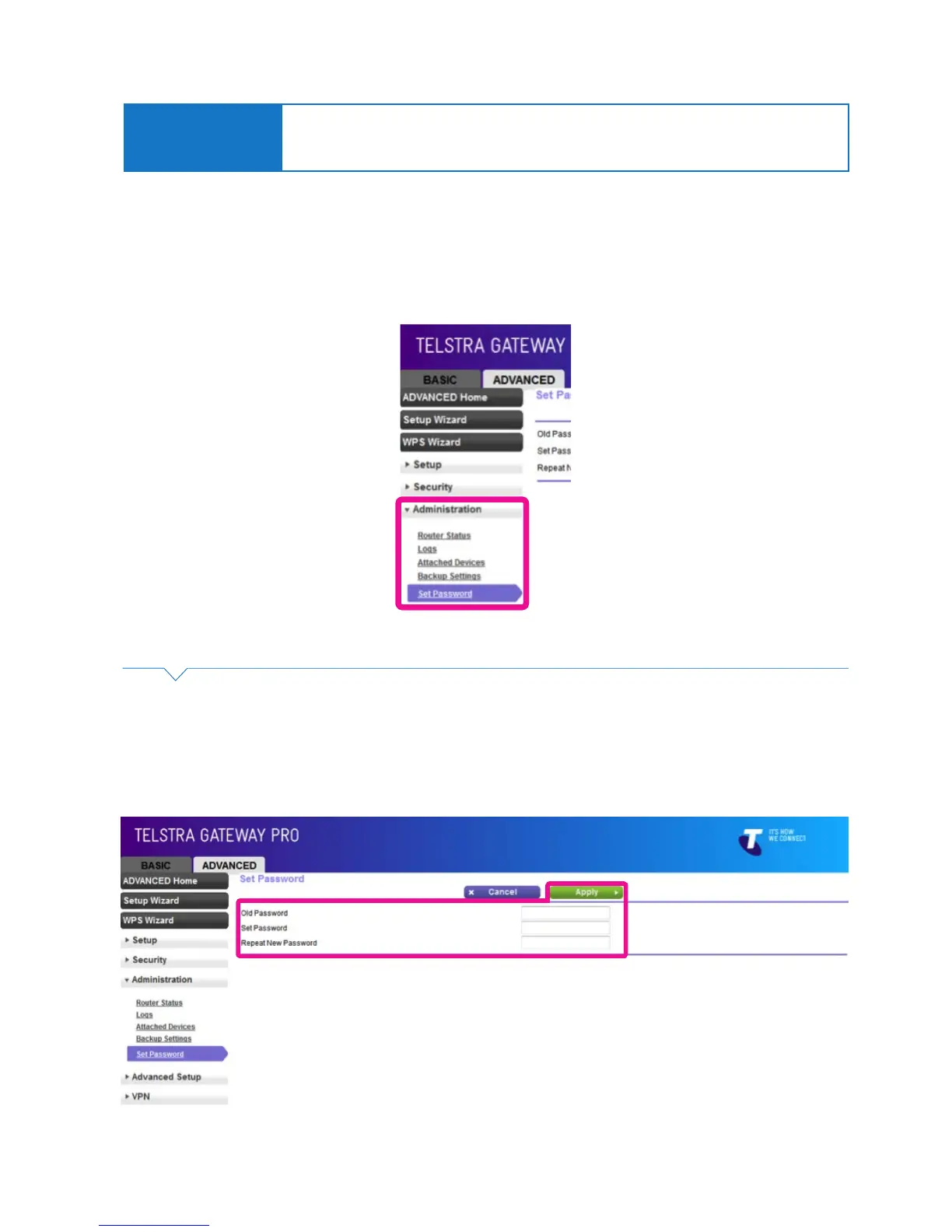
• To access the Gateway Control Panel page go to 192.168.15.1 in your browser and navigate to
Advanced->Administration -> Set Password.
Complete the following steps to update your password in this process:
• Enter the old password in the Old Password eld (the default password is telstra).
• Enter your new password into the New Password and Repeat New Password elds.
• Click Apply to conrm these changes.
Important Note:
If your new Gateway password is lost, you will need to reset the device and complete the initial
conguration again. ADSL users: Before you reset the Gateway ensure you also have your ADSL
log in details to assist with reconnection to the Internet.
Figure 23: Set Password Advanced Menu Item
Figure 24: Advanced Menu Set Password Screen



 To Next Page