46
TELSTRA GATEWAY PRO
™
USER GUIDE
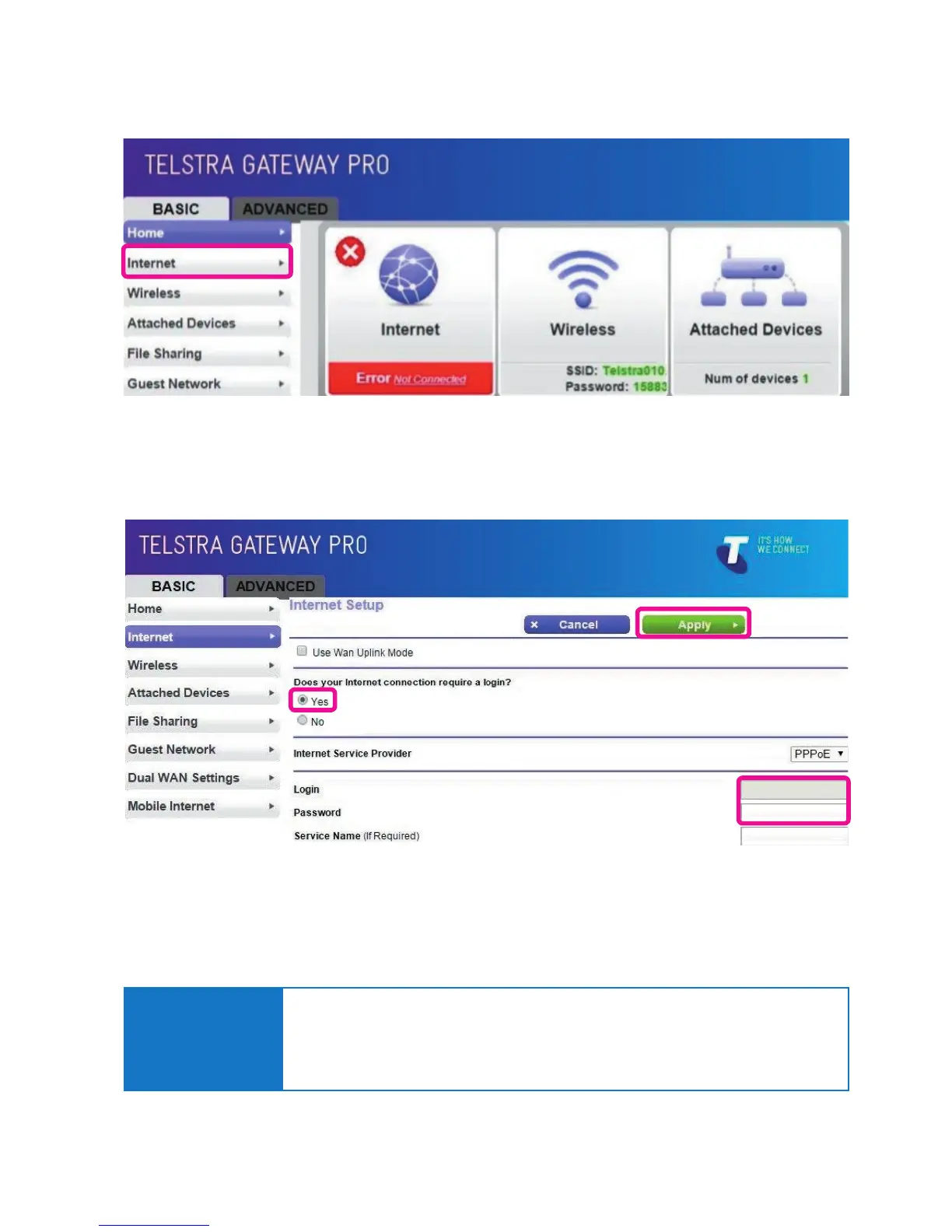
• In the Gateway Control Panel, check if the Internet is connected. Click on the Internet button.
Figure 59: Internet Error
Figure 60: Login and Password Details
• Check your login and password details, and update if required. Apply any changes.
6.4. Re-setting Telstra Gateway Pro™
Important Note:
You should only reset your Gateway as a last option. Try turning the device off and on again,
to see if this resolves the issue rst.
A factory reset will delete all saved information, so ensure you have all of your network login
and password information before completing the following steps.
********



 To Next Page