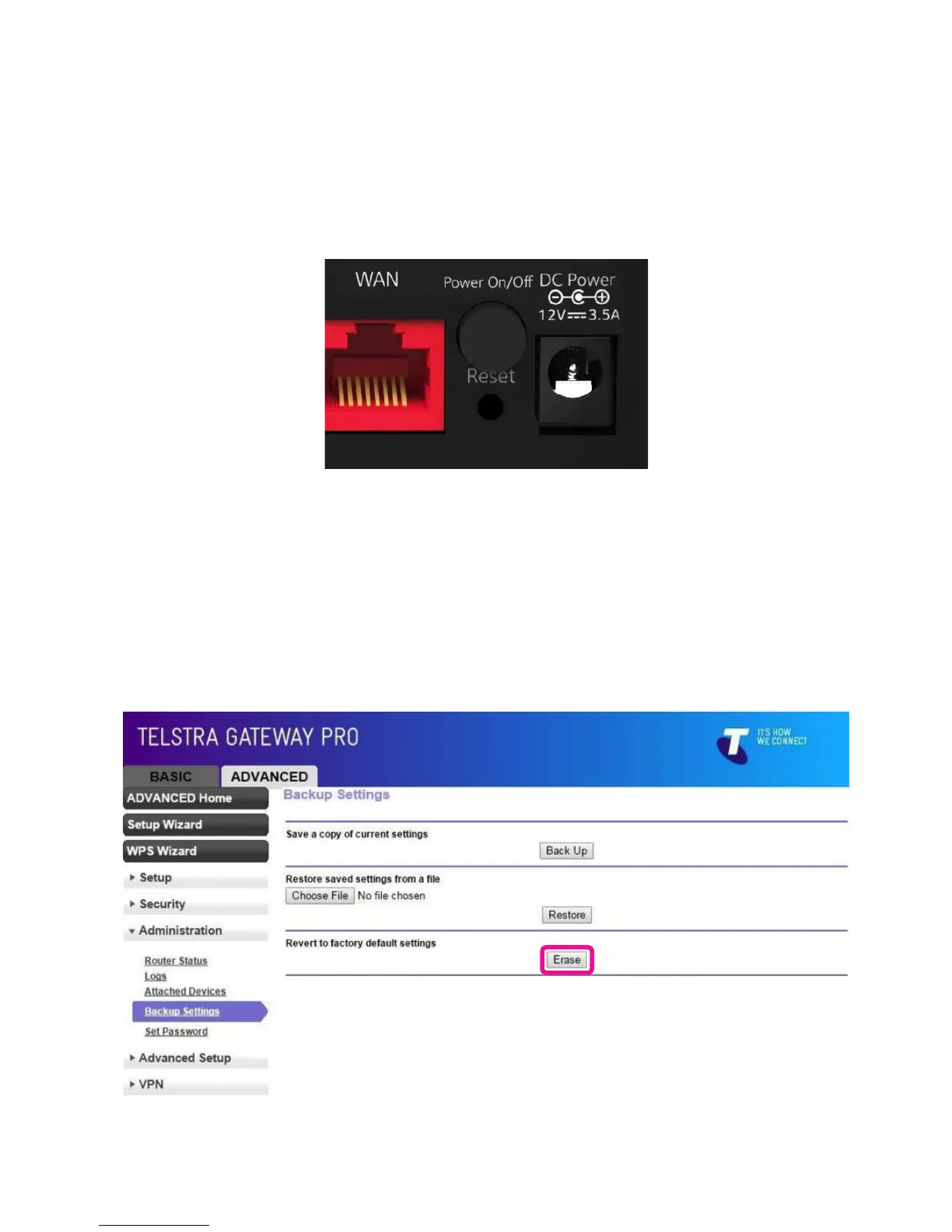
There are 2 ways to perform a factory reset on the Telstra Gateway Pro™:
6.4.1. Method One- Hardware reset
• Insert a paper clip into the Reset hole and hold down for 10 seconds until all the lights on the front
panel start ashing. Then release the paper clip.
• The Gateway will reset and reboot.
6.4.2. Method Two-Reset from the Gateway Control Panel
• Log in to the Gateway Control panel. Select Advanced->Administration->Backup Settings and
click Erase.
Figure 61: Reset Hole
Figure 62: Revert To Factory Default Settings



 To Next Page