3.2. Conguring Telstra Gateway Pro™ Using the Control Panel (GUI)
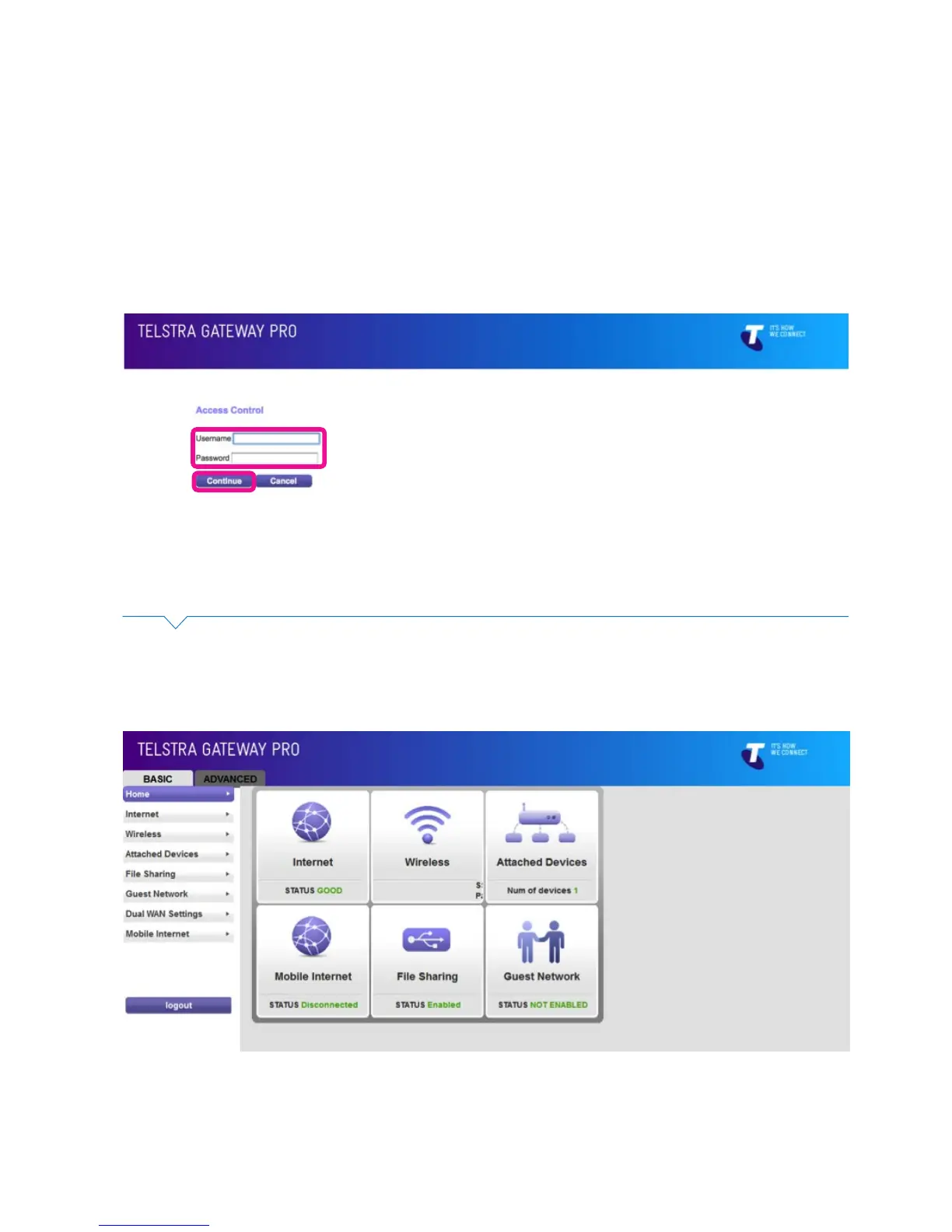
The Gateway Control Panel can be accessed through your internet browser via an Ethernet or Wi-Fi
connection using the Telstra default IP address 192.168.15.1. This will bring up the Login screen (Figure
21) and from here you will be able to congure the Telstra Gateway Pro™ to meet your requirements.
To access the Control Panel you need to login with the following details:
• Username: admin
• Password: telstra
Then click Continue.
Figure 19: Gateway Control Panel Login
Figure 20: Control Panel Basic Menu
The Control Panel has two main menu types, Basic and Advanced.
Control Panel Basic Menu



 To Next Page