4.4. Setup Voice Calling
The Telstra Gateway Pro™ supports Voice calling for DOT customers. There are two methods to setup
voice calling on the Telstra Gateway Pro™, via the Installation Wizard or in the Gateway Control Panel.
4.4.1. Method One: Using the Installation Wizard
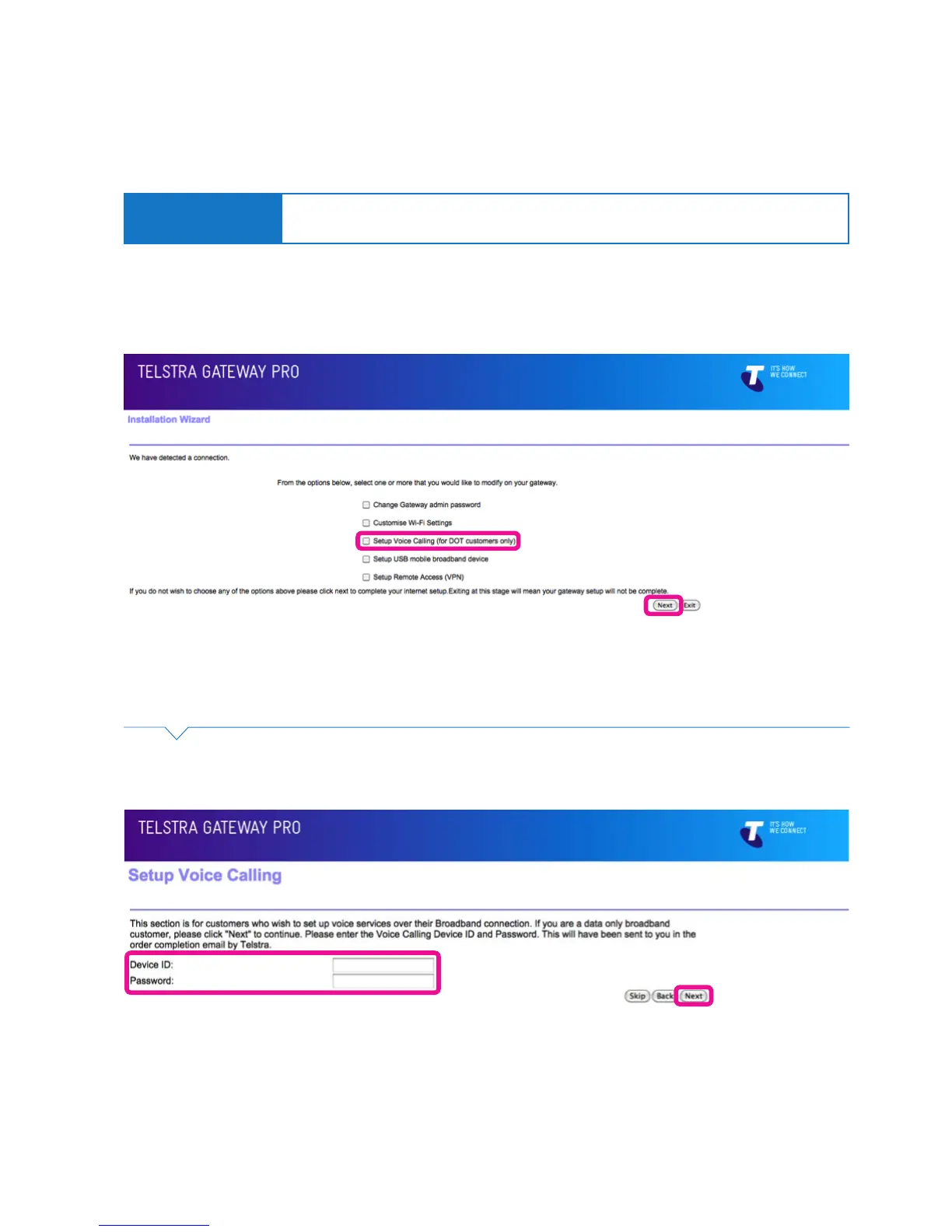
• During the installation process, select the Setup Voice Calling (for DOT customers only) option on the
Installation Wizard screen. Then click Next.
Important Note:
Device ID and Password information for Voice Calling can be found on your order
completion email.
Figure 33: Installation Wizard Menu
Figure 34: Device ID and Password Fields For Voice Calling
• Enter your Device ID and Password details on the Setup Voice Calling screen.
Then click Next. Complete the Installation Wizard process (Section 3.1).



 To Next Page