4.4.2. Manual Setup in the Gateway Control Panel
The second method to set up voice calling is in the Gateway Control Panel.
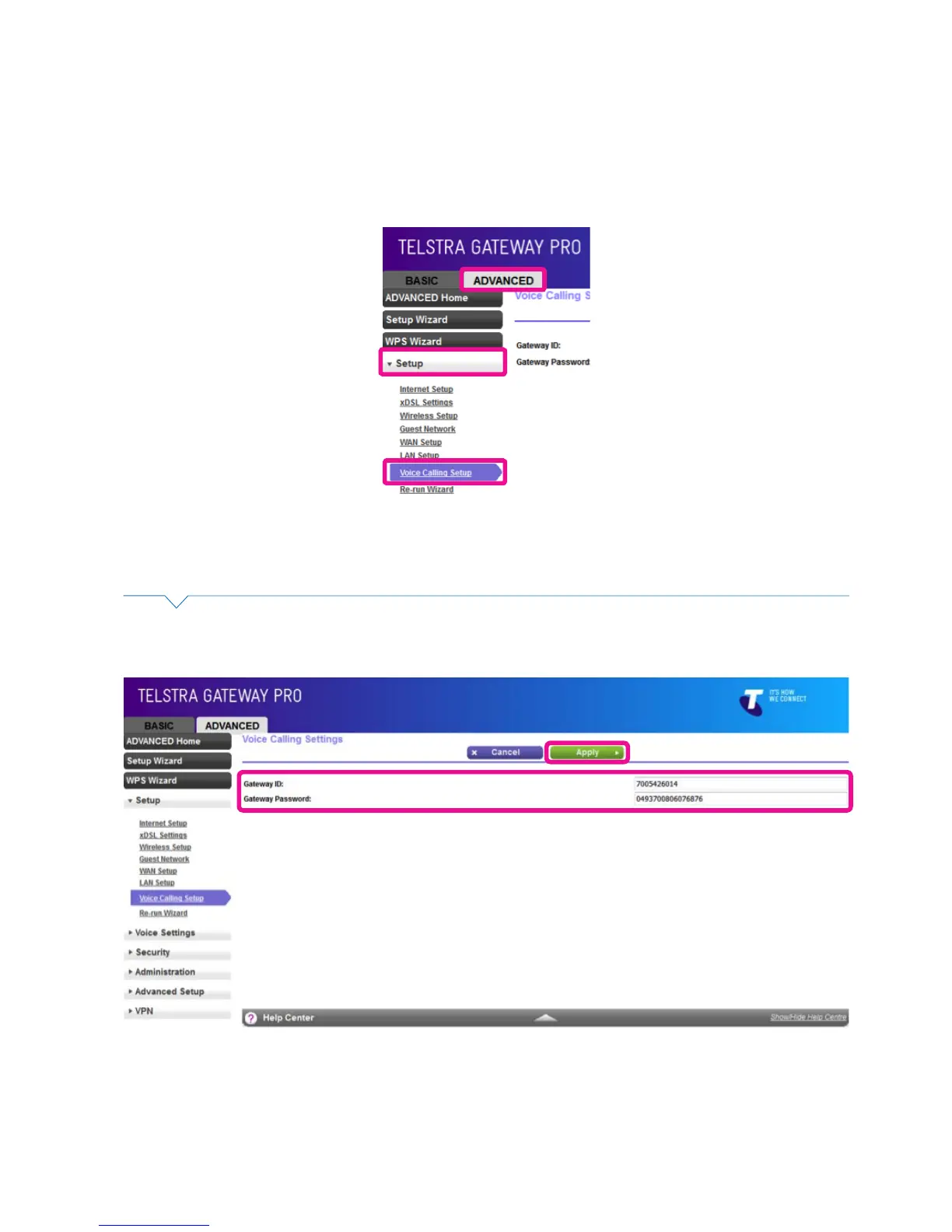
• To access the Gateway Control Panel page go to 192.168.15.1 in your browser and navigate to
Advanced -> Setup -> Voice Calling.
Figure 35: Control Panel Advanced Menu
Figure 36: Gateway ID and Password Information
• Enter your Gateway ID and Gateway Password details on the Voice Calling Settings screen.
Click Apply to save your settings.



 To Next Page