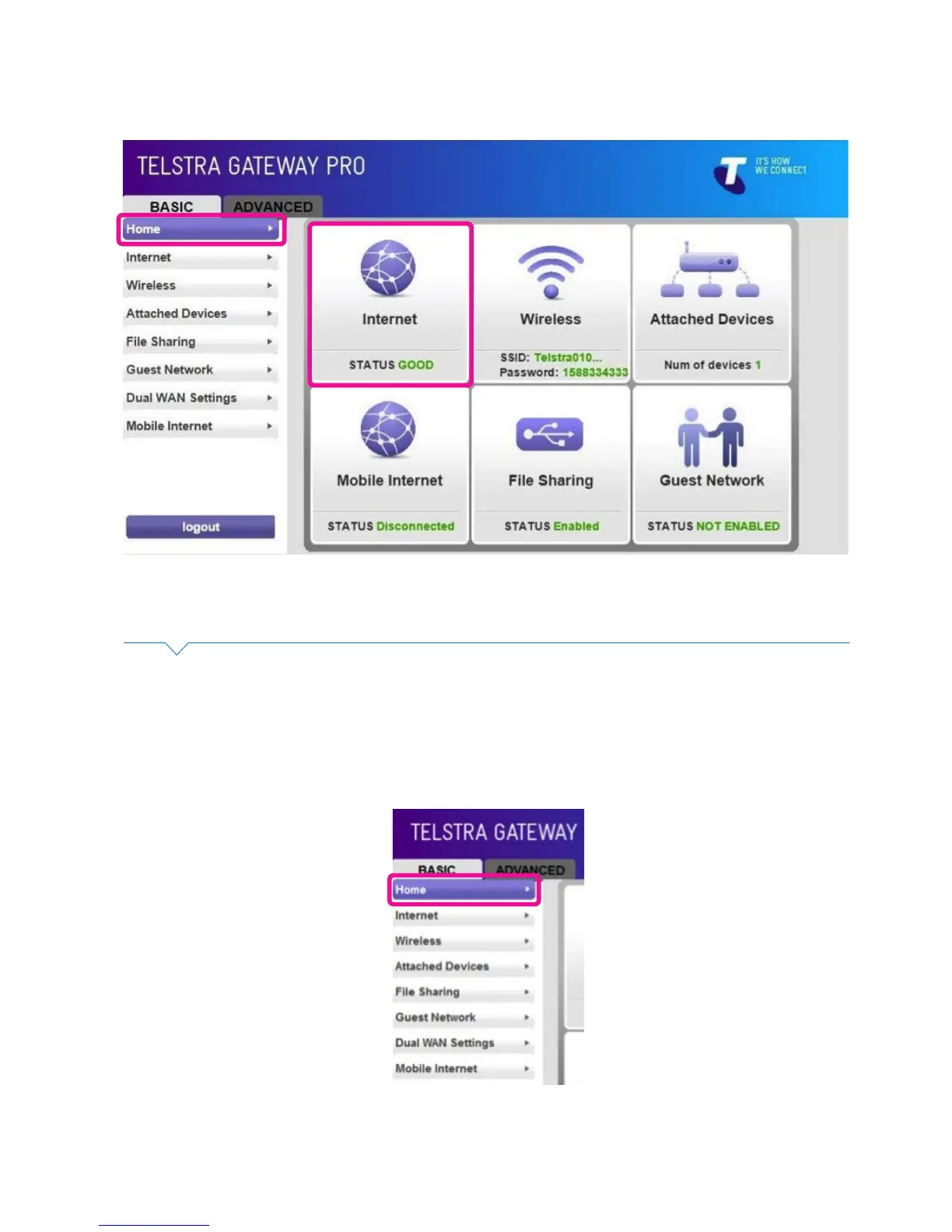
• Click Home. The Internet icon should show STATUS: GOOD. The Internet LED will also change to blue.
Figure 27: Control Panel Basic Menu- Good Internet Connection
Figure 28: Control Panel Basic Screen
4.2.2. WAN – Connection (NBN)
To congure the NBN connection you will need to access the Telstra Gateway Pro™ Control Panel.
• To access the Gateway Control Panel page go to 192.168.15.1 in your browser and navigate to
Basic>Internet.



 To Next Page