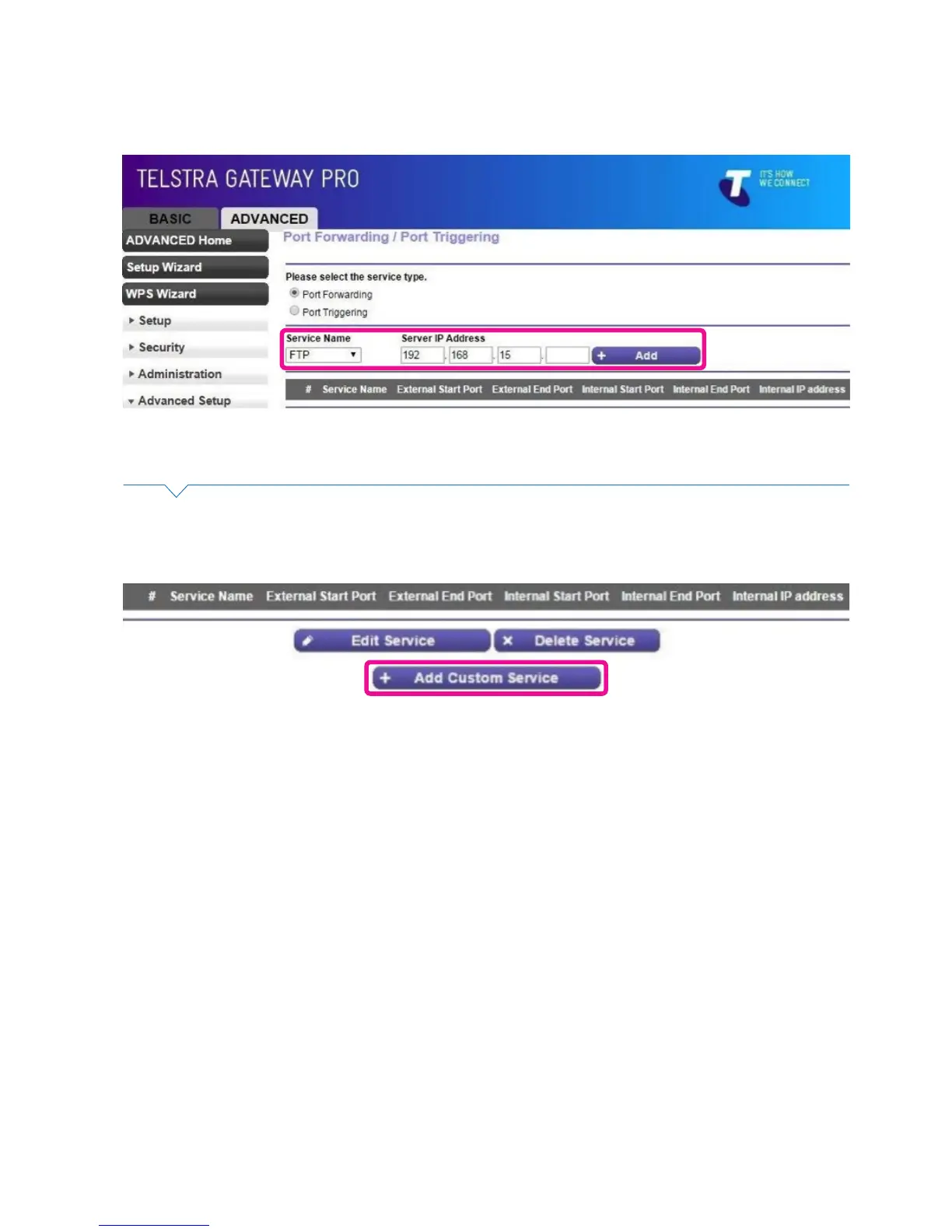
• From the Service Name dropdown box you can select from a number of common applications and
devices. Select the appropriate name and then enter the IP address of the device and click Add.
Figure 52: Port Forwarding Conguration
Figure 53: Add Custom Service
• If the appropriate service is not in the Service Name list you can create a new service by clicking the
Add Custom Service button.
• Enter the following Information:
− Service Name
− Protocol (either UDP, TCP or both)
− External Start and End Port numbers (if only 1 port then the same for both)
− If the same port numbers translate internally or if different port numbers need to be entered.
− IP address of the device on the internal network
• Click Apply.



 To Next Page