6 Using the product
110
Designation Explanation
Criteria Display criteria setting: all, date/time and
index range.
Recalculate
Recalculates the curve.
Pos: 138 /TD/Produ kt verwenden/testo Sa veris/05a-3 Achsei nstellungen/05 Einst ellungen für die Ac hsen im Diagramm @ 0\mod_1193999 542168_79.docx @ 5684 @ 4 @ 1
6.5.1.6. Settings for the axes in the diagram
Change the settings of the axes in the diagram to adapt the
representation to your requirements.
Pos: 139 /TD/Produ kt verwenden/testo Sa veris/05a-3 Achsei nstellungen/06 W erteachse @ 0\mod_1193999542 824_79.docx @ 5694 @ 5 @ 1
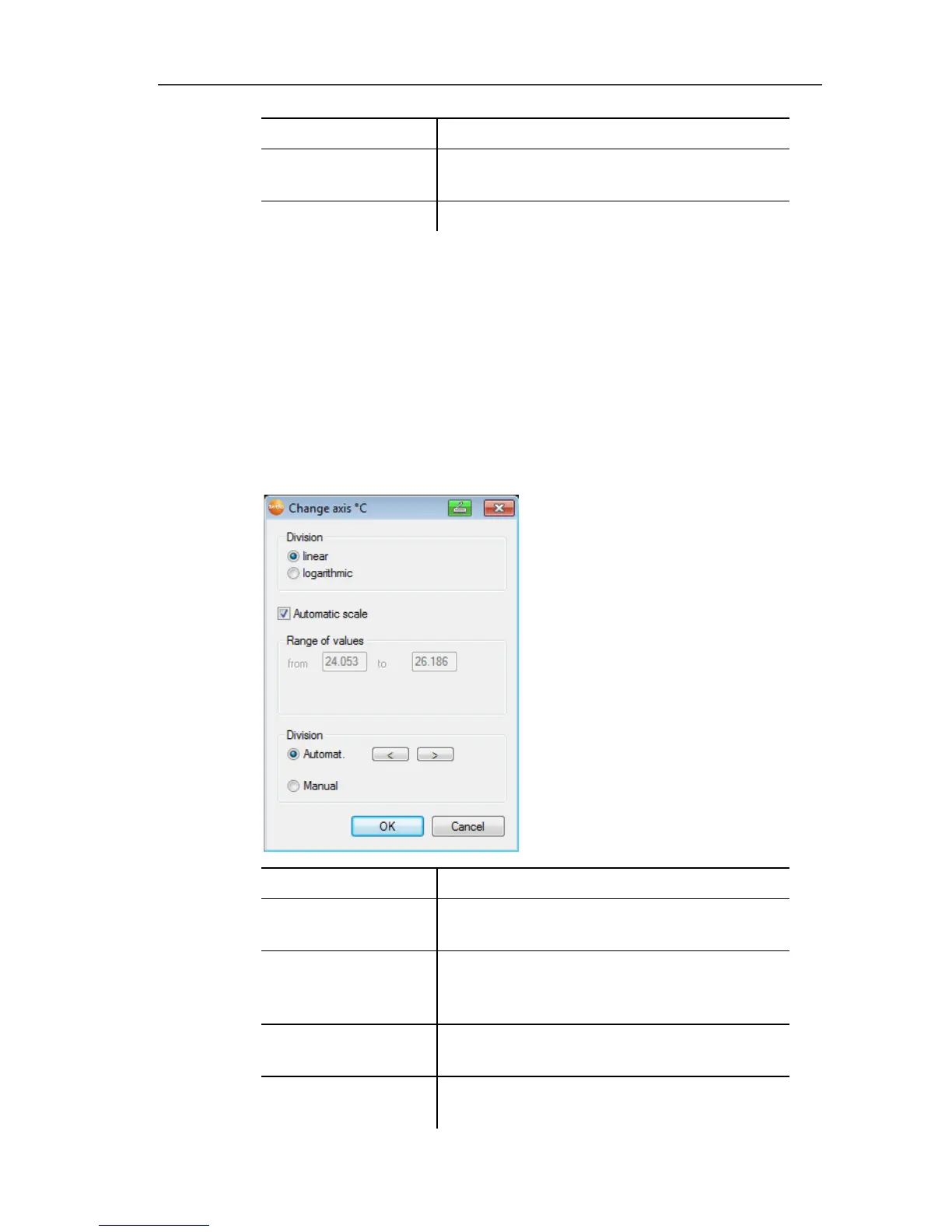
Settings for the value axis
- > Click on the required value axis in the diagram by double-
clicking or using the right mouse button.
- The Change axis [unit of the readings] dialogue is shown.
Designation Explanation
Division linear Specification that the axles are divided in
a linear manner.
Division
logarithmic
Specification that the axes are divided
logarithmically, meaning the increments
represent powers of ten.
[OK] Applies the settings until other data are
called up. The dialogue is closed.
[Cancel] Closes the dialogue without applying any
changes.



 To Next Page
 Loading...

