5 First steps
61
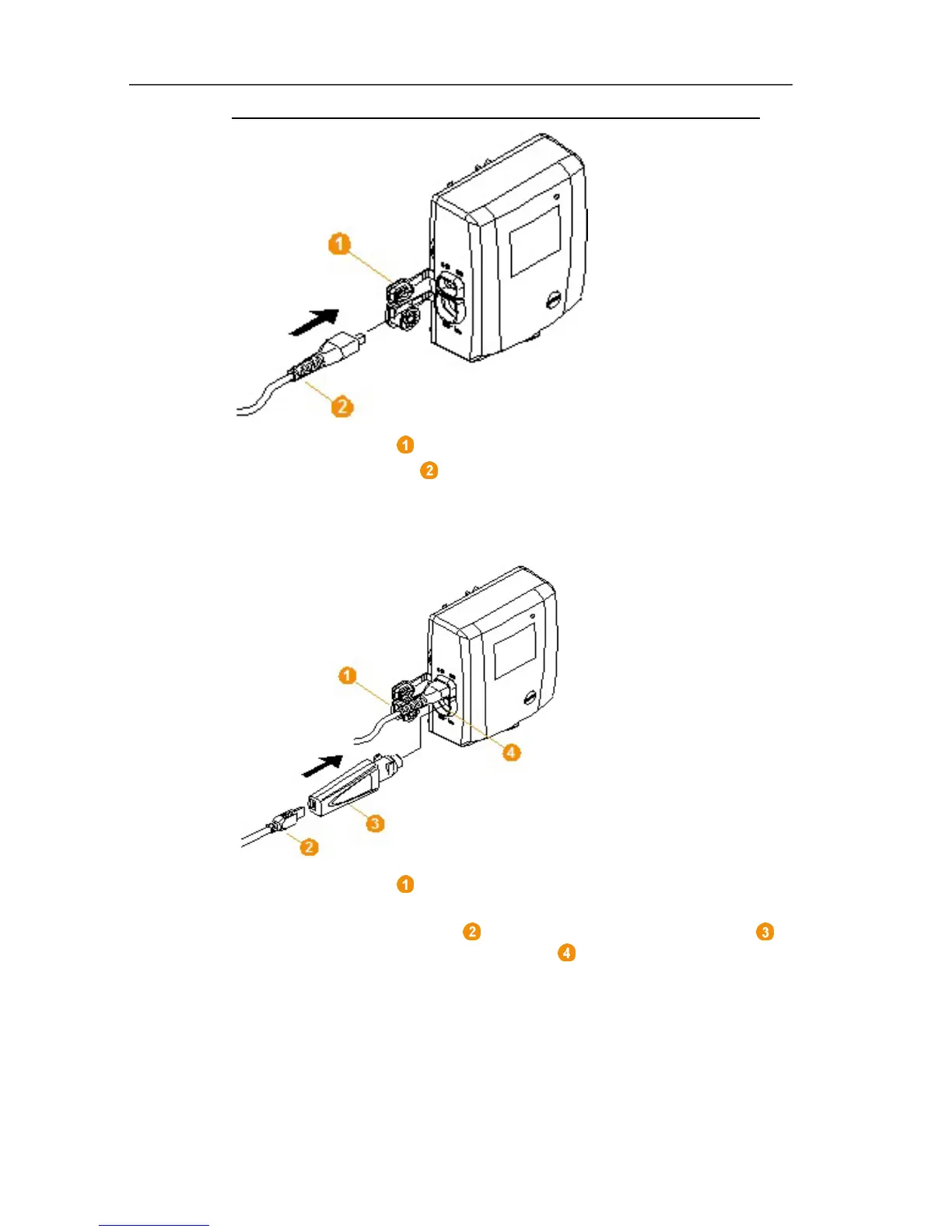
1. Open the cover for the power supply.
2. Insert mains cable .
3. Insert mains plug into a socket.
Pos: 73 /TD/Erst e Schritte/testo Saver is/Hardware erwei tern/03 Ethernet-Fühler einbinden/01b USB-Kab el @ 1\mod_120342381720 3_79.docx @ 8259 @ 4 @ 1
5.11.3.3. Connecting USB cable and installing driver (optional)
1. Open the cover of the service interface at the Saveris
Ethernet probe.
2. Connect the USB cable to the testo adapter (0440 6723)
and insert into the service interface .
✓ With Saveris H4E Ethernet probes, the external humidity probe
must be connected.
3. Connect the USB cable to the computer.
- The wizard for the installation of the driver is started.
4. Follow the directions of the installation wizard.



 To Next Page
 Loading...

