5 First steps
59
You can connect several Ethernet probes to the Saveris
base using a so-called switch. In this context, note that
a maximum of 150 probes can be connected or 450
measurement channels recorded at the Saveris base.
Pos: 71 /TD/Erst e Schritte/testo Saver is/Hardware erwei tern/03 Ethernet-Fühler einbinden/01 Netz werkkabel @ 1\mod_1203421433 000_79.docx @ 8193 @ 4 @ 1
5.11.3.1. Connecting the network cable.
Only use high-quality network cables with a diameter
between 5.8 mm and 6.8 mm to ensure the
leaktightness of the probe housing.
Only use cables with an intact clip end.
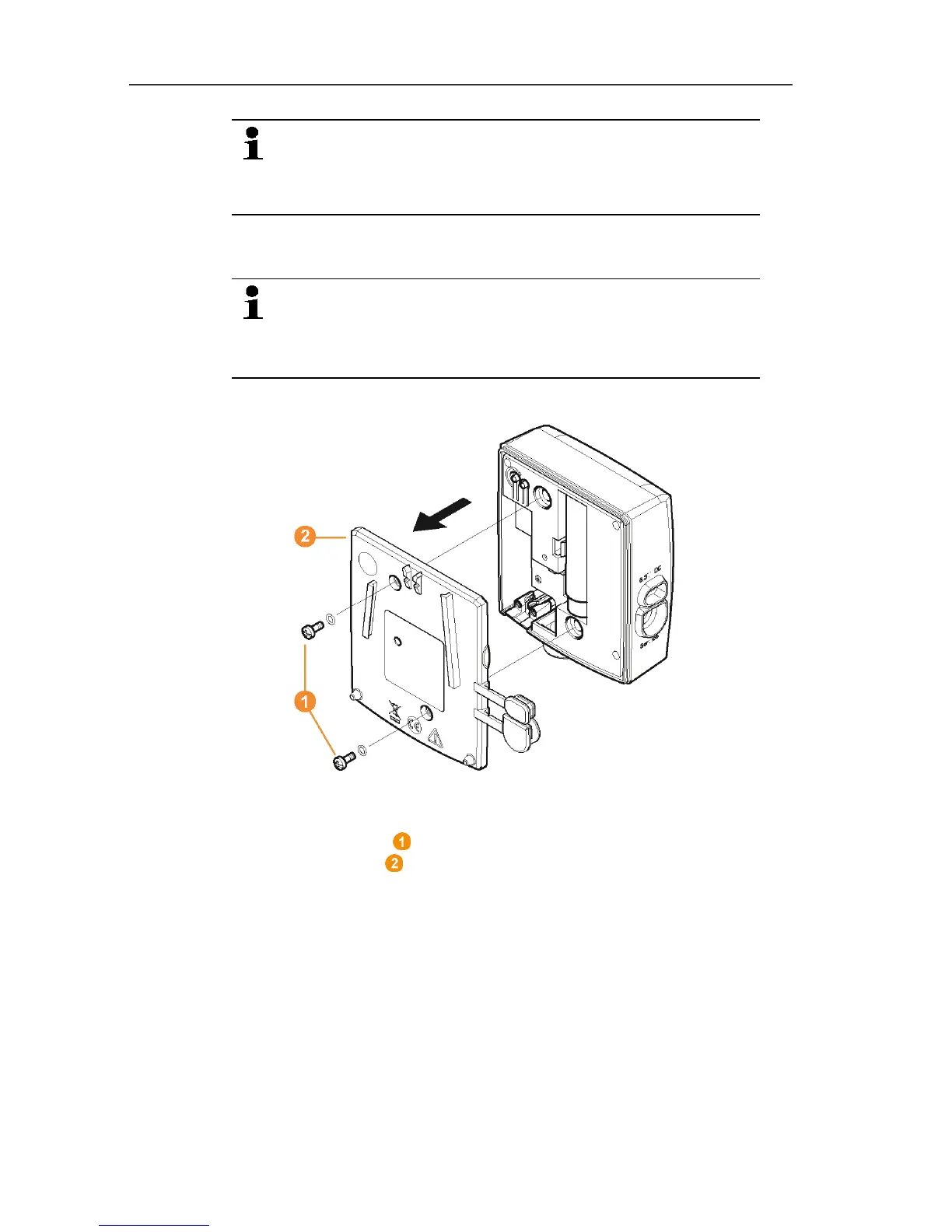
1. Loosen screws on the rear of the probe and remove the
housing cover .



 To Next Page
 Loading...

