5 First steps
34
5.5. Connecting Saveris base with power supply
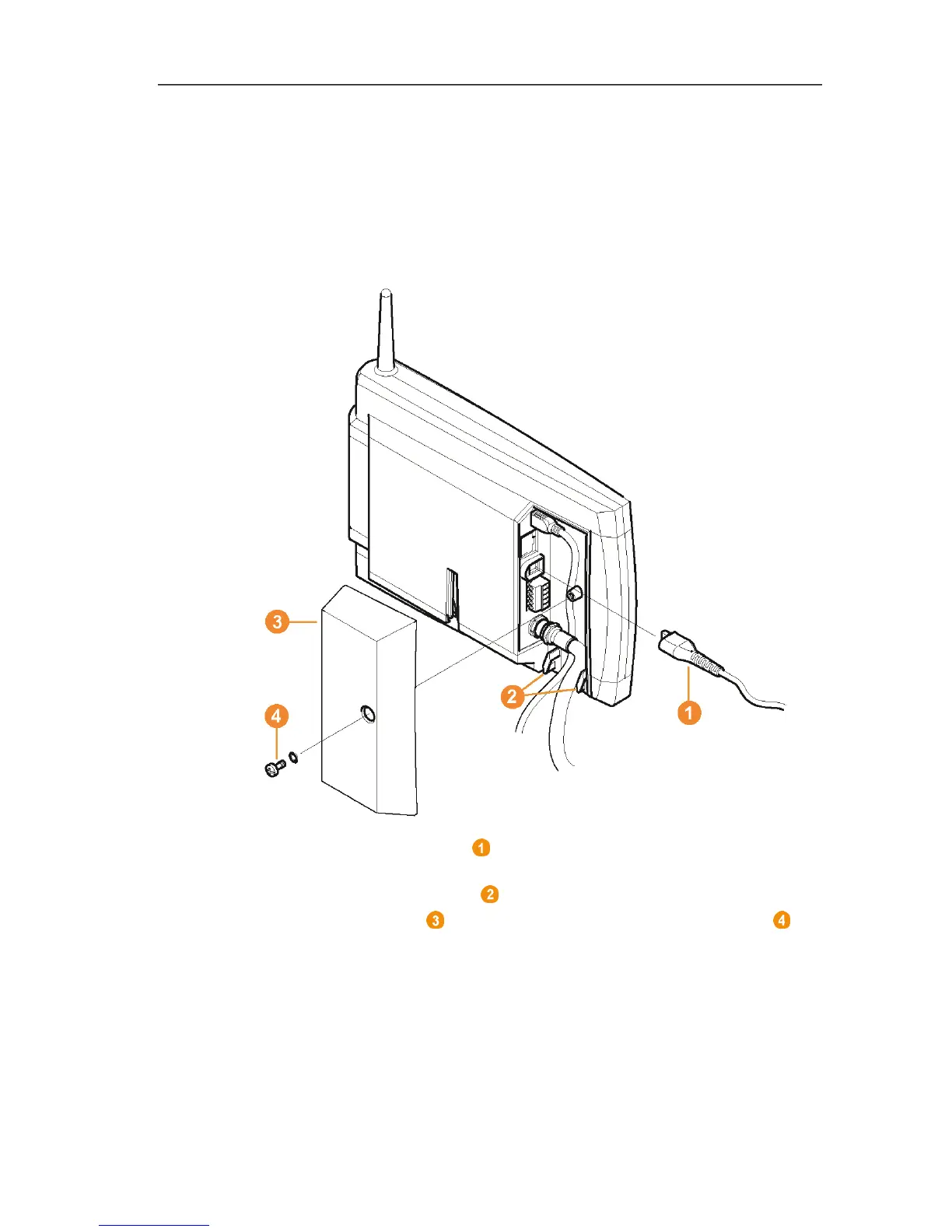
You can connect the Saveris base to the power supply via the
included mains unit or via the 24 V AC/DC plug-in/screw terminal.
Pos: 51 /TD/Erst e Schritte/testo Saver is/02a-1 Stromver sorgung über Netztei l verbinden @ 0\mod_11913283 26843_79.docx @ 5392 @ 3 @ 1
5.5.1. Power supply via mains unit
Pos: 52 /TD/Erste Sc hritte/testo Saveris/02a- 2 SBE Stromversorgung über Ne tzteil verbinden @ 1\mod_1 200057993442_79.d ocx @ 7524 @ @ 1
Pos: 53 /TD/Erst e Schritte/testo Saver is/02a-3 Stromver sorgung über Netztei l verbinden @ 1\mod_12000580 46031_79.docx @ 7546 @ @ 1
1. Connect mains cable to the Saveris base.
2. Ensure that cabling cannot be pulled out using a cable tie at the
eyelets for strain relief .
3. Place the cover on the Saveris base and screw it down .
4. Connect mains plug to the power supply.
- The Saveris base automatically switches on after selecting the
language at the base and is ready for operation.



 To Next Page
 Loading...

