www.ti.com
2
SLAU680–May 2018
Submit Documentation Feedback
Copyright © 2018, Texas Instruments Incorporated
MSP430FR2355 LaunchPad™ Development Kit (MSP
‑
EXP430FR2355)
Contents
1 Getting Started ............................................................................................................... 4
1.1 Introduction .......................................................................................................... 4
1.2 Key Features ........................................................................................................ 4
1.3 What’s Included..................................................................................................... 4
1.4 First Steps: Out-of-Box Experience .............................................................................. 4
1.5 Next Steps: Looking Into the Provided Code ................................................................... 5
2 Hardware...................................................................................................................... 6
2.1 Block Diagram....................................................................................................... 6
2.2 Hardware Features ................................................................................................. 7
2.3 Power ............................................................................................................... 12
2.4 Measure Current Draw of the MSP430 MCU.................................................................. 12
2.5 Clocking ............................................................................................................ 13
2.6 Using the eZ-FET Debug Probe with a Different Target ..................................................... 13
2.7 BoosterPack Plug-in Module Pinout ............................................................................ 13
2.8 Design Files........................................................................................................ 15
2.9 Hardware Change Log............................................................................................ 15
3 Software Examples ........................................................................................................ 15
3.1 Out-of-Box Software Example ................................................................................... 16
3.2 Blink LED Example................................................................................................ 18
4 Resources................................................................................................................... 18
4.1 Integrated Development Environments......................................................................... 18
4.2 LaunchPad Development Kit Websites......................................................................... 22
4.3 MSPWare and TI Resource Explorer........................................................................... 22
4.4 FRAM Utilities...................................................................................................... 23
4.5 MSP430FR2355 MCU............................................................................................ 23
4.6 Community Resources ........................................................................................... 23
5 FAQ .......................................................................................................................... 24
6 Schematics.................................................................................................................. 25
List of Figures
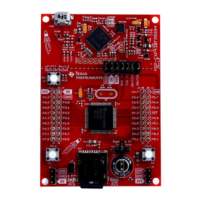
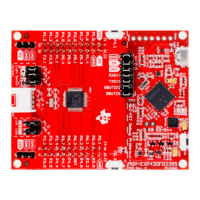
1 MSP-EXP430FR2355 LaunchPad Development Kit.................................................................... 1
2 MSP-EXP430FR2355 Overview........................................................................................... 6
3 MSP-EXP430FR2355 Block Diagram..................................................................................... 6
4 MSP430FR2355 Pinout..................................................................................................... 8
5 eZ-FET Debug Probe ....................................................................................................... 9
6 eZ-FET Isolation Jumper Block Diagram ............................................................................... 10
7 Application Backchannel UART in Device Manager................................................................... 11
8 MSP-EXP430FR2355 Power Block Diagram........................................................................... 12
9 BoosterPack Checker Tool ............................................................................................... 14
10 LaunchPad Development Kit to BoosterPack Plug-in Module Connector Pinout.................................. 15
11 Default Waveform of the Function Generator Mode................................................................... 17
12 TI Resource Explorer Cloud .............................................................................................. 19
13 CCS Cloud .................................................................................................................. 20
14 Directing the Project>Import Function to the Demo Project .......................................................... 21
15 When CCS Has Found the Project ...................................................................................... 21
16 Using TI Resource Explorer to Browse MSP-EXP430FR2355 in MSPWare ...................................... 22
17 Schematics (1 of 2) ........................................................................................................ 25
18 Schematics (2 of 2) ........................................................................................................ 26
List of Tables
1 EnergyTrace Technology ................................................................................................... 9







 To Next Page