Resources
www.ti.com
22
SLAU680–May 2018
Submit Documentation Feedback
Copyright © 2018, Texas Instruments Incorporated
MSP430FR2355 LaunchPad™ Development Kit (MSP
‑
EXP430FR2355)
4.1.3 IAR Embedded Workbench for Texas Instruments 430 IDE
IAR Embedded Workbench for MSP430 is another very powerful integrated development environment that
allows you to develop and manage complete embedded application projects. It integrates the IAR C/C++
Compiler, IAR Assembler, IAR ILINK Linker, editor, project manager, command line build utility, and IAR
C-SPY
®
Debugger.
Learn more about IAR Embedded Workbench for MSP430 and download it at
http://supp.iar.com/Download/SW/?item=EW430-EVAL.
IAR v7.12.1 or higher is required. To open the demo in IAR, click File>Open>Workspace…, and browse to
the *.eww workspace file inside the \IAR subdirectory of the desired demo. All workspace information is
contained within this file.
The subdirectory also has an *.ewp project file. This file can be opened into an existing workspace by
clicking Project>Add-Existing-Project….
Although the software examples have all of the code required to run them, IAR users may download and
install MSPWare, which contains MSP430 libraries and the TI Resource Explorer. These are already
included in a CCS installation (unless the user selected otherwise).
4.2 LaunchPad Development Kit Websites
More information about the LaunchPad development kit, supported BoosterPack plug-in modules, and
available resources can be found at:
• MSP-EXP430FR2355 tool folder: resources specific to this particular LaunchPad development kit
• TI’s LaunchPad development kit portal: information about all LaunchPad development kits from TI
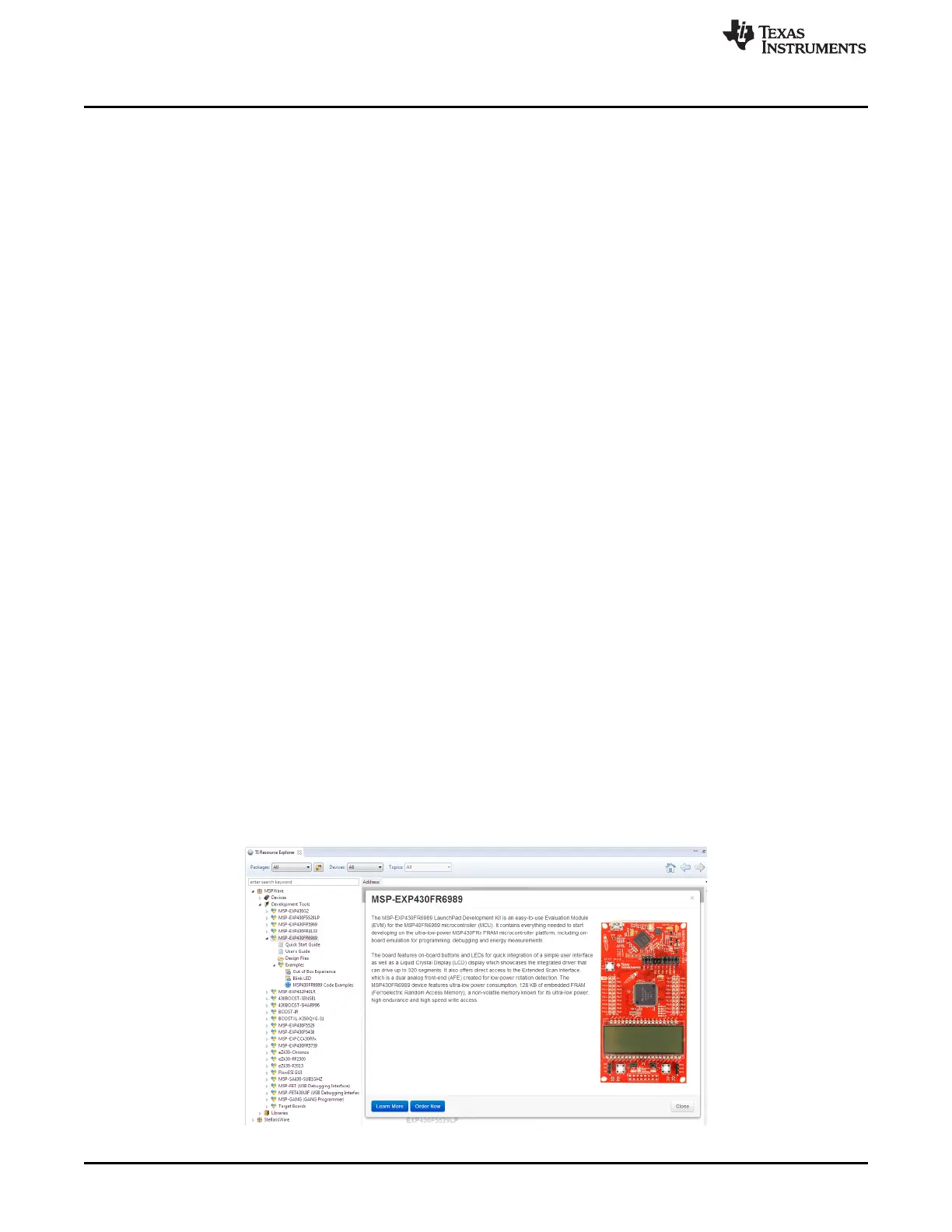
4.3 MSPWare and TI Resource Explorer
TI Resource Explorer is a tool integrated into CCS that allows you to browse through available design
resources. TI Resource Explorer will help you quickly find what you need inside packages including
MSPWare, ControlSuite, TivaWare and more. TI Resource Explorer is well organized to find everything
that you need quickly, and you can import software projects into your workspace in one click!
TI Resource Explorer Cloud is one of the TI Cloud Development tools, and is tightly integrated with CCS
Cloud. See Section 4.1.1 for more information.
MSPWare is a collection of code examples, software libraries, data sheets and other design resources for
ALL MSP devices delivered in a convenient package – essentially everything developers need to become
MSP experts!
In addition to providing a complete collection of existing MSP design resources, MSPWare also includes a
high level API called MSP Driver Library. This library makes it easy to talk to MSP hardware. More
information can be found at http://www.ti.com/tool/mspware.
Figure 16. Using TI Resource Explorer to Browse MSP-EXP430FR2355 in MSPWare







 To Next Page