www.ti.com
Resources
21
SLAU680–May 2018
Submit Documentation Feedback
Copyright © 2018, Texas Instruments Incorporated
MSP430FR2355 LaunchPad™ Development Kit (MSP
‑
EXP430FR2355)
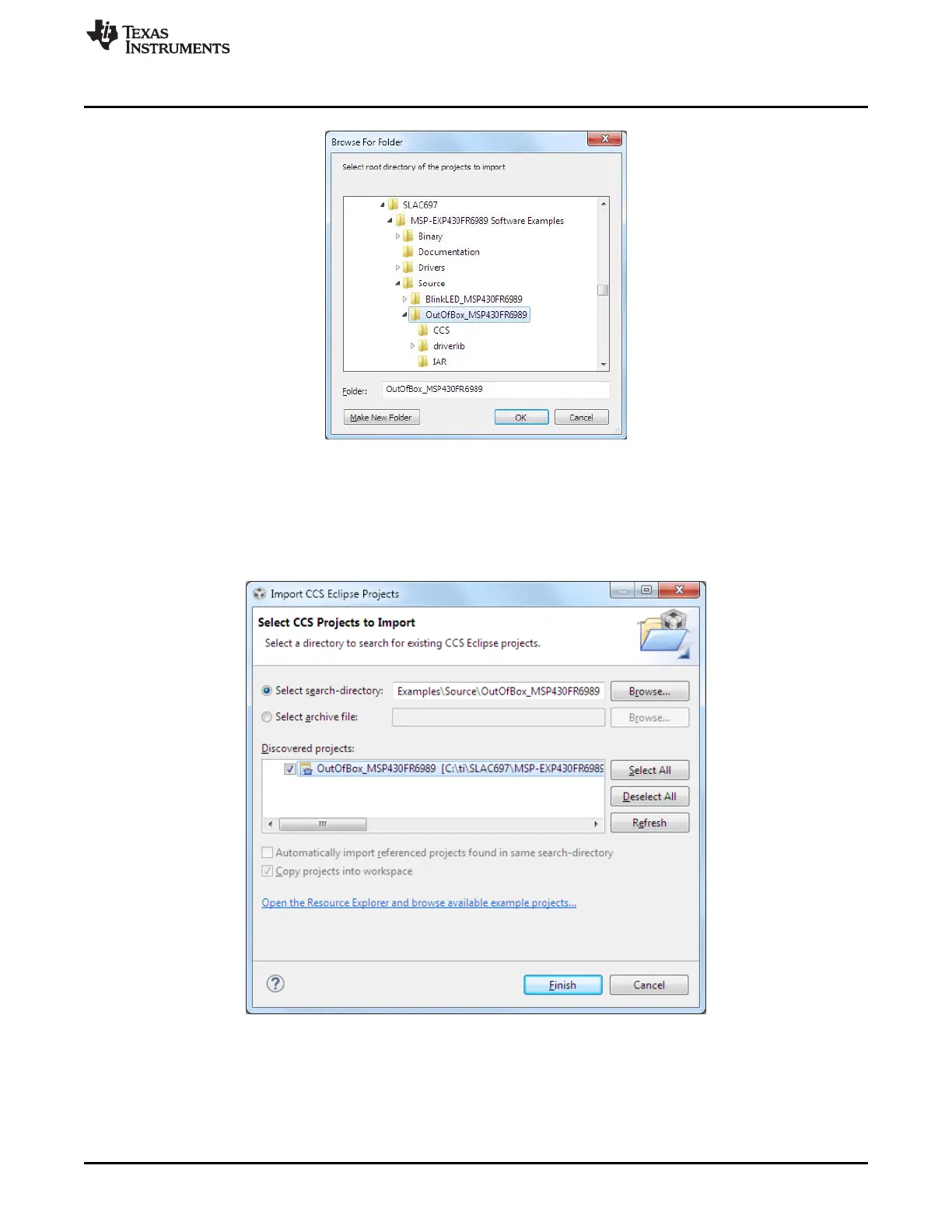
Figure 14. Directing the Project>Import Function to the Demo Project
Selecting the \CCS subdirectory also works. The CCS-specific files are located there.
When you click OK, CCS should recognize the project and allow you to import it. The indication that CCS
has found it is that the project appears in the box shown in Figure 15, and it has a checkmark to the left of
it.
Figure 15. When CCS Has Found the Project
Sometimes CCS finds the project but does not show a checkmark; this might mean that your workspace
already has a project by that name. You can resolve this by renaming or deleting that project. (Even if you
do not see it in the CCS workspace, be sure to check the workspace directory on the file system.)







 To Next Page