AS 680/682
Technical Situation Display Description, Operation and Maintenance
ADS−B
4−24 Ed. 10.07
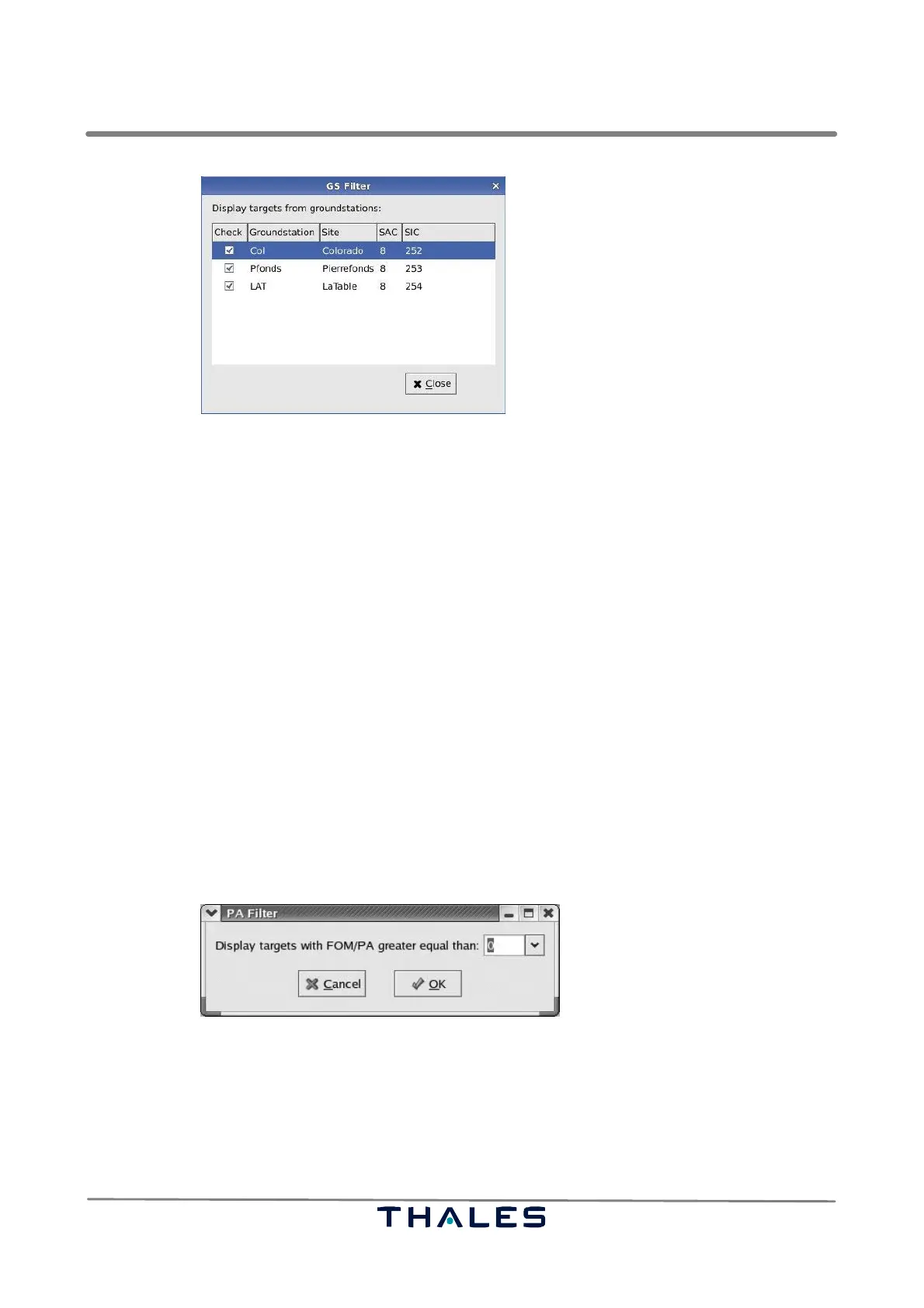
Fig. 4−37 TSD, ’GS Filter’ panel (example)
The list in the filter panel consists of five columns, see Fig. 4−37:
− the first column contains check boxes relating to the complete line
− the second column contains the Ground Station identification
− the third column contains the site name of the Ground Station
− the fourth column contains the System Area Code (SAC) of the Ground Station
− the fifth column contains the System Identification Code (SIC) of the Ground Station
ASTERIX CAT 21 data is only accepted from the Ground Stations, which are selected in the Ground
Station list. Checking a Ground Station activates immediately the corresponding filter. The display will
accept only targets arriving from the checked Ground Stations. Pushing the ’Close’ button closes the
’Filter’ panel. The filter settings are saved, if the configuration is saved, refer to section 4.4.2.1.
4.4.2.6.3 PA Filter Panel
The menu item ’PA Filter’ opens a panel, see Fig. 4−38, to change the Position Accuracy Filter. It
is possible to select a position accuracy between 0 and 9. All targets with a position accuracy less
than the selected number are not displayed. The position accuracy (PA) is found in the mandatory
ASTERIX field Figure of Merit (FOM). Thus no targets are filtered out with this filter, if the number ’0’
is chosen in the option box.
Fig. 4−38 TSD, ’PA Filter’ panel (example)
4.4.2.6.4 View Panel
The menu item ’View’ opens the ’Selected localisation’ panel, see Fig. 4−39, to change the current
view. There is defined one view per available Ground Station site. It is possible to select the wished
view in the option menu ’View of groundstation’.


 To Next Page
 Loading...