AS 680/682
Description, Operation and Maintenance Record and Replay
ADS−B
4−81Ed. 10.07
4.6.7 Replay Asterix Data Tool (ARP)
The ’Replay Asterix Data’ too reads ASTERIX data from a file or from standard input and sends these
data in ASTERIX CAT 21 format to a user defined network interface.
4.6.7.1 ARP Notebook Page ’I/O Parameter’
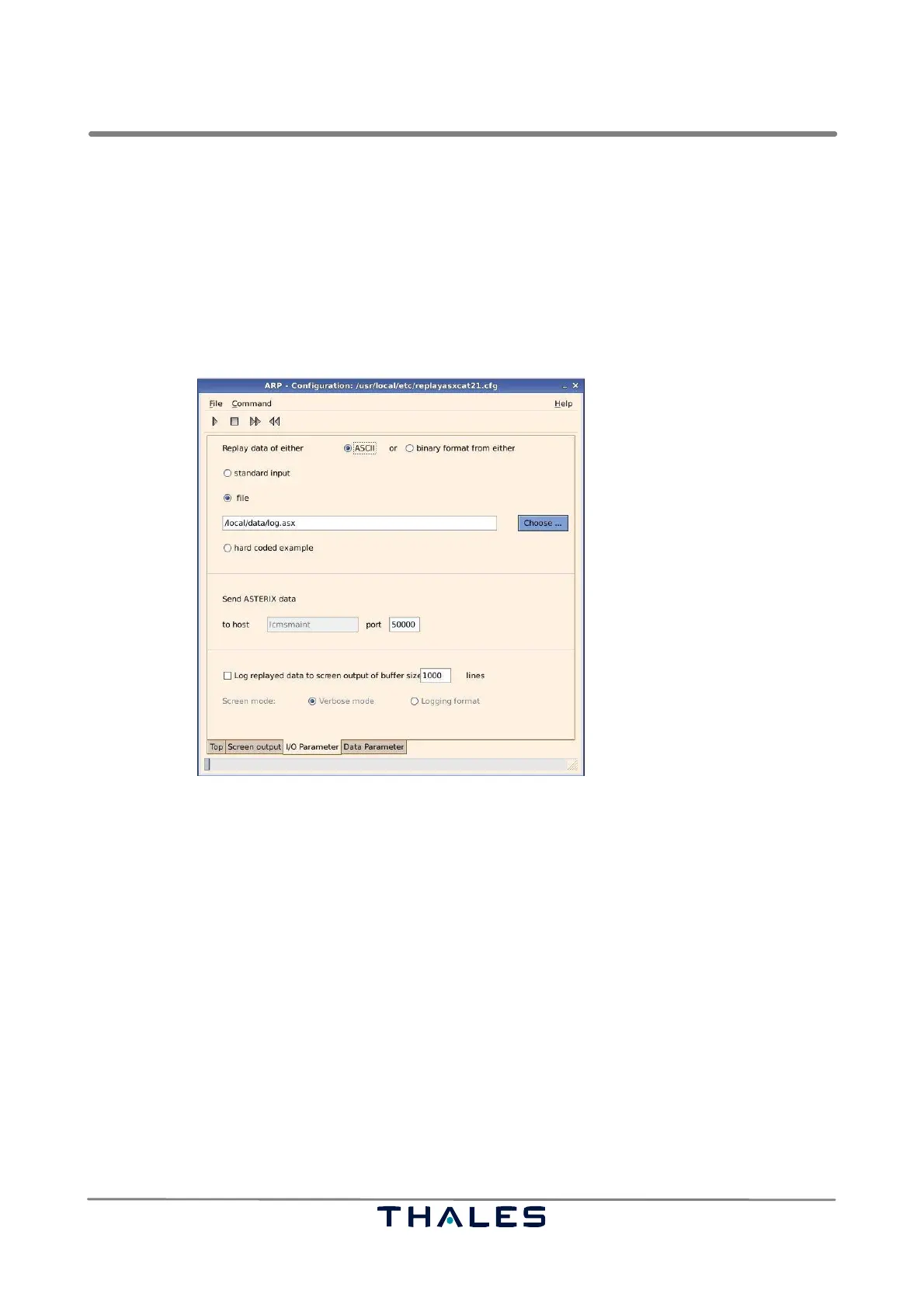
Fig. 4−108 shows the first page with configuration parameters in the ’Replay Asterix Data’ tool.
Fig. 4−108 ARP, page ’I/O Parameter’ (example)
4.6.7.1.1 ARP I/O Parameter: Input
The input of the ’Replay Asterix Data’ tool can be either the proprietary ASCII file logging format or
the not decoded pure binary input stream being recorded in the way sent over network (refer to 4.6.6.1
’Output’). If input is a binary stream, then the single step ’Previous’ replay is not possible, because
reading the previous record is not possible due to missing length knowledge.
The input source may either come from standard input or from a file.
S If standard input is selected, then the standard output of some other tool must be piped to this tool
(refer to section 4.6.3.1), else the option ’standard input’ does not work.
S If selecting the radio button ’file’, it is possible to choose an input file by pressing the button
’Choose’, which opens a file selection dialog.
S In addition, it is possible to replay one single hard coded ASTERIX record for test purposes.
NOTE: It is not possible to enter the input file name directly into the textfield. The reason is found
in the explanation of section 4.6.4.2.2 .



 To Next Page