6-4
User Manual PN 84469 Rev B
Terminal Unit has power but
accessories not working
• Remove power from accessories and disconnect from TU. Restart
TU using the power button or remove power from TU for 10
seconds. After TU has rebooted re-attach accessories
• If PoE accessory not receiving power, make sure PoE is enabled
for that port.
• PoE is not available on WAN port. Any device on WAN port
needs its own power source.
• Check VoIP phone manuals for proper configuration. Each phone
may have a different configuration method.
Terminal Unit is not
responding
• Check LED status on TU or on Management Portal. Make sure
there are no RED LEDs. Check for Alerts in Management Portal
by selecting the Alerts menu item
• Reboot the system and recheck for any Alerts that may have been
generated.
• Call Service Provider if the TU is still not responding.
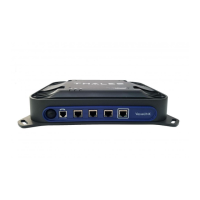
• As a last resort, use the manual reset button, located below Wi-Fi
antenna port, using a straightened paper clip or similar sized article
insert into port and push reset button.
NOTE: This is not recommended as a routine troubleshooting
measure. All user data and debug information will be lost and
factory defaults returned.


 To Next Page