EasyManua.ls Logo

Thermal Dynamics CUTMASTER A120 - User Manual

Thermal Dynamics CUTMASTER A120
128 pages
Print Icon
To Next Page IconTo Next Page
Loading...
380-
400
Art # A-08955_AB
460
600
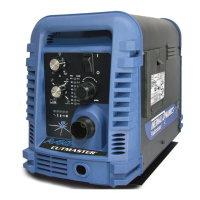
AUTOMATED PLASMA
CUTTING SYSTEM
A120
CUTMASTER
Rev. AO Date: Dec. 7, 2012 Manual # 0-4989
Operating Features:
Operating Manual

Table of Contents

Questions and Answers

  • V
    Virginia RodriguezAug 21, 2025
    What to do if FAULT and 75 PSI indicators are flashing on my Thermal Dynamics CUTMASTER A120 Welding System?
    • M
      Mark MartinezAug 22, 2025
      If the FAULT and 75 PSI indicators are flashing, it could be due to several reasons. First, the start signal might be active when the ON/OFF switch is turned on. In this case, release the START signal source. This can happen if the hand torch or pendant switch is held closed, or if the CNC START signal is active low. Another potential cause is a problem in the torch and leads switch circuit, which would require replacing the torch and leads or returning the unit to an authorized service center.
  • R
    Russell EatonSep 4, 2025
    What to do if pilot arc is on but cutting arc will not establish on Thermal Dynamics Cutter?
    • T
      Trevor GilesSep 4, 2025
      If the pilot arc is on but the cutting arc will not establish: - Connect the work cable. - Replace the work cable. If the issue persists, return the unit to an authorized service center for repair.
  • B
    blake50Sep 2, 2025
    What to do if TEMPERATURE indicator is on and FAULT indicator is flashing on Thermal Dynamics Cutter?
    • M
      Martin PierceSep 2, 2025
      If the TEMPERATURE indicator is on and the FAULT indicator is flashing: - Refer to clearance information. - Allow the unit to cool. If the issue persists, return the unit to an authorized service center for repair or replacement.
  • C
    Christina TaylorSep 1, 2025
    What to do if FAULT & 80 PSI indicators are flashing and gas flow is cycling on and off on Thermal Dynamics Cutter?
    • G
      greggarciaSep 1, 2025
      If the FAULT and 80 PSI indicators are flashing and the gas flow is cycling on and off, try these steps: - Tighten the shield cup by hand, being careful not to overtighten it. - Turn off the power supply and remove the shield cup. Then, install any missing parts. - Turn off the power supply, bleed down the system pressure, and remove the shield cup, tip, and start cartridge. Check the start cartridge lower end fitting for free movement, and replace it if the fitting does not move freely. If the issue continues, consider replacing the torch and leads or returning the unit to an authorized service center for repair.
  • N
    Nicholas YoungAug 30, 2025
    What to do if FAULT and 75 PSI indicators are flashing on Thermal Dynamics Cutter?
    • V
      Veronica BoydAug 30, 2025
      If the FAULT and 75 PSI indicators are flashing, it may be because the start is active. This can happen if the hand torch switch or hand pendant switch is held closed, or if the CNC START signal is active low. Try releasing the START signal source. If that doesn't work, consider replacing the torch and leads or returning the unit to an authorized service center for repair.
  • T
    Tammy GordonAug 29, 2025
    What to do if FAULT and 70 PSI indicators are flashing on Thermal Dynamics Cutter?
    • M
      Marcus RodriguezAug 29, 2025
      If the FAULT and 70 PSI indicators are flashing, try the following: - Hand tighten the shield cup until it is snug. - Ensure the torch ATC is securely fastened to the unit. If the issue persists, consider replacing the torch and leads or returning the unit to an authorized service center for repair.
  • M
    Melissa RichardsonAug 27, 2025
    What to do if GAS LED is off, and FAULT and MIN pressure indicators are flashing on Thermal Dynamics Cutter?
    • C
      Charles GomezAug 28, 2025
      If the GAS LED is off, and the FAULT and MIN pressure indicators are flashing, take the following steps: - Connect the gas supply to the unit. - Turn on the gas supply. - Set the air supply inlet pressure to the unit to 120 psi. - Adjust the regulator to set the air pressure. If the problem continues, the unit may need to be returned to an authorized service center for repair.
  • M
    Miranda MoranAug 26, 2025
    What to do if fault and 85 PSI indicators are flashing on Thermal Dynamics Cutter?
    • S
      scottgarciaAug 27, 2025
      If the fault and 85 PSI indicators are flashing, try the following: - Remove the shield cup from the torch and check the upper O-Ring position, correcting it if necessary. - Turn off the power supply, bleed down the system pressure, and remove the shield cup, tip, and starter cartridge. Check the starter cartridge lower end fitting for free movement, and replace it if it does not move freely. - Inspect the torch consumable parts and replace them if necessary. - Release the torch switch and reactivate it. If the issue persists, consider replacing the torch and leads or returning the unit to an authorized service center for repair.
  • G
    guzmanthomasAug 25, 2025
    What to do if FAULT and 85 PSI indicators are flashing on my Thermal Dynamics Welding System?
    • N
      Natasha MaxwellAug 25, 2025
      If the FAULT and 85 PSI indicators are flashing, try turning the ON/OFF switch OFF and then back ON again. If that doesn't clear the fault, return the unit to an authorized service center.
  • M
    morrisduaneAug 23, 2025
    What causes Fault indicator flashing, 65 PSI indicator flashing on Thermal Dynamics CUTMASTER A120?
    • W
      Wendy HicksAug 23, 2025
      If the Fault indicator and the 65 PSI indicator are flashing, ensure the INPUT VOLTAGE SELECTION SWITCH is set to match the primary input voltage. Have a qualified person check the primary voltage to ensure it meets the unit requirements.

Summary

General Information

Notes, Cautions, and Warnings

Defines and explains the use of NOTE, CAUTION, and WARNING messages for clarity and safety.

Important Safety Precautions

Details critical safety measures for operating plasma arc equipment, covering hazards like electric shock and fumes.

Statement of Warranty

Power Supply Specifications

Input Wiring Specifications

Torch Introduction

Specifications

Details torch configurations, models, and lead lengths available for different torch types.

Torch Ratings and Gas Requirements

System Installation

Primary Input Power Connections

Setting Up Automation or Machine Torch

System Operation

Front Panel Controls and Features

Identifies and explains the function of each control and indicator on the power supply's front panel.

Preparations for Operation

Cutting and Gouging Setup

Covers setting gas pressure, selecting output levels, and details on cutting, post-flow, and shutdown procedures.

Torch Operation

Machine and Automated Torch Operation

Explains how to operate machine and automated torches, including travel speed and piercing techniques.

Cut Quality

Hand Torch Operation

Standoff Cutting with Hand Torch

Explains the procedure for performing standoff cutting using a hand torch, including grip and trigger use.

Gouging

Recommended Cutting Speeds - Mild Steel (Exposed Tip)

Recommended Cutting Speeds - Stainless Steel (Exposed Tip)

Recommended Cutting Speeds - Mild Steel (Shielded Tip)

Recommended Cutting Speeds - Stainless Steel (Shielded Tip)

Recommended Cutting Speeds - Aluminum (Shielded Tip)

Recommended Cutting Speeds - Mild Steel 60 A (Shielded Tip)

Recommended Cutting Speeds - Stainless Steel 60 A (Shielded Tip)

Recommended Cutting Speeds - Aluminum 60 A (Shielded Tip)

Recommended Cutting Speeds - Mild Steel 80 A (Shielded Tip)

Recommended Cutting Speeds - Aluminum 80 A (Shielded Tip)

Recommended Cutting Speeds - Mild Steel 100 A (Shielded Tip)

Recommended Cutting Speeds - Mild Steel 120 A (Shielded Tip)

System Service and Maintenance

General Maintenance Schedule

Outlines a schedule for performing general maintenance tasks on the power supply, with visual checks and cleaning.

Maintenance Schedule Details

Provides detailed daily, weekly, and six-month maintenance checks and procedures.

Common Faults and Causes

Lists common problems, their symptoms, and probable causes for troubleshooting.

Fault Indicator System

Basic Troubleshooting Guide

Power Supply Parts Replacement

Torch Service and Maintenance

Consumable Torch Parts

Inspection and Replacement Procedures

Guides on inspecting and replacing consumable torch parts like shield cups, tips, starter cartridges, and electrodes.

Torch Consumable Parts

Thermal Dynamics CUTMASTER A120 Specifications

General IconGeneral
BrandThermal Dynamics
ModelCUTMASTER A120
CategoryWelding System
LanguageEnglish

Related product manuals