Installation
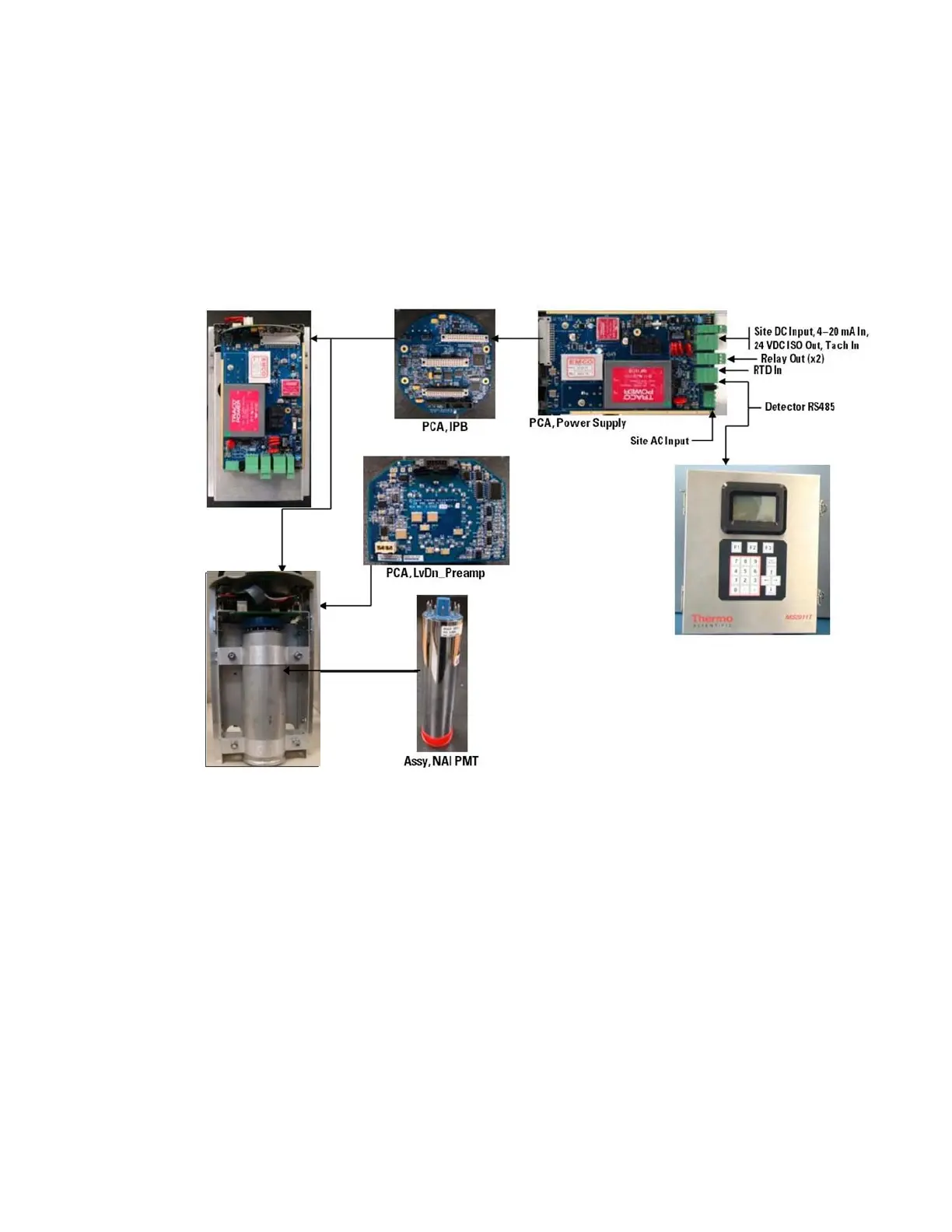
System PCAs
Thermo Scientific DensityPRO Installation Manual 3-9
xi. Reattach the PMT assembly to the card cage by reinserting the eight
previously removed screws.
5. Place the card cage into the housing cover.
6. Reinstall the two screws previously removed from the card cage to secure it into
the housing.
7. Reconnect the plug-in screw terminals to the board connectors, reattach any
cabling to the bulkhead and replace the housing access cover.
8. Apply power to the unit.
Figure 3-4. DensityPRO-T PCAs, Remote Detector


 To Next Page
 Loading...