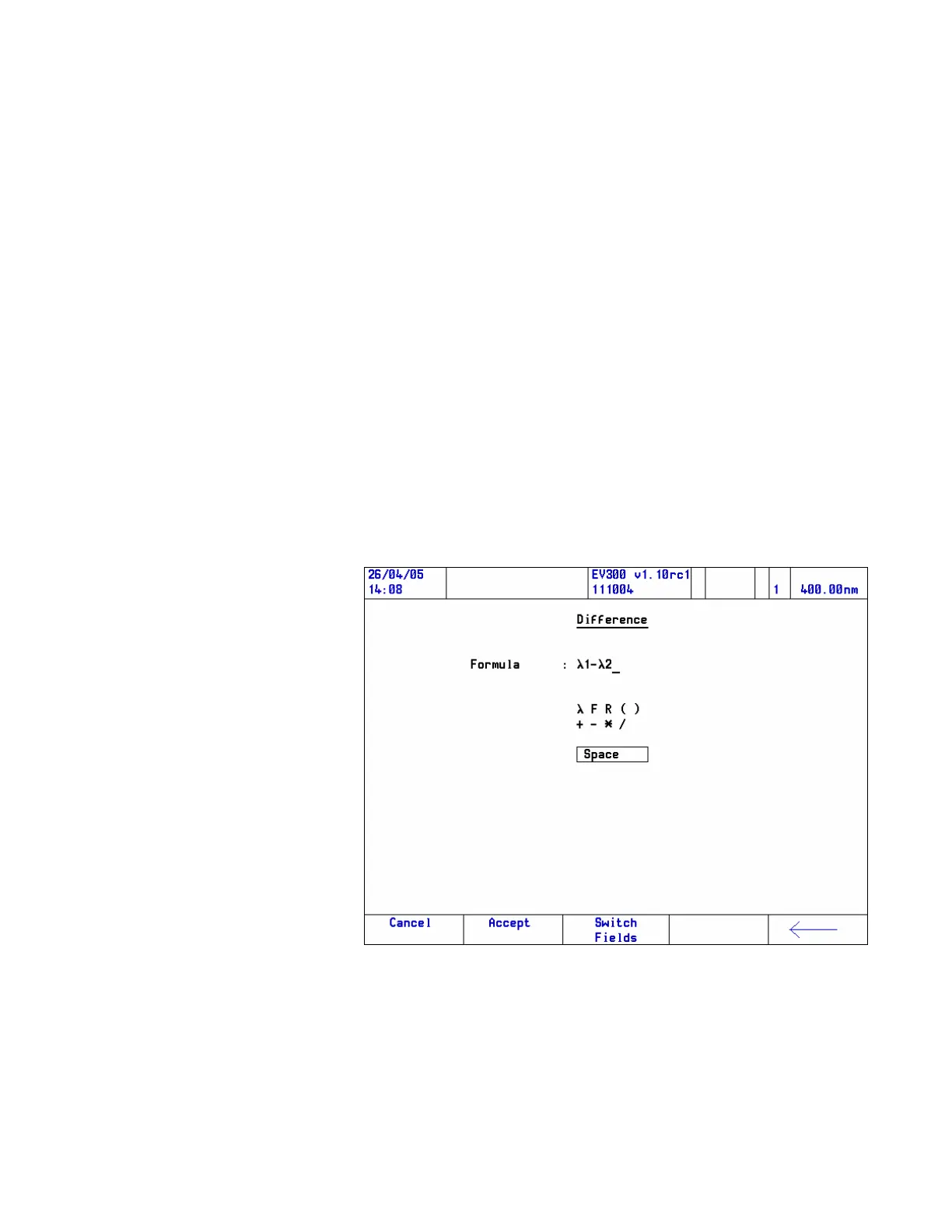
A formula may contain any combination of the following elements:
Measurement — Choose between once only and repeated.
Factor — Choose between fixed or entered by the user at run time.
Result — A result carried over from a previous UVcalc equation
brackets (parentheses). Nested brackets are supported.
Operators — Add, subtract, multiply, divide spaces may be used, if
required.
4. Use the arrow keys to move the highlight to the required element
and press Enter.
Further options will be made available as required. The back arrow and
function keys may be used to edit the equation.
5. When the equation is set up, press the Accept function key.
The Cancel button enables you to exit without changing.
70 Evolution 300 and Evolution 600 User Guide Thermo Fisher Scientific












 To Next Page