Troubleshooting
Page 44 of 60 M1393R0 OQ/PQ Operating Instructions
5.3 Probable Causes and Solutions
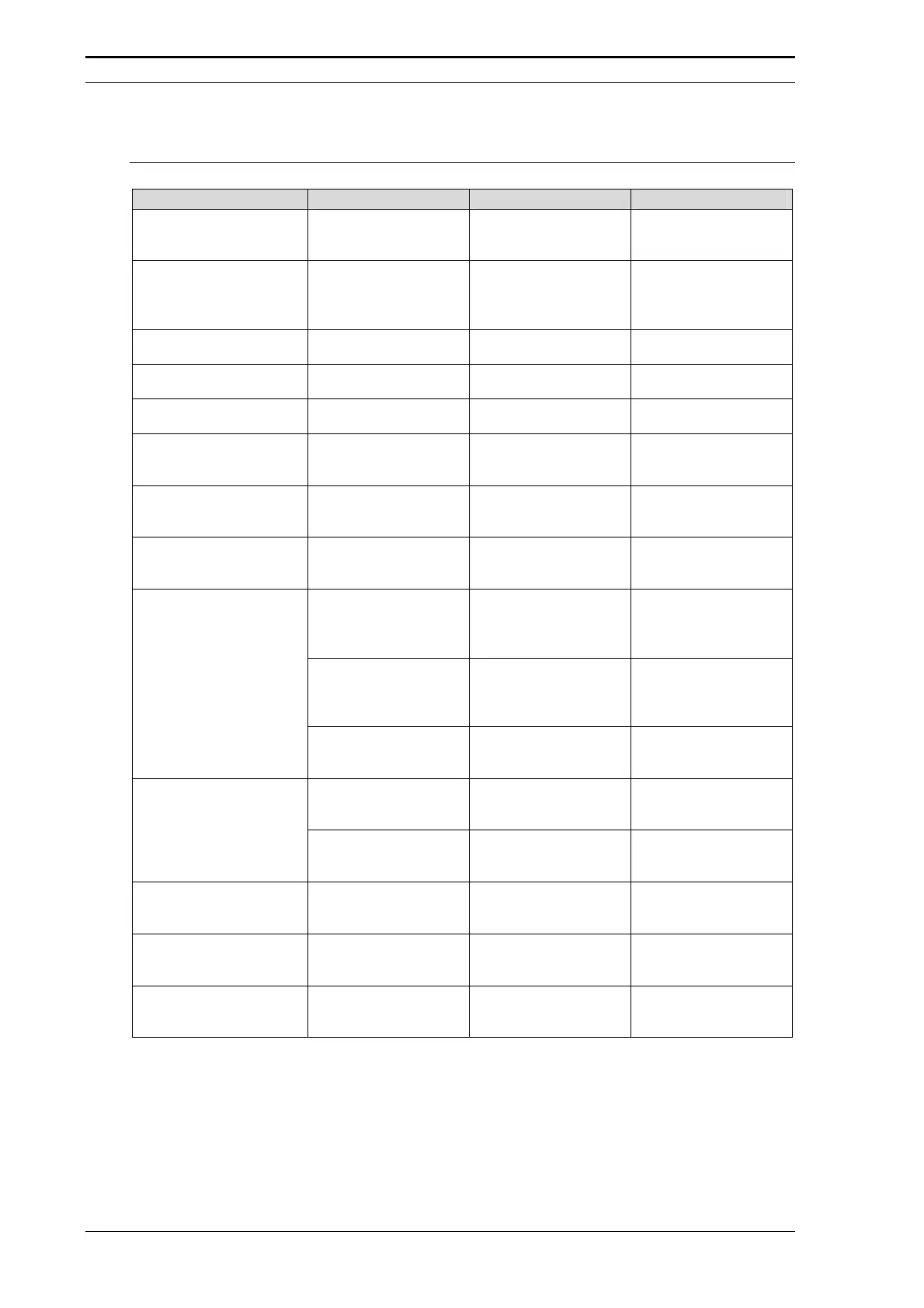
Test Procedure Problem Probable Cause Solution
All
No enough COM ports
available.
• - • Control Switchos
valves by event
outputs.
Lamp Intensity of the UV
Detector
(4.2)
Intensity values too
low.
• Old lamp.
• Wrong wavelength.
• Integration time too
low.
• Replace.
• Check/change.
• Check/adjust.
Wavelength Check
(4.3)
Failed. • Filter not in the
optical path.
• Check filter
position.
Flow Cell Check
(4.4)
Intensity values too
low.
• See above (4.2).
• Dirty flow cell
• See above (4.2).
• Clean/replace.
UltiMate Fluid Path Test
(4.5)
Flow rate too low. • Solvent filter
clogged.
• Check/replace.
Baseline Noise and Drift
Test of the UV Detector
(4.6)
Drift too high. • Old lamp. • Replace.
Oven accuracy
(4.6)
Temperature readout
not within the
specifications.
• Temperature probe
not properly
installed.
• Install properly (e.g.
use a 4 mm screw).
Linearity of the UV
Detector
(4.7)
Signal is out of range. • Acetone
concentration too
high.
• Dilute with mobile
phase A.
‘Ghost” peak before
the caffeine peak.
• Contaminated
injection valve
• Extend wash step.
• Sonicate rotor and
stator in CAN for
10 min.
Caffeine peak shows
some ‘spikes’,
improper integration.
• Air in the syringe. • Check syringe
speed and time
constant (Chapter
6).
Reproducibility of the
Injection Volume
(4.8)
Linearity of the injection
(4.9)
• Air in the syringe.
• Air at the bottom of
the sample vial.
• Purge syringe,
• Remove air.
Considerable drift of
the 95% to 100% B
steps.
• No/too little formic
acid in mobile
phase A and B.
• Check/replace
solvents.
Gradient Accuracy
(4.10)
Result not within
specification
• Wrong delay time.
• Hardware.
• Check/modify.
• Check filter, valves,
etc.
Switchos Fluid Path
Check
(4.11)
Flow rate too low. • See above (4.5). • See above (4.5).
Switchos Flow Rate and
Pressure Stability Test
(4.12)
Pulsation too high. • Check valve not
working properly.
• Clean/replace.
Switchos Valve Position
Check
(4.13)
Both position LEDs are
illuminated at the
same time.
• Improper
initialization or
faulty controller.
• See Service
Information #043.





 To Next Page