SAFE 2010/MaxiSAFE 2010
INSTRUCTION MANUAL
Page 19 of 35
81-09-IM.doc
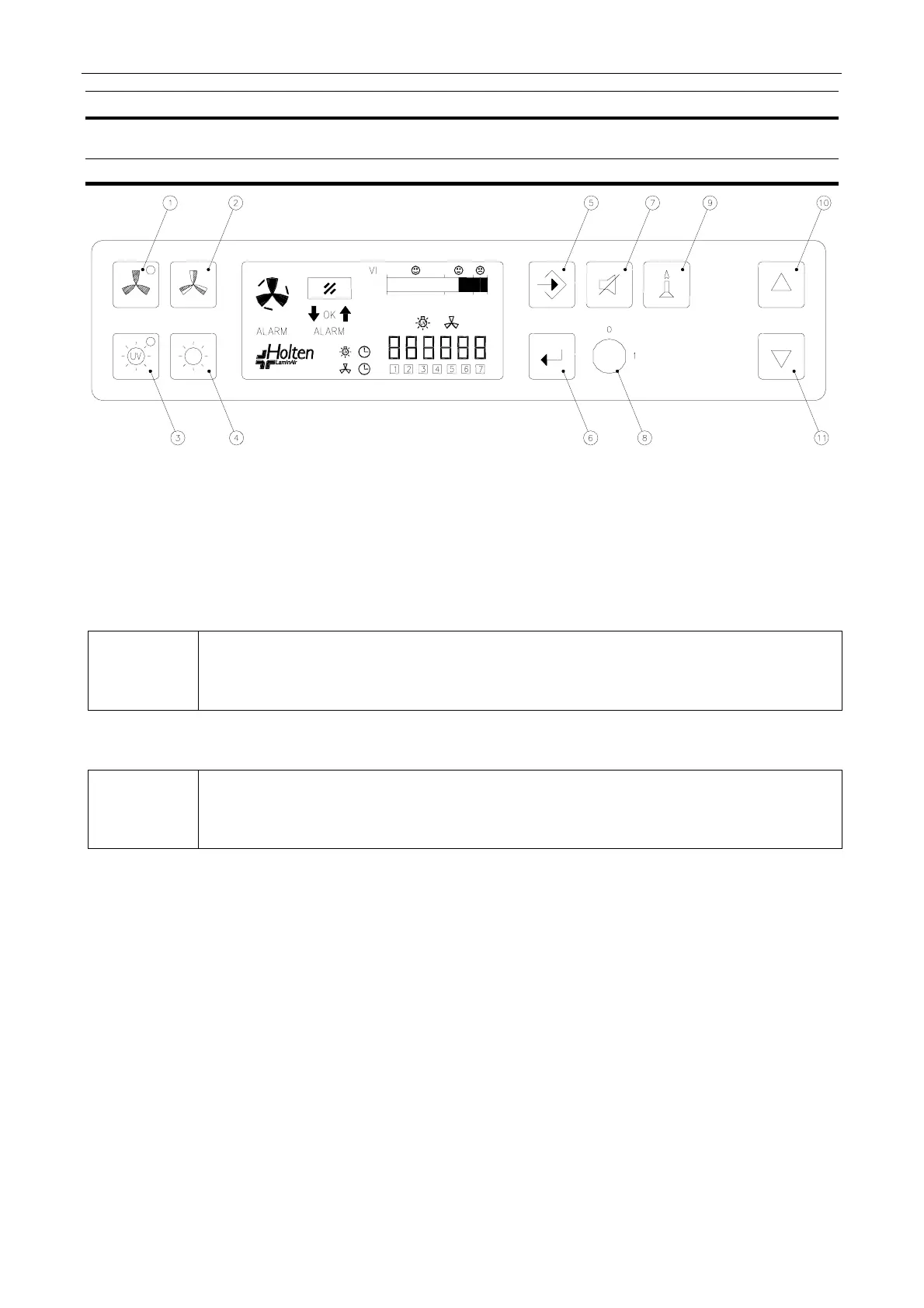
9. Control Panel
9.1. Control Panel
1. Button with green LED light to select the fan ON/OFF at normal velocity. The green light
indicates that the fan is running at normal velocity, and that conditions are safe.
2. Button to select the fan ON/OFF at reduced velocity.
3. Button with yellow LED light to select UV light ON/OFF. The yellow light indicates that the UV
light is ON. (UV light and matching UV timer for radiation time is optional).
.
NOTE
For increased safety against unintended UV radiation which will harm eyes and
skin: the front window must be closed in the lowest position and normal light must
be switched off before UV light can be switched on.
4. Button for normal light ON/OFF.
.
NOTE
For increased safety reduced velocity will turn the light OFF. When the light is
switched ON at reduced velocity the fan will be forced to normal velocity.
5. Button for programming the clock, automatic start up or the UV timer.
6. Button for entering data.
7. Button to silence the acoustic alarm. The alarm cannot be muted while cabinet is in operation
mode.
NB! Muting of the alarm is possible on the DIN 12950 approved cabinets.
8. Key switch for prevention of any unauthorised switching ON or OFF of the fan.
9. Button to OPEN/CLOSE the solenoid gas valve (optional).
10. Button for opening of the front window. In programming mode used for increasing data value.
11. Button for closing of the front window. In programming mode used for decreasing data value.



 To Next Page